Building Information Modeling (BIM) is the holistic process of creating and managing all the information about a built asset across its lifecycle, built around an intelligent 3D model that carries data in every component, not just shapes. In construction, that model lets architects, engineers, and contractors design, coordinate, and cost a project together, from a single source of truth, before work ever starts on site.
A BIM model is built from five core components, from its 3D geometry to the common data environment that links every discipline, and construction teams rely on it across the full project lifecycle, from early design and engineering through on-site building to facility management. The sections below compare BIM with traditional CAD, walk through its dimensions, benefits, and maturity levels, show how firms adopt it starting with buildings that already exist, then look at where BIM is heading and answer the questions teams ask most.
Those gains are already measurable. Global Growth Insights reports that BIM now features in roughly 70% of infrastructure tenders, and Dodge’s SmartMarket research finds that nearly half of large AEC firms see at least a 5% cut in final construction costs after adopting it.
What is BIM (Building Information Modeling)?
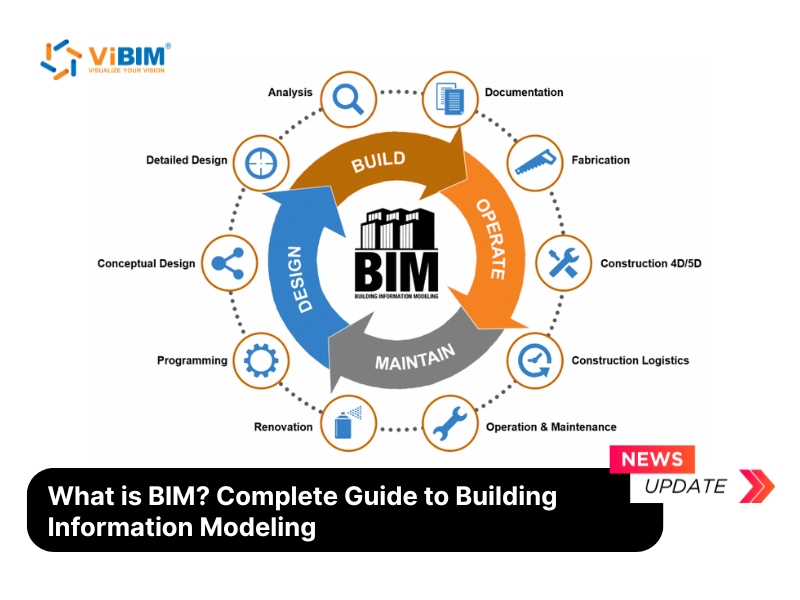
BIM stands for Building Information Modeling, and in construction it is the process of creating an intelligent digital representation of a built asset that carries multi-disciplinary data, from physical geometry to functional characteristics. Most people meet the term as a form of 3D design, but the real BIM meaning in construction goes further than that. BIM is a process rather than a single program, and every element inside its models behaves like a real building part that knows what it is, what it is made of, and how it relates to everything around it.
That intelligence is easiest to grasp from three angles: the parts a BIM model is built from, how it breaks away from the CAD it grew out of, and how it reaches past three dimensions into time, cost, and lifecycle data.

Core Components of BIM
A BIM model is built from five core components that turn plain geometry into usable information. Each one adds a different layer, from the visual shape to the embedded data and the standards that keep everything consistent. The five core components of BIM are listed below.
- 3D geometric models. These are the visual foundation of 3D BIM modeling. Unlike flat 2D drawings, they depict the physical building and its spatial relationships in three dimensions, so teams can see a project clearly before construction begins.
- Object-based data. Every element is an intelligent object, not a simple line. A BIM window, for example, does not just show a 3D shape. It holds its own dimensions, U-value for energy analysis, manufacturer, and even warranty details, and that data drives analysis, scheduling, and cost estimation.
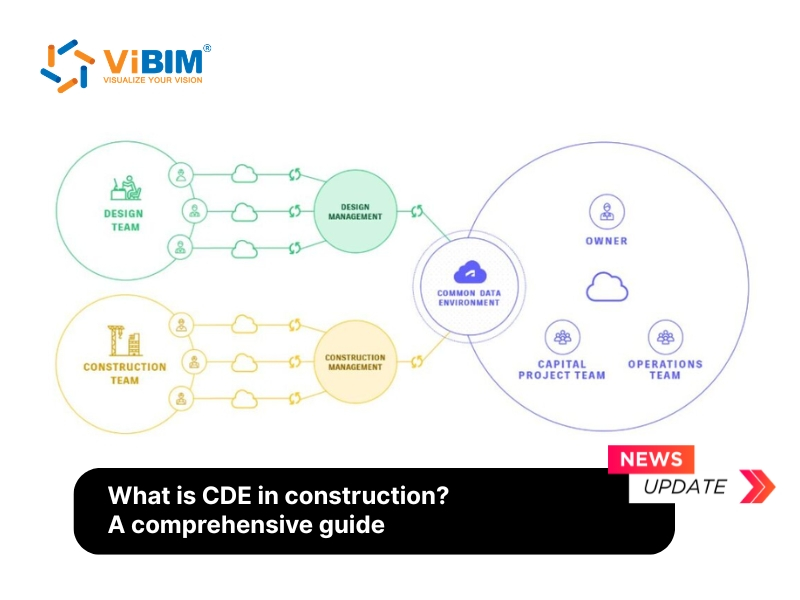
- Common Data Environment (CDE). The CDE is a centralized, cloud-based repository where all project information is stored, managed, and shared. As a single source of truth, it keeps every stakeholder on the most current version of the data and removes version-control errors.
- Standardized workflows. These are the repeatable processes that govern how BIM data is created and exchanged. Standards such as ISO 19650 keep quality and consistency steady across the whole project team.
- Integration tools. BIM depends on interoperability, the ability of architecture, structural, and MEP software to exchange data cleanly. Integration tools and APIs let those systems talk to each other, so the structural engineer’s beams line up with the architect’s walls.

BIM vs Traditional CAD
The difference between BIM and CAD is intelligence, because CAD draws lines while BIM models objects that understand what they are. Traditional CAD digitized the drafting board, so a change made to a floor plan has to be updated by hand in every related section and elevation. BIM works from object-based parametric modeling, so editing a wall in one view updates it everywhere else automatically. The authoring tool changes with that shift, and Revit BIM software replaces line-based drafting with walls, doors, and beams that carry their own data. The table below sets the two side by side.
| Scope | CAD (Computer-Aided Design) | BIM (Building Information Modeling) |
|---|---|---|
| Focus | 2D drawing and drafting | 3D modeling with data-rich objects |
| Data | Geometry only | Geometry plus material, cost, and schedule |
| Collaboration | File-based, limited | Central model shared across disciplines |
| Change management | Manual, view by view | One edit propagates to every view |
| Lifecycle use | Design phase only | Design, construction, and facility management |
The Dimensions of BIM (3D to 7D)
The BIM dimensions describe the layers of data stacked on top of 3D geometry, adding time, cost, and sustainability to the model. The dimensions of BIM from 3D to 7D are listed below.
- 3D. Spatial geometry and visualization of the building.
- 4D. Construction scheduling, so teams can sequence work and spot delays before breaking ground.
- 5D. Cost data and quantity take-offs for tighter budgeting.
- 6D. Sustainability and energy performance across the building’s operating life.
- 7D. Facility management data for the completed asset.
Dimensions say what data the model carries, while level of development says how trustworthy each object is, so a BIM LOD 500 element means field-verified geometry rather than a design assumption.
BIM Uses Across the Construction Lifecycle
In construction, BIM is used across the full project lifecycle, from early design through engineering, on-site build, and long-term operation. Each phase leans on the model in its own way, so it helps to walk through them in order.
Architectural design and visualization
Architects use BIM to explore complex forms and test several design options quickly. Because the model is parametric, they can analyze sunlight, aesthetics, and spatial relationships without redrawing an entire set of plans, so BIM for architects turns drafting hours into design iterations.
Engineering coordination and analysis
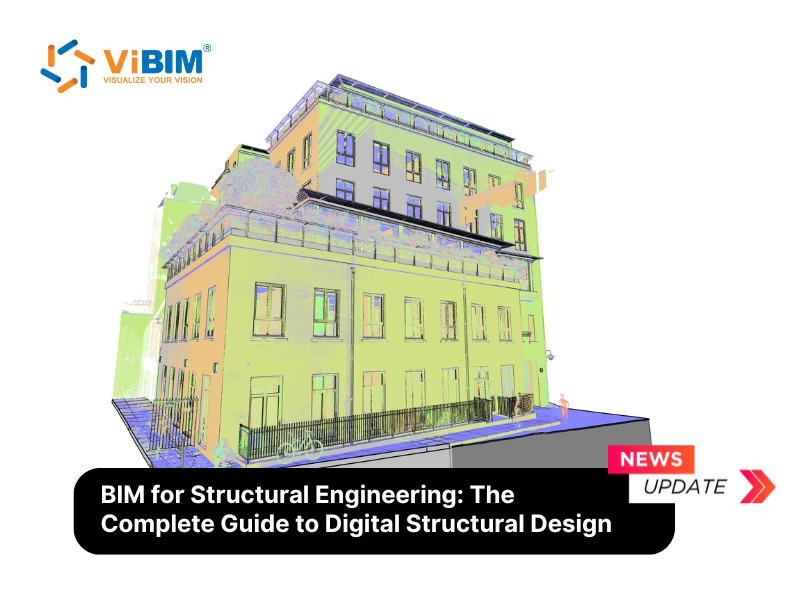
Structural and MEP engineers use BIM to simulate how a building will perform before it is built. They analyze structural integrity, energy consumption, and airflow early in the design phase, so problems are solved on the model rather than on site. Linear assets follow different rules, so BIM in civil engineering works from survey alignments and existing ground levels instead of floor plates.
Construction management and sequencing
On site, BIM shifts from design intent to constructability, and contractors use it for virtual construction that coordinates trades before work begins. The three workflows that carry most of that value are listed below.
- 4D sequencing. Linking the model to the schedule lets managers visualize the timeline day by day and plan crane positions, material storage, and safety.
- Clash detection. Automated tools scan the federated model for hard clashes, such as a beam running through a pipe, and soft clashes, such as too little clearance to install a component. Resolving them digitally prevents costly rework.
- Fabrication and field verification. High-precision BIM data drives off-site prefabrication, while superintendents check measurements and progress against the model on tablets in the field.
Facility operations and maintenance
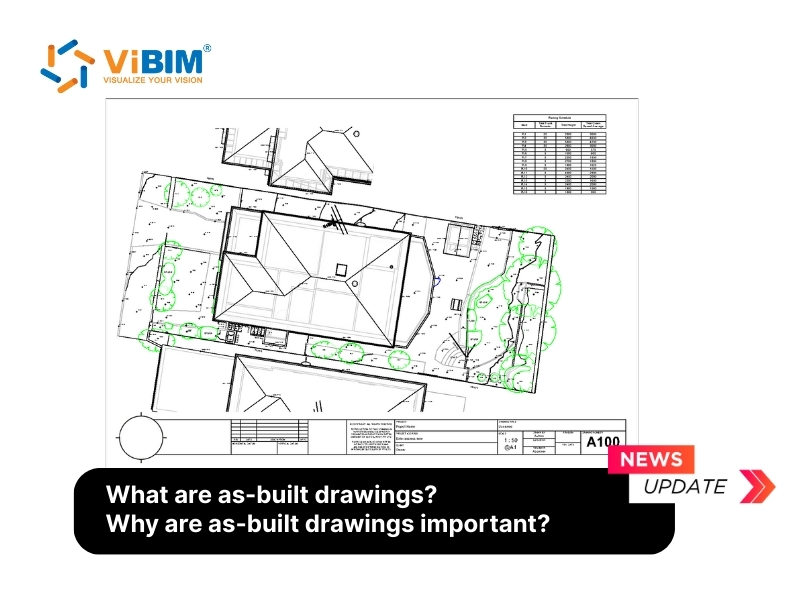
Once a building is finished, its as-built BIM model becomes a living database for the people who run it.

Key Benefits of BIM for Construction Companies
The main benefit of BIM for construction companies is fewer expensive surprises, which shows up as less rework, tighter budgets, and faster, higher-quality delivery. The key benefits of BIM for construction companies are listed below.
- Better collaboration. A single source of truth replaces scattered emails and file versions, so architects, engineers, and contractors work from the same live data.
- Less rework. Clash detection resolves conflicts virtually, before crews hit them on site.
- Accurate cost estimation. The model extracts precise bills of quantities at any design stage, which tightens budget control.
- Faster delivery. Pre-construction visualization and 4D scheduling smooth out workflows and support prefabrication.
- Better quality control. High-fidelity models let teams verify constructability and design intent before anything is built.
Our guide to the benefits of BIM modeling breaks down how those gains translate into ROI on real projects, which is why most large firms now treat BIM as standard practice.
BIM Maturity Levels (0 to 3)
BIM maturity runs from Level 0 to Level 3, with each step adding more collaboration and shared data. The four BIM maturity levels are listed below.
- Level 0 (Unmanaged CAD). Teams work in 2D CAD with no collaboration, and data is exchanged on paper.
- Level 1 (Managed CAD). A mix of 2D and 3D CAD, organized by standards such as BS 1192, but models are not shared between parties.
- Level 2 (Collaborative BIM). The current standard for many government mandates. Each party keeps its own 3D model and exchanges data through a common format like IFC, creating a federated model where information is combined but stays distinct.
- Level 3 (Integrated BIM). Often called Open BIM, this is the goal, where every party works on one shared model in the cloud and data silos disappear entirely.

How to Adopt BIM and Where to Start
Adopting BIM starts by capturing what you already have and deciding how much of the work to build in-house versus outsource. For a new project the model grows from the design itself, but for an existing building the picture is different, and most of the friction shows up early. The path runs through three things, the hurdles most firms hit, the practical starting point for a building that already stands, and where an outsourcing partner fits.
Major challenges of adopting BIM
The main challenges of adopting BIM are its upfront cost, a steep learning curve, and the effort of fitting it into workflows that already exist. The main challenges of adopting BIM are listed below.
- High initial investment. Powerful hardware and software licenses require real capital, which can be a barrier for smaller firms.
- Steep learning curve. Moving from CAD to BIM is a shift in thinking, not a software update, so staff need time and training to work in parametric 3D.
- Integration complexity. Keeping different software platforms interoperable is a technical challenge, and data can be lost in exchange.
- Resistance to change. Construction has been slow to drop familiar paper-based habits, even when they are less efficient.
- Data security. Centralized cloud models raise real questions about ownership, intellectual property, and cybersecurity.
For existing buildings, BIM starts with capturing reality (Scan to BIM)
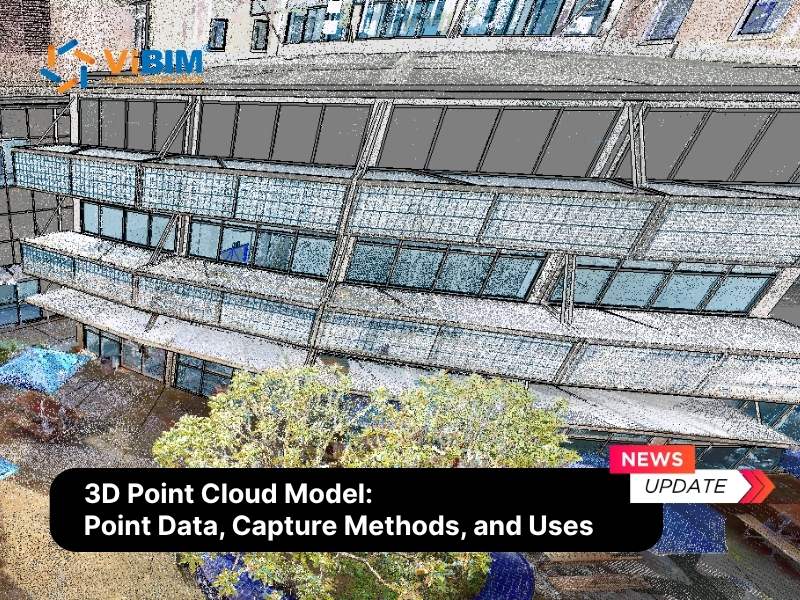
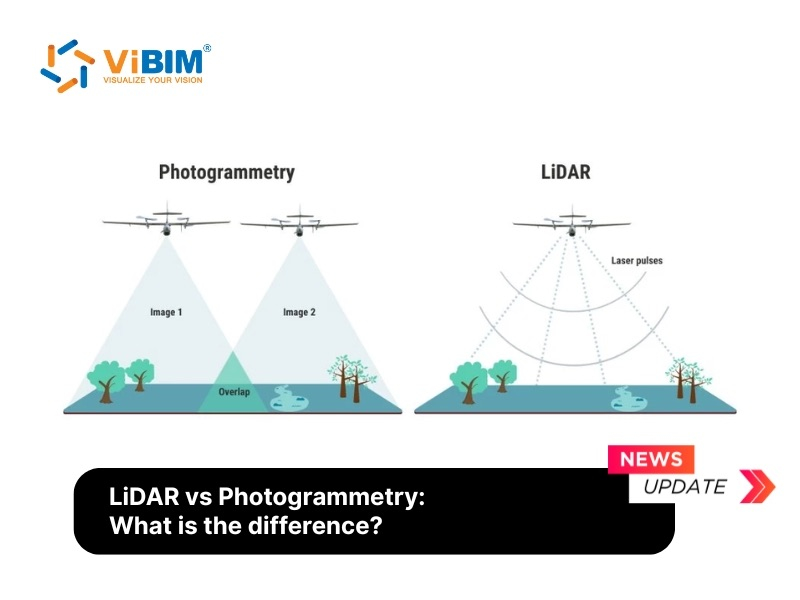
For a building that already exists, BIM starts with a scan, because there is no model to work from until the structure is recorded as data. Laser scanners capture the site as a point cloud, a dense field of measured points, and that point cloud is then rebuilt into an accurate model through scan to BIM. The quality of that conversion decides how reliable everything downstream will be, which is why many firms treat it as specialist work rather than something to learn on a live project.
How ViBIM helps you adopt BIM without the overhead
Outsourcing the modeling lets you adopt BIM without buying hardware or training a team from scratch. We work as an extension of survey and AEC firms that already have scan data and need it turned into dependable models. That scan data arrives as a 3D point cloud model, which is measurement rather than geometry until objects replace the points. The ways we remove that overhead are listed below.
- Lower cost and training burden. You skip the heavy investment in hardware and staff training, and our team of 30+ certified architects and engineers delivers the Revit modeling instead.
- Accurate as-built conditions. We specialize in converting a raw point cloud into precise, parametric BIM elements, so your project starts from reality rather than assumptions.
- Reliable turnaround. With a 99% on-time delivery record and turnaround up to 30% faster than the market average, adoption does not stall your schedule.
Contact us about our outsource point cloud modeling service and talk through your project needs.
Contact information:
- ViBIM, Revit Modeling Services
- Address: 10th floor, CIT Building, No 6, Alley 15, Duy Tan street, Cau Giay ward, Hanoi, Vietnam
- Phone: +84 944 798 298
- Email: info@vibim.com.vn
- Website: https://vibimglobal.com/
The Future of BIM in Construction
The future of BIM points toward models that stay live and keep feeding data back to the people who run a building long after it opens. The forces shaping that future are listed below.
- Cloud collaboration (Level 3). The industry is moving from BIM file exchanges toward shared cloud platforms, where teams work on one live model from anywhere.
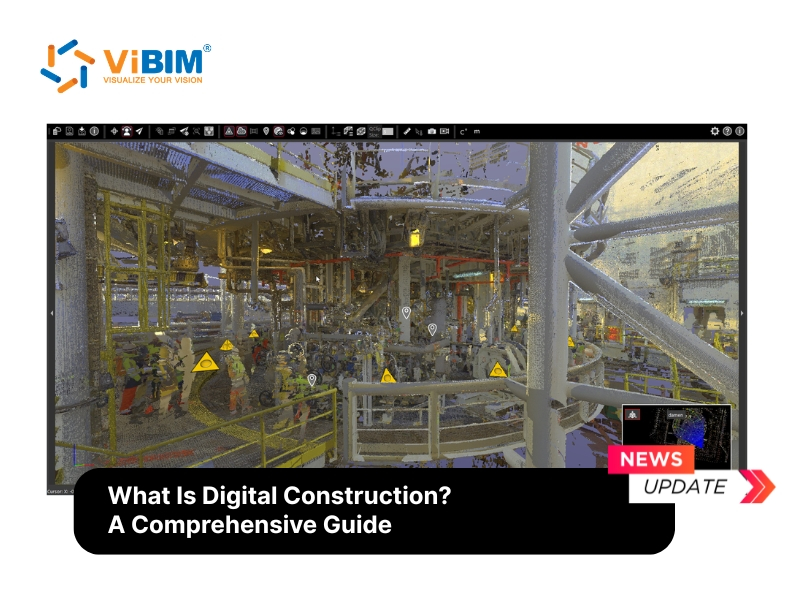
- Digital twins and IoT. BIM models are evolving into digital twins on digital construction platform environments, virtual replicas fed by Internet of Things sensors, so facility managers can predict maintenance and tune energy use in real time.
- AI and generative design. Designers increasingly set goals, such as maximum daylight or minimum material cost, and let AI generate optimized design options in minutes.
- Augmented and mixed reality. On site, workers overlay the BIM model onto the real building through AR headsets or tablets, checking hidden services before they drill.
- Sustainability and 6D. As green regulations tighten, 6D BIM helps teams model energy performance and carbon early enough to design net-zero buildings.
Frequently Asked Questions
Who uses BIM?
BIM is used by the entire project team. Architects use it for design, civil and structural engineers for analysis, general contractors for coordination, subcontractors for fabrication, and facility managers for long-term maintenance.
Is BIM a software?
No, BIM is a process, not a single piece of software. To carry out that process, professionals rely on BIM software such as Revit, ArchiCAD, or Navisworks to create and manage the data inside the model.
Is BIM mandatory in construction?
BIM is becoming mandatory in many regions, particularly for public-sector projects in the UK, Singapore, and parts of the EU. Governments rely on established BIM standards such as ISO 19650 to regulate how project information is managed and shared.
What industries use BIM besides construction?
Beyond construction, BIM is used across real estate, manufacturing, oil and gas, and urban planning. Real estate teams use it for asset management, manufacturers for prefabrication, plant operators for maintenance, and city planners for smart-city development.
Building Information Modeling is more than 3D modeling. It is a shift in how the built environment is designed, delivered, and operated, all around a single source of truth. For a building that already exists, that shift starts with capturing reality accurately, which is exactly where an experienced modeling partner matters most.