The benefits of Building Information Modeling (BIM) are the gains in cost, schedule, quality, and safety that a project captures when its design, construction, and operations teams work from one shared, data-rich model rather than separate drawings. BIM attaches data such as material, quantity, cost, and installation date to every element in that model, and the model can then answer questions about the building, not only show its shape.
Design teams resolve clashes and price options in the model, at the stage when a change costs least. For contractors, the same model becomes a construction plan, with quantities to order, a sequence to follow, and hazards to prepare for. After handover, owners can keep the model as a record of equipment and maintenance data for their facility team.
The benefits of BIM modeling are only as trustworthy as the model behind them, because each gain depends on how closely that model matches the real building.
Owners and contractors weighing the benefits of using BIM in construction also ask whether BIM is worth the investment, what its disadvantages are, how to measure its ROI, whether it pays off on small projects, who benefits most, how it compares with CAD, and what changes on an existing building. The 9 main advantages of BIM in construction are listed below in project order, from design to operation, with the benefit most commonly named by industry guides first in each stage.
- Reduces Rework by Catching Clashes Before Construction: Clashes get fixed on screen before crews install anything.
- Improves Coordination Across Disciplines: Each team’s changes reach the others before drawings are issued.
- Produces More Accurate Cost Estimates: Budgets stay closer to what the building finally costs.
- Increases Design Team Productivity: Designers stop redrafting the same change across sheets.
- Makes Construction Schedules More Reliable: Trades and deliveries arrive in a tested order.
- Improves Site Safety Planning: Workers meet site hazards already marked and planned for.
- Reduces Material Waste: Less surplus material ends up in landfill.
- Lowers Energy Use Across the Building Lifecycle: Owners pay less to heat and cool the building.
- Delivers Usable Data for Facility Management: Facility teams find equipment data without digging through handover documents.

1. Reduces Rework by Catching Clashes Before Construction
BIM reduces rework by finding clashes between structural, MEP, and architectural systems in the model, where a fix is a design change rather than a change order on site.
When each discipline works on separate drawings, a duct and a beam can be drawn in the same place, and the conflict may surface only when the crew installs them. Clash detection on the combined discipline models flags those design errors, plus equipment left without maintenance clearance, before anything is built. Owners feel the difference in the budget, as clash detection saved up to 10% of the contract value in an early Stanford University study.
In our own Scan to BIM work, the clashes that cause the most rework on renovation projects are rarely in the new design. They come from as-built conditions, a beam or service run sitting where no drawing placed it. Our structural and MEP models go through a deviation check against the point cloud and a clash review, so those conditions are verified in the model the design team receives.

2. Improves Coordination Across Disciplines
BIM improves coordination by putting architects, engineers, and contractors on one shared model, and every team works from the latest design.
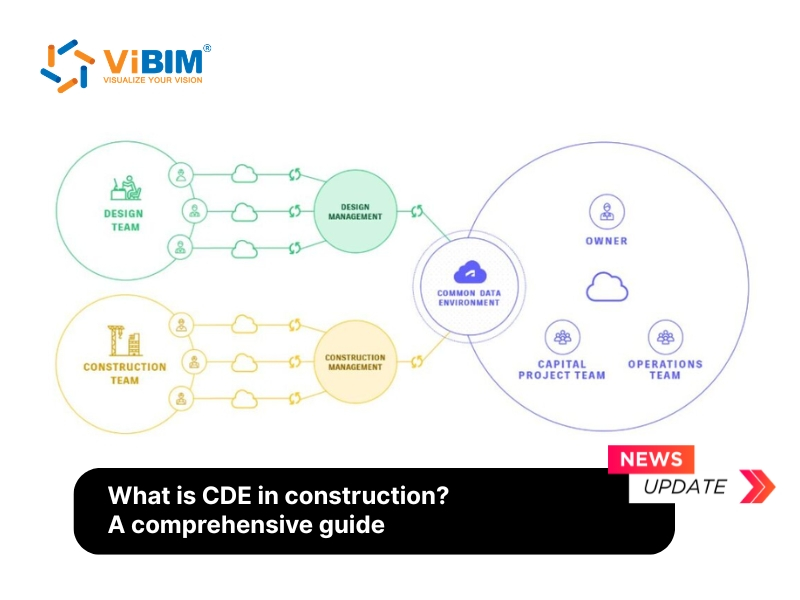
On separate drawings, a structural change can reach the mechanical engineer late, and ducts get designed around a beam that has already moved. With BIM, the discipline models meet in a common data environment (CDE), where each team sees what the others changed and when. Requests for information (RFIs) can be pinned to the exact spot in the model they concern. Owners and other stakeholders join the collaboration through 3D visualization alongside 2D drawings, and their communication with the design team becomes clearer.

3. Produces More Accurate Cost Estimates
BIM produces more accurate cost estimates because quantities are measured from the model, so the estimate stays matched to the design as it changes.
Estimators counting doors and measuring walls on drawings have to recount after every revision, and items get missed. The quantity takeoff in BIM reads walls, doors, ducts, and fixtures directly from the model, and when a partition moves, its drywall and paint quantities move with it. Estimates prepared with BIM were accurate to within 3%, and estimating time fell by up to 80%, in an early Stanford University study. Owners see what each design choice costs before approving it and can track the budget against that estimate during construction.
4. Increases Design Team Productivity
BIM increases design team productivity because every drawing comes from one model, and a single change updates the whole drawing set.
On 2D drawings, moving a wall means editing every plan, section, and elevation that shows it, then checking that the sheets still agree. In BIM, the wall exists once in the model, and its views update automatically. BIM adds further efficiency by filling in door tags, room tags, and title blocks from the model’s data.
5. Makes Construction Schedules More Reliable
BIM makes construction schedules more reliable by linking each model element to a schedule task, so the build sequence is tested before crews arrive.
A bar-chart schedule shows dates, not space, and two trades booked onto the same floor, or a crane that cannot reach a delivery point, can go unnoticed until that week. In a 4D BIM sequence, the building goes up week by week on screen, and the project team settles those clashes in time and space during planning. Crews then spend their days working instead of waiting for an area to clear, and the handover date the owner plans around is more likely to hold.
6. Improves Site Safety Planning
BIM improves site safety planning by showing hazards in the model before workers face them on site.
Working from 2D drawings, safety managers have to picture where a slab edge stays open or a crane swings over a walkway, and some hazards surface only on site walks, after the risk exists. In the model, they identify these occupational health and safety hazards with superintendents during preconstruction and plan guardrails, exclusion zones, and walkways while the site layout can still change.
Superintendents reuse the model’s hazard layout in site inductions, and new workers see the hazards before they walk the site. Contractors using BIM report a wider safety gain, with 69% seeing a positive impact on safety in 2017, up from 42% in 2012, according to Dodge Data & Analytics.
7. Reduces Material Waste
BIM reduces material waste by letting contractors order quantities measured from the model and prefabricate components off site.
Without reliable quantities, contractors order extra material as a buffer, and cutting on site leaves offcuts that go to landfill. With BIM, orders follow the quantities in the model, and fewer clashes reaching the site means less installed material torn out and discarded. MEP racks, wall panels, and steel can be built in a workshop to the model’s dimensions, with little left to cut on site.
8. Lowers Energy Use Across the Building Lifecycle
BIM lowers energy use by letting designers test orientation, glazing, and insulation in an energy model while those choices are still cheap to change.
When the design lives in 2D drawings, energy analysts rebuild the building’s geometry in their own software, and the analysis tends to happen late, after the envelope is already fixed. Because the model already stores each wall’s materials and thermal properties, energy analysis runs on geometry exported from the model, and designers compare options and cut heating and cooling loads before construction starts. The model also serves owners after handover as a sustainability baseline, and when the building is later retrofitted, the energy team can measure each upgrade against it.

9. Delivers Usable Data for Facility Management
BIM delivers usable data for facility management when the handover model carries each asset’s information, tied to the equipment where it actually sits.
Facility teams without a model search binders and spreadsheets for a pump’s warranty or service interval. Searches like that add up, and poor exchange of building information cost US owners and operators about $10.6 billion in 2002, mostly during operation and maintenance, according to a NIST study. With a handover model, each asset’s records sit on its equipment object in the model, and teams run BIM for facility management from those records inside a computer-aided facility management (CAFM) system.
Asset records only help if the model matches the as-built building. On existing buildings, we build that model from a point cloud and attach equipment data from site photographs.

These benefits come at a cost, and the practical question is whether they outweigh it on a given project.
Is BIM Worth It?
Yes, BIM is worth it for medium and large commercial projects, infrastructure, and any job where several design and construction disciplines share one building, but on small, simple residential builds its setup cost can outweigh the savings.
The value of Building Information Modeling grows with the number of costly errors and the amount of lost information the model prevents. BIM pays back most when many disciplines work in a congested building, when the owner will operate the building for decades, and when an existing building has never been measured. Weighing the advantages and disadvantages of BIM also means checking its ROI, who benefits most, its comparison with CAD, and its value on existing buildings.
What Are the Disadvantages of BIM?
The main disadvantages of BIM are its upfront software and hardware cost, the training it requires, data-sharing friction between firms, and models that drift from the real building, and each one can be reduced.
The 7 disadvantages of BIM, and how teams reduce each one, are listed below.
- Software and hardware cost: Licenses and workstations cost money before any project saving appears. Firms reduce this cost by starting with one pilot project or by outsourcing modeling per project.
- Training and skills: Teams lose productivity while they learn new workflows. Training by role, starting with the people who model daily, shortens that dip.
- Data-sharing friction: Firms hesitate to hand over native models and the know-how in them. Sharing rules agreed in a BIM execution plan, with files exchanged through a Common Data Environment (CDE), reduce that friction.
- Software interoperability: Partners on different software lose data in each exchange. Exchanging models in the open IFC format and agreeing software versions at kickoff limit the loss.
- Contracts and liability: Contracts often leave model ownership and responsibility unclear. An information protocol added to each appointment, as ISO 19650-2 provides, sets who may use the model and on what terms.
- Unused handover data: Owners receive asset data their facility team never uses. Owners who agree handover data requirements with the facility team at the start receive the data that team will actually maintain.
- Models that drift from the real building: Renovation designs clash with services that no drawing recorded. Measuring existing conditions before modeling keeps the model matched to the building.
Skipping a BIM execution plan or modeling every element at full detail are among the BIM implementation mistakes, not limits of BIM itself.
What Is the ROI of BIM?
The ROI of BIM is positive for most contractors that use it, and three-quarters of the contractors surveyed in 10 countries for a 2014 Dodge Data & Analytics report saw a positive return on their BIM investment.
The return shows up in final costs as well, with 41% of contractors on complex buildings seeing final construction costs fall by at least 5% in a 2015 Dodge Data & Analytics study. Both figures are self-reported and more than a decade old, and a firm’s own project records give a more reliable answer.
How Do You Run a BIM Cost-Benefit Analysis?
You run a BIM cost-benefit analysis by pricing the added modeling, software, and training cost, then comparing it with the rework, change orders, and schedule days the model should avoid.
The four steps of a BIM cost-benefit analysis are listed below.
- List the added costs: Price the modeling hours, software licenses, hardware, and training the project needs.
- Set a baseline: Pull RFIs, change orders, rework costs, and schedule delays from similar projects the firm has already delivered.
- Estimate avoided costs conservatively: Assume the model prevents part of that baseline, not all of it.
- Add operating value and compare: If the owner keeps the model, add savings in maintenance and future renovation, then compare the total with the costs from step 1.
Is BIM Worth It for Small Projects?
Yes, BIM is worth it for a small project when its complexity, not its size, drives the risk, as in a plant-room refit or a crowded ceiling void; a simple residential build may not recover the setup cost.
BIM is not only for large construction projects, and a small project keeps its setup cost down by modeling in detail only the areas where design decisions depend on the model.
Who Benefits Most From BIM?
Owners and contractors benefit most from BIM in cost, while designers and quantity surveyors benefit most in time.
The main benefit of BIM for each role is listed below.
- Owners: Owners asking how does BIM improve sustainability can have the design team test energy and carbon targets on the model before they sign off on the design. They also gain cost certainty during design and handover data their facility team can use.
- Contractors: Contractors face less rework and fewer change orders, and they order materials from a model-based quantity takeoff.
- Architects: Architects put the hours saved on drafting into design options.
- Structural engineers: Structural engineers spend less time rebuilding geometry for analysis.
- MEP engineers: MEP engineers spend less time rerouting services after clashes with the structure.
- Quantity surveyors: Quantity surveyors move the time saved on measuring into pricing and cost advice.
Design-build contractors, who carry both design and construction risk, collect both kinds of benefit on the same project.
How Does BIM Compare With CAD?
BIM differs from CAD because a BIM model is a database of building elements with properties, while a CAD drawing is a set of independent lines and text.
The purpose of BIM is to manage building information across the project lifecycle, and a data-rich model gives BIM its advantages over CAD, from clash detection and model-based takeoff to views that update themselves. Many firms still use CAD for 2D details and small jobs, and the BIM vs CAD choice commonly splits by task rather than by firm.
BIM Benefits on Existing Buildings
On existing buildings, the benefits of BIM depend on measuring the building first, because clash checks and takeoffs carry every error in the as-built model into the project.
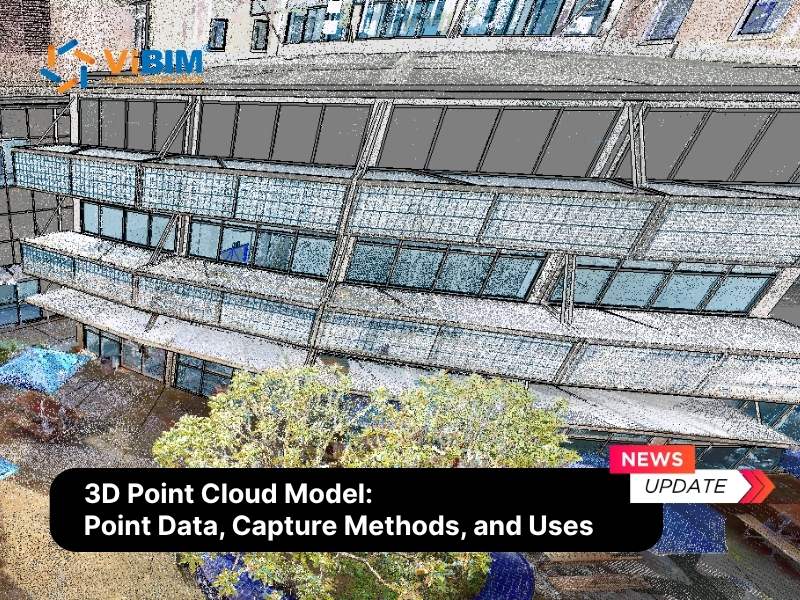
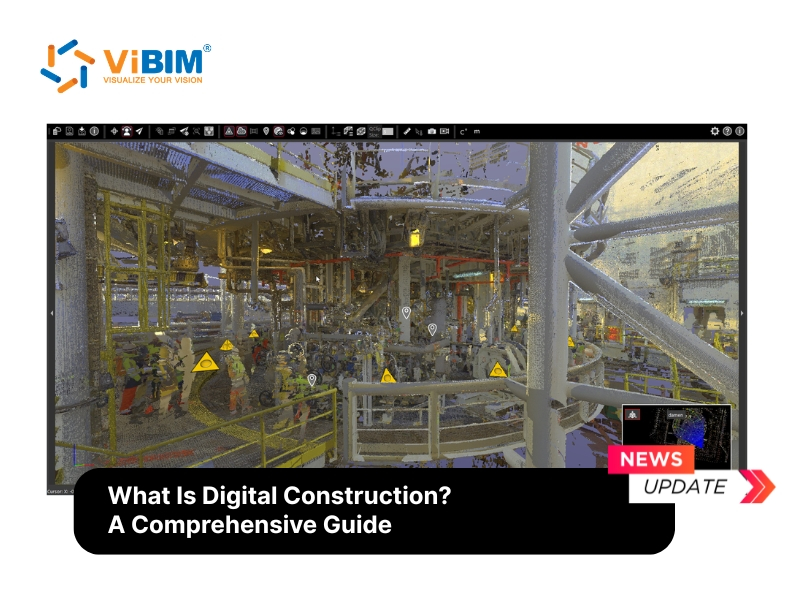
Renovation, retrofit, and facility projects rarely start with a reliable design model, and drawings of existing conditions are often missing or out of date. A laser scan captures the building as a point cloud, and the model built from it gives the project measured geometry to work from. That measured model is where the Scan to BIM advantages show up, with retrofit designs that fit around the services already in the building and its structure.
At ViBIM, we have completed 1,000+ projects over 11+ years in the UK, Canada, the USA, Australia, and the EU, from point-cloud-to-Revit modeling for existing buildings to Revit model outsourcing for design teams. Each model passes two independent QC checks on geometry and parameters before it is delivered to the client, and design and site teams receive a verified model they can coordinate against. Owners and contractors who need that measured starting point can use our Point Cloud to BIM services.