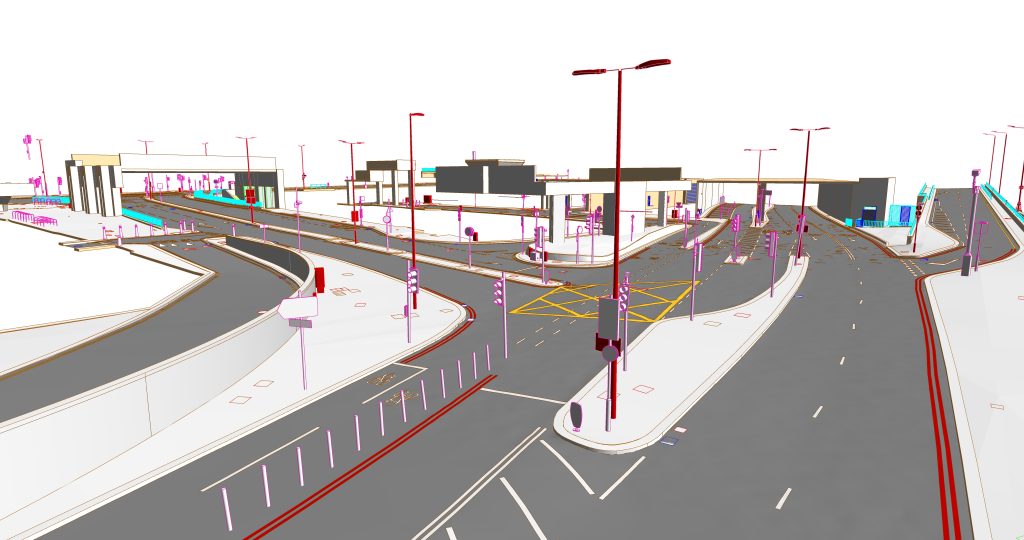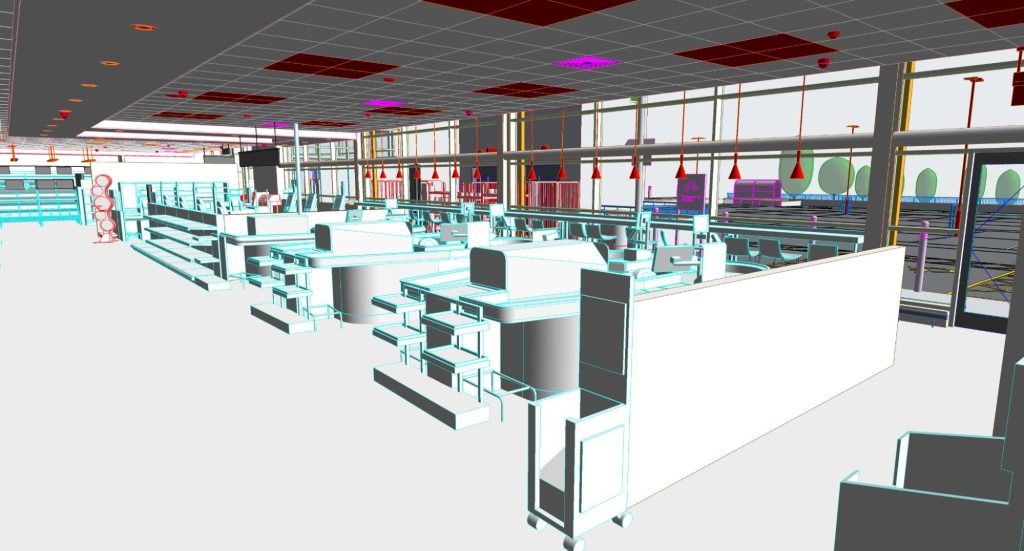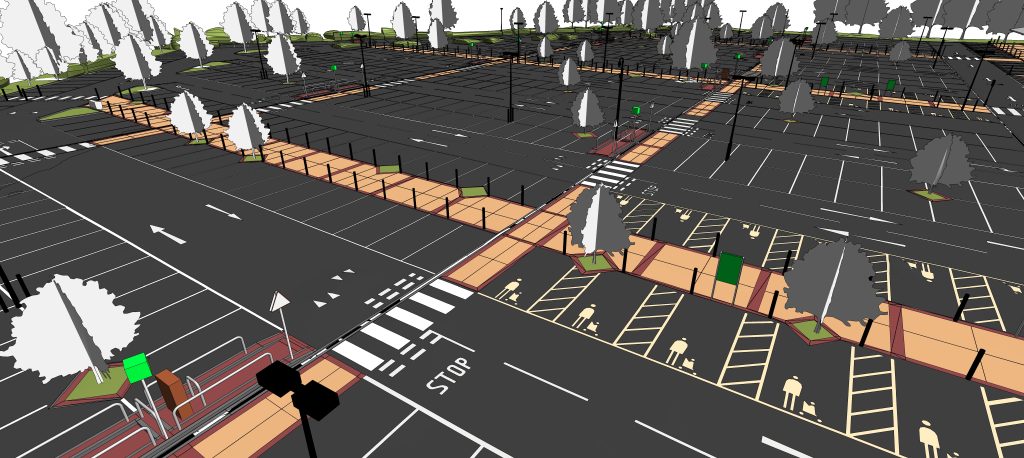






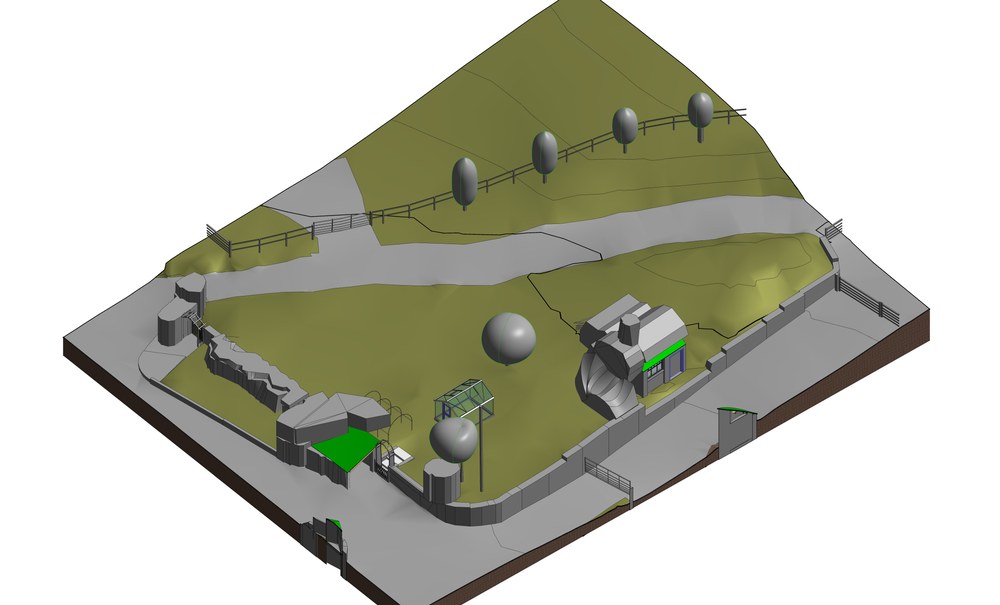
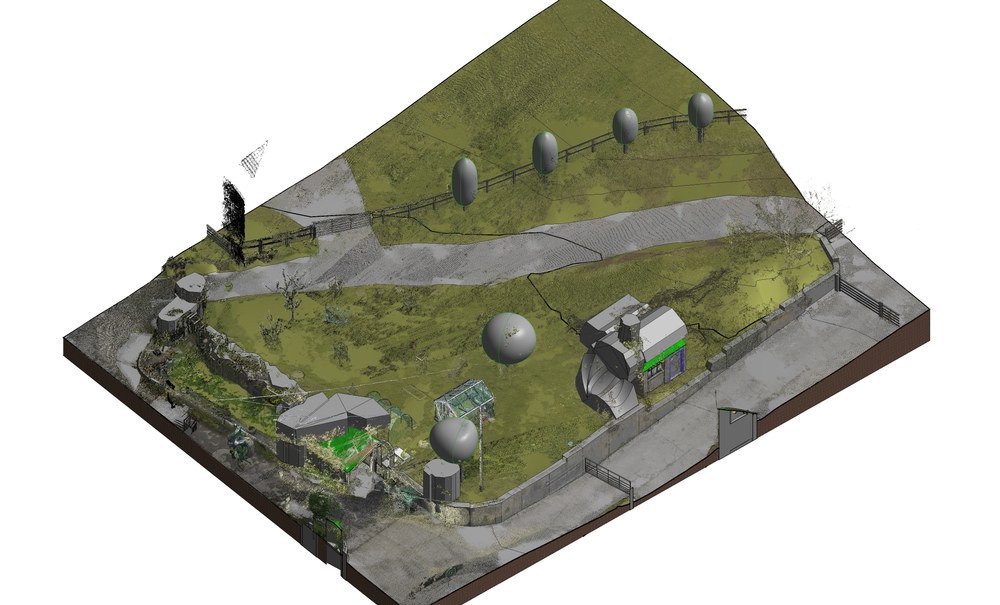
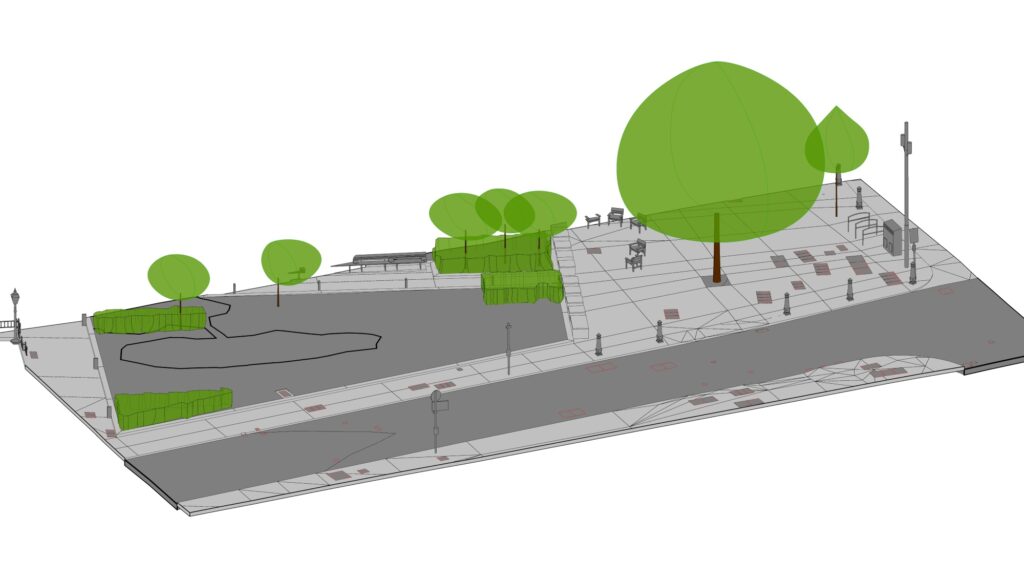
Topography BIM modeling from point cloud services deliver Revit models of the exterior areas around buildings, including sidewalks, curbs, driveways, internal roads, parking lots, courtyards, and landscaped areas. ViBIM models these areas for clients who need a BIM model beyond the building envelope, to support design coordination, construction planning, site logistics, and facility management. Each site model follows your survey coordinates and the building’s levels, so your team can see site constraints, plan layouts, and keep the building and site models consistent.
ViBIM’s modelers review the point cloud to classify surfaces and identify topographic features. Hard surfaces are then modeled with Revit Floors, soft surfaces with Toposurface or Toposolid, and auxiliary site elements, such as trees and manholes, are added when required. Before handover, ViBIM’s reviewers check key elevation points against the scan. The standard deliverable is a native Revit site model, with DWG site drawings available as an option.
As Seen On
 Coruzant Technologies
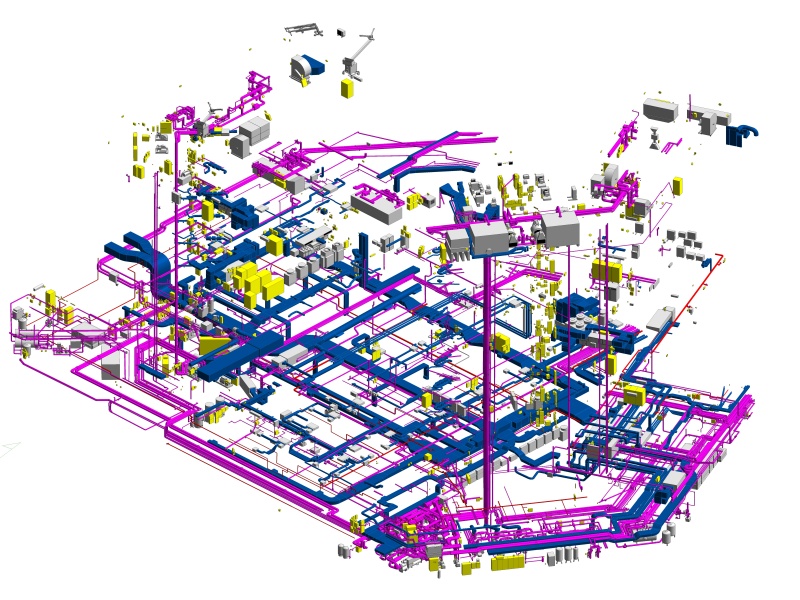
— ViBIM scan to BIM case study, modeling ultra-dense MEP systems for a US factory.
Coruzant Technologies
— ViBIM scan to BIM case study, modeling ultra-dense MEP systems for a US factory.
 The Architect's Diary
— ViBIM cited for point cloud to BIM expertise in federated BIM coordination.
The Architect's Diary
— ViBIM cited for point cloud to BIM expertise in federated BIM coordination.
 BizzBuzz
— ViBIM cited for scan to BIM precision on renovation and retrofit projects.
BizzBuzz
— ViBIM cited for scan to BIM precision on renovation and retrofit projects.
 TechBullion
— ViBIM experts break down LOD 300 vs LOD 350 for scan to BIM models.
TechBullion
— ViBIM experts break down LOD 300 vs LOD 350 for scan to BIM models.
 Urban Splatter
— ViBIM featured as a scan to BIM company across architecture, structure and MEP.
Urban Splatter
— ViBIM featured as a scan to BIM company across architecture, structure and MEP.
 Today News
— ViBIM named a Revit outsourcing partner for electrical BIM modeling from point cloud data.
Today News
— ViBIM named a Revit outsourcing partner for electrical BIM modeling from point cloud data.
Topography BIM modeling services from ViBIM give survey and AEC firms reliable Revit models, on-time delivery, and clear communication from quote to handover.
Topography elements modeled from point cloud data include hard surfaces, terrain, the transitions between them, and site features. ViBIM classifies each scanned surface first, then selects the Revit element for that surface type. The six scope items are described below:
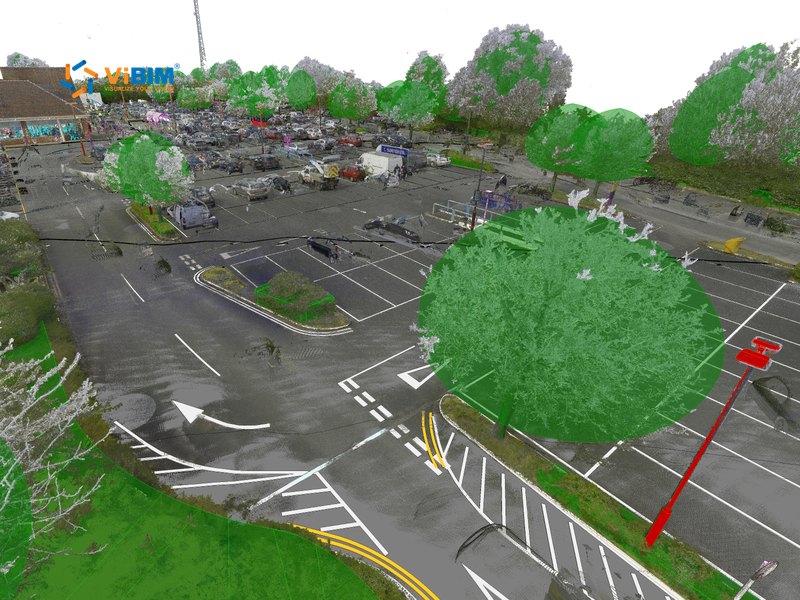
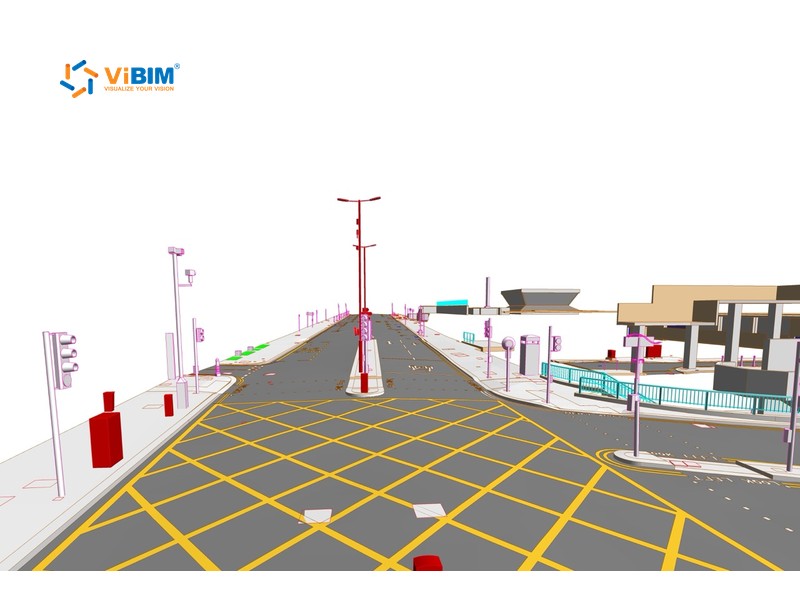
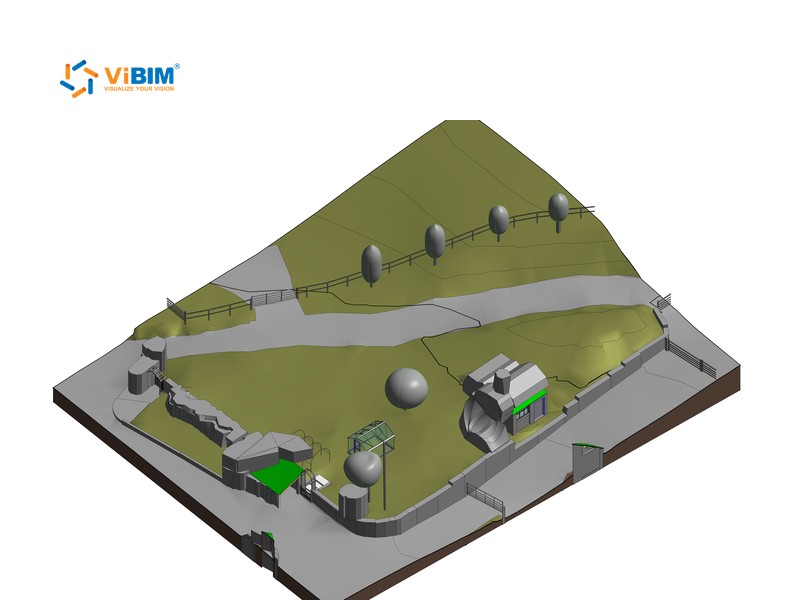
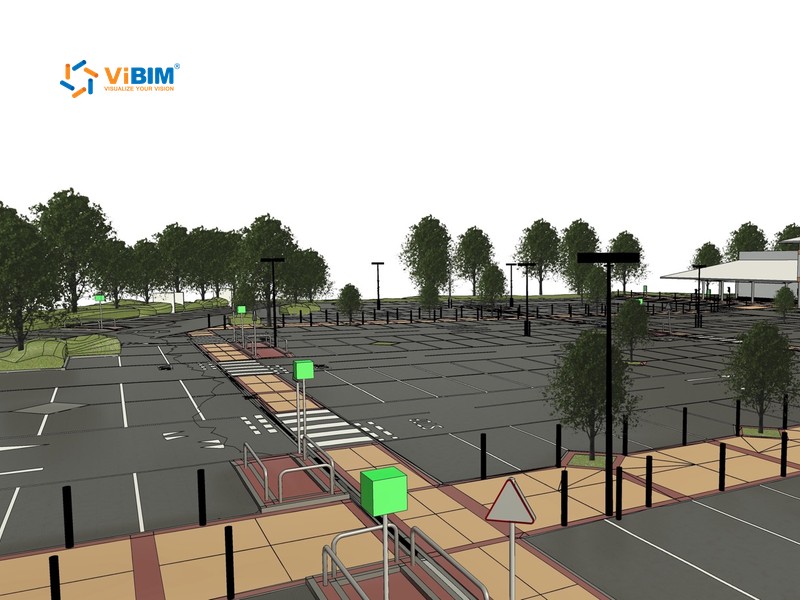
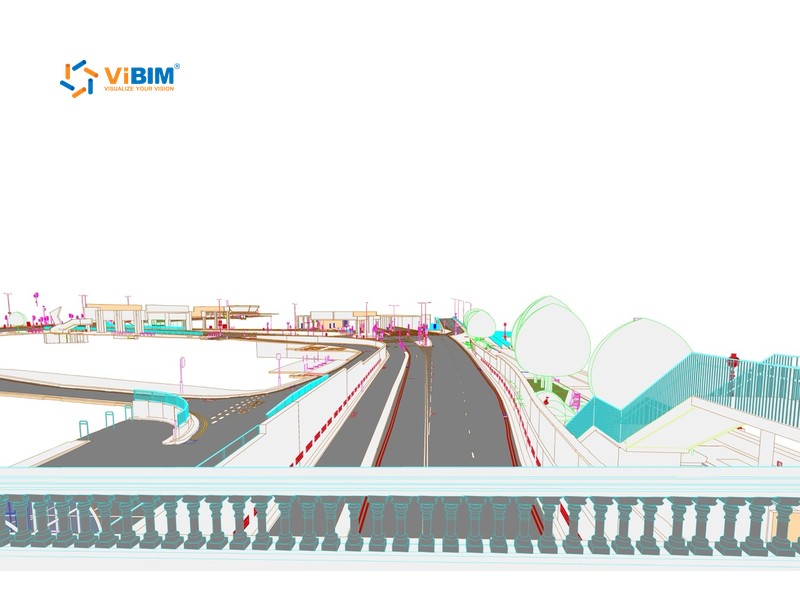
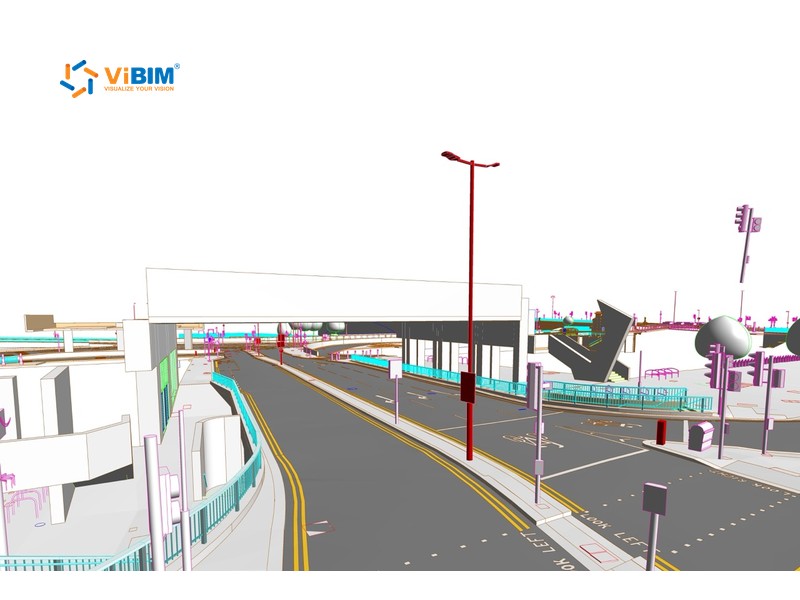
We classify surrounding surfaces based on point cloud data. Soft surfaces such as soil, grass, or asphalt roads are modeled using Toposurface or Toposolid in Revit, while hard surfaces like sidewalks, concrete yards, and driveways are modeled using Floors.
We define exact hardscape boundaries with Revit’s Floor tool. For sloped or uneven areas, we use sub-element modification tools, including Add Split Line, to adjust elevation points and align the surface precisely with the point cloud.
ViBIM’s custom Revit add-in creates Toposurface or Toposolid terrain from imported point data. The add-in reduces modeling time while maintaining accuracy, especially on large or irregular terrain areas.
At transitions between hard and soft surfaces, we use Split Surface on Toposurface or adjust the edges of Toposolid. We clean each join so the surfaces meet without overlaps and accurately reflect the scanned site conditions.
We adjust elevations so all modeled surfaces match the point cloud geometry. Slopes, contours, and level transitions accurately reflect the recorded site grading, so architecture and drainage teams coordinate against a consistent surface.
ViBIM models the site features your scope requires, such as trees, lamp posts, manholes, curb ramps, bollards, drainage covers, and road markings. The added features make the model more complete and usable for detailed design and coordination.
Topography scan to BIM deliverables are a native Revit site model and optional 2D site drawings in DWG. ViBIM takes the spot elevations and curb lines in the drawings from the same model, so both files match. Each deliverable is described below:
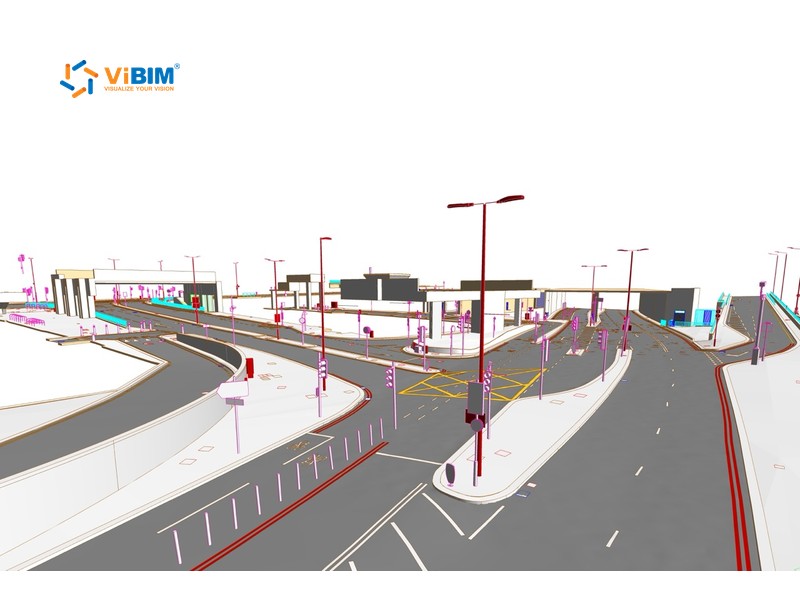
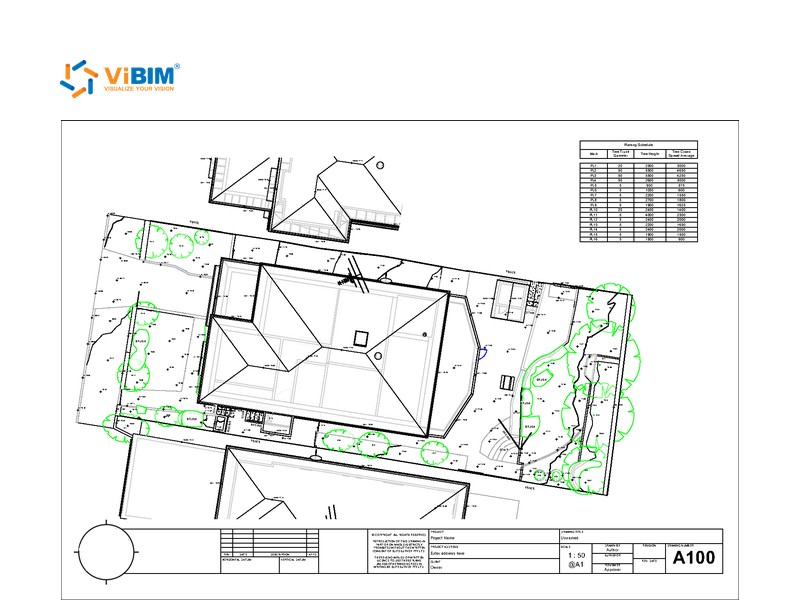

The topography point cloud to BIM process starts with scan review and surface classification, then moves to hard surfaces, terrain, and the joins between them. ViBIM checks elevations against the scan before delivery. The six steps are explained below:
We review your project requirements and the point cloud to identify topographic features and agree on the modeling scope.
Our team prepares the scan data and classifies the surfaces for accurate representation in Revit. Paved areas such as sidewalks and concrete yards become Floors, while soil, grass, and roads become terrain.
We model sidewalks, curbs, driveways, parking lots, and other hard surfaces with the appropriate Revit tools, usually Floors. We precisely define their boundaries and set elevations and slopes to match the scan.
We model soft landscape areas and general terrain with Revit’s Toposurface or Toposolid tools. ViBIM’s custom automation speeds up the work while keeping contours and elevations accurate.
Our modelers refine the joins between hard and soft surfaces and add the features in your scope, such as ramps, steps, retaining walls, basic utility markers, and tree locations.
ViBIM runs the completed topography model through a rigorous accuracy check against the point cloud and your standards. We correct any surface outside the agreed tolerance, then check it again before sending the file to your team.
Accuracy, LOD, and quality control in topography scan to BIM begin with two choices you make before modeling, the LOD for surface detail and the tolerance for ground surfaces. ViBIM’s reviewers check the site model against both. The settings and checks are described below:
ViBIM agrees on the modeling scope and detail with your team, typically at LOD 200–300 depending on how the model will be used. We deliver LOD 400 when the specification requires it, as on a 36,100 m² UK site and a UK supermarket site. Tolerance is set for each project, at 50, 30, or 15 mm or a custom value from your spec. Two large UK sites, of 36,100 m² and 43,000 m², required ground surfaces within ±25 mm (about 1 in) of the point cloud.
Two independent reviewers check the site model against the point cloud and your specification. Both reviews check the model against the rules and checks below:

INDEPENDENT
QC LAYERS
Want curb edges and spot elevations checked against your scan before sign-off?
ViBIM’s featured topography BIM modeling projects show paved areas, landscaped slopes, and other ground surfaces around buildings, modeled in Revit from client scans. Each one is part of the 1,000+ BIM projects completed since 2014.
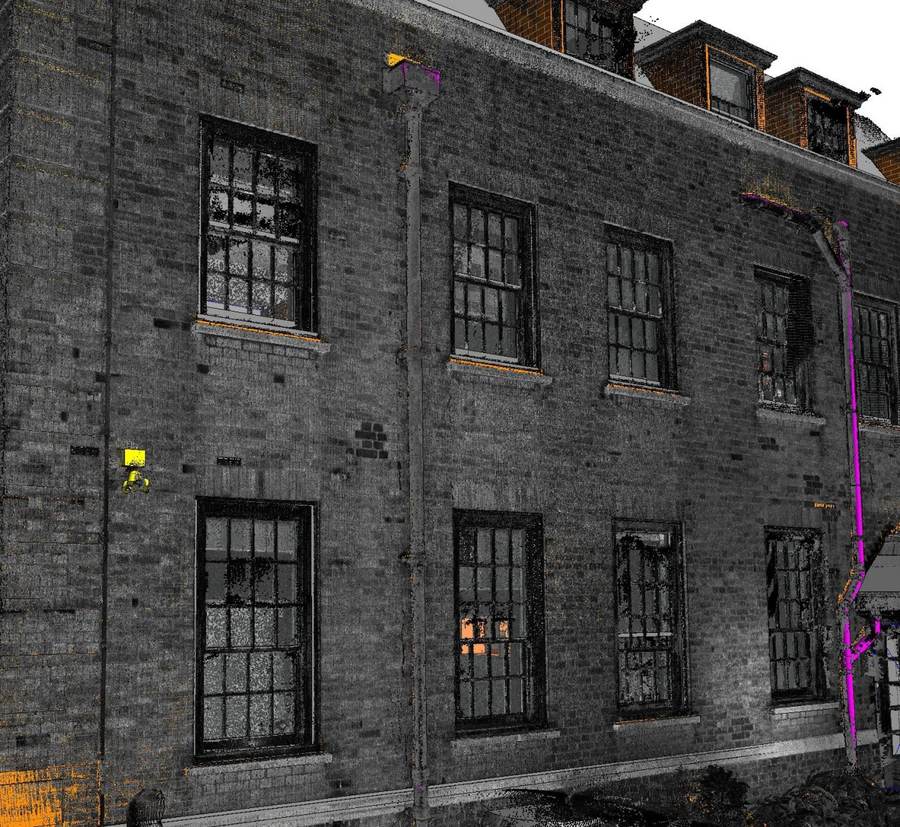
The advantages of choosing ViBIM’s Revit modeling outsourcing services for topography projects are listed below:





Your project manager tracks progress against each milestone daily, and ViBIM delivers 99% of its projects on schedule.

ViBIM’s Revit add-in builds Toposurface or Toposolid terrain from imported points. An in-house tool also batch-loads custom site families, such as bollards and lamp posts. Both tools reduce setup time and contribute to ViBIM’s turnaround, which is 30% faster than the market average.

Where parked cars, dense planting, or stored materials hide the ground, ViBIM flags the area on the model and asks your team how to handle it instead of guessing. Where the scan captures the ground, reviewers check key elevation points against your tolerance and surface detail against the agreed BIM Level of Development (LOD). Our site modelers hold degrees in civil engineering or architecture and complete in-house BIM training.

ViBIM responds to your emails promptly. Your project manager provides regular status updates and is available to address questions or concerns throughout the modeling process, so communication stays clear at every project stage.

Terrain modeling at ViBIM keeps improving through automation, AI, and streamlined workflows. The team first used Revit’s Toposolid feature on a UK supermarket site and now models terrain as Toposolid or Toposurface to match your Revit version.

Pham Thanh is the founder and CEO of ViBIM, which he grew from three employees into a 30-strong BIM outsourcing team. Contributed to Vietnam’s first national BIM Guidelines (Ministry of Construction, 2017). MBA, Solvay Brussels School of Economics and Management (2012); Bachelor of Architecture, ABAC University (2008); BIM Management Certificate, BCA Academy, Singapore (2014).

Do Van Yen is ViBIM’s Architectural Team Leader and one of its first three specialists, working with the founder since 2011. Has led architectural BIM modeling since 2014 and helped build the company’s Scan to BIM services and standards from the start. Civil Engineering, University of Transport and Communications.

Nguyen Tien Trung is ViBIM’s Structural Team Leader and manages the company’s BIM standardization system, leading structural modeling on its largest, most complex projects. Construction Engineering, Hanoi University of Civil Engineering (2019).

Truong Van Huong is ViBIM’s MEP Team Leader, leading mechanical, electrical and plumbing BIM modeling and coordination. Brings years of hands-on MEP design and implementation experience to large, complex project delivery. Bachelor’s in Electrical Engineering, specializing in Electrical Systems (2018).

Truong Quoc Trung is ViBIM’s Project Manager and one of its first-generation modelers, with the company since 2018. Runs its medium to large-scale BIM projects end to end and mentors new modelers. Practical Engineer’s degree in Civil Engineering, Construction Technical College No. 1 (2017).
A topography BIM modeling quote depends on the site area, surface types, LOD, and tolerance. ViBIM returns the quote within 12–24 hours of receiving four items from your team. The items are listed below:
If the building also needs modeling, ViBIM’s scan to BIM services can quote it from the same point cloud. Floor levels and ground levels then share one coordinate system. For a sensitive site, ViBIM signs an NDA before the first upload.

Ready to Start Your Topography BIM Modeling Project?
Share your site scan and boundary, and ViBIM will quote the full site or model a sample area free as a trial.

Topography BIM modeling across the USA and worldwide follows your project’s survey coordinates and units. Your survey sets the system, often state plane coordinates in feet on US sites and national grids in meters on UK and Australian sites. The markets ViBIM serves are shown below:

United States

United Kingdom

Canada

Australia

European Union
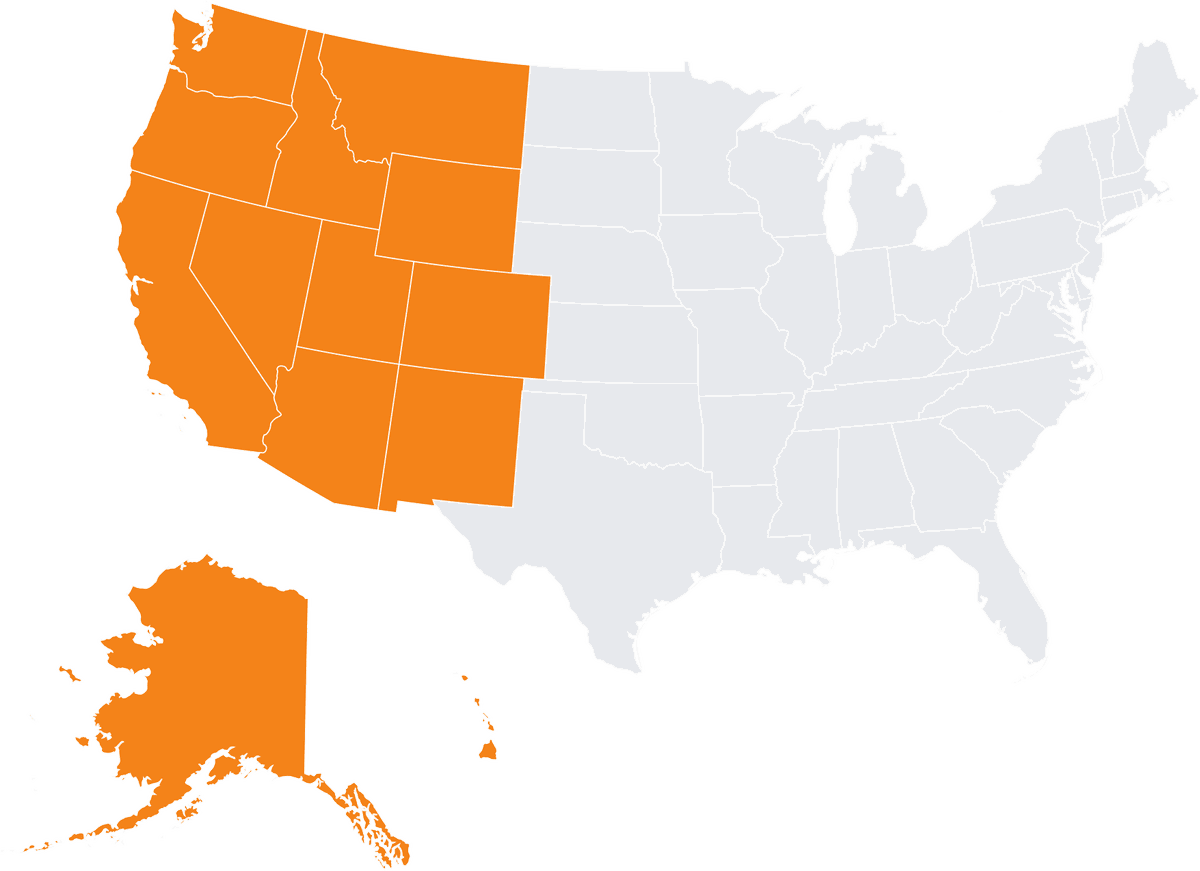
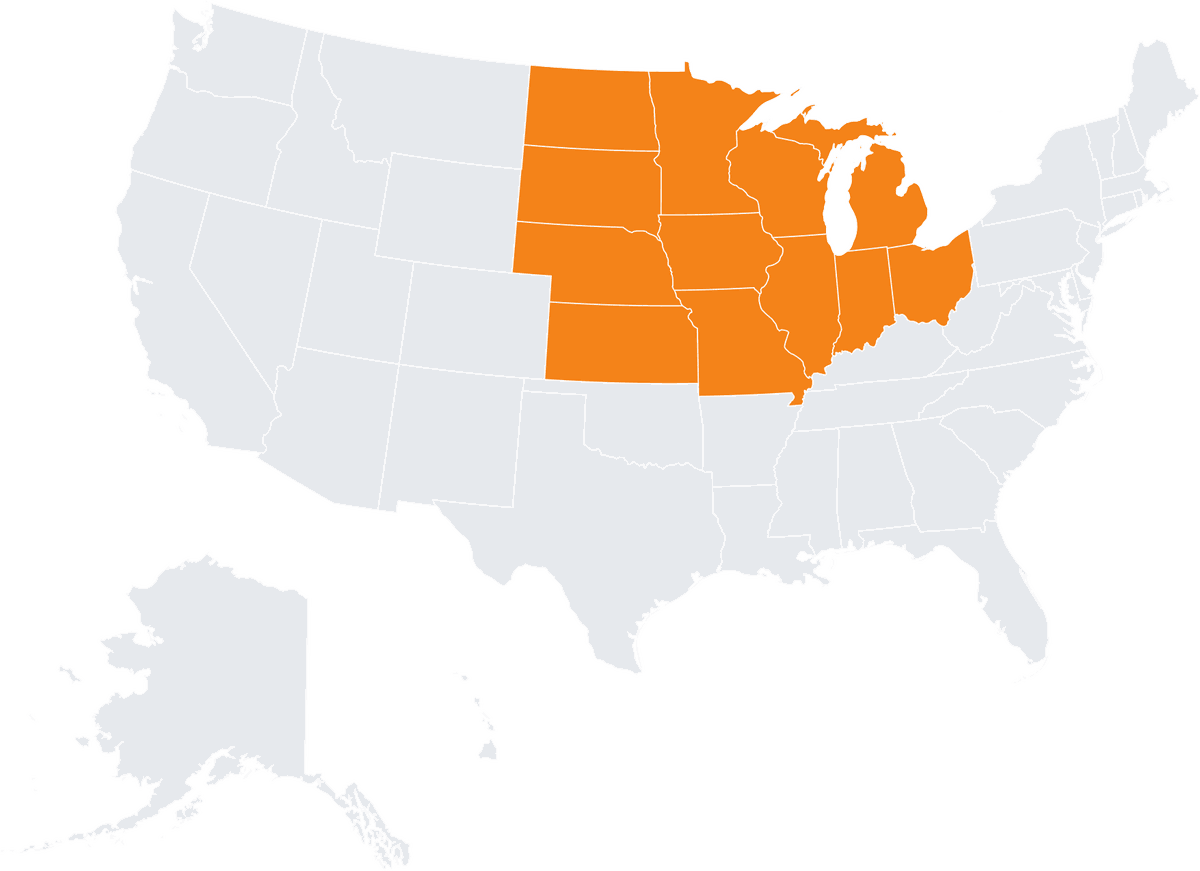
The US states and cities we serve are shown below:
Alaska
Arizona
California
Colorado
Hawaii
Idaho
Montana
Nevada
New Mexico
Oregon
Utah
Washington
Wyoming
Irvine
Illinois
Indiana
Iowa
Kansas
Michigan
Minnesota
Missouri
Nebraska
North Dakota
Ohio
South Dakota
Wisconsin
Chicago
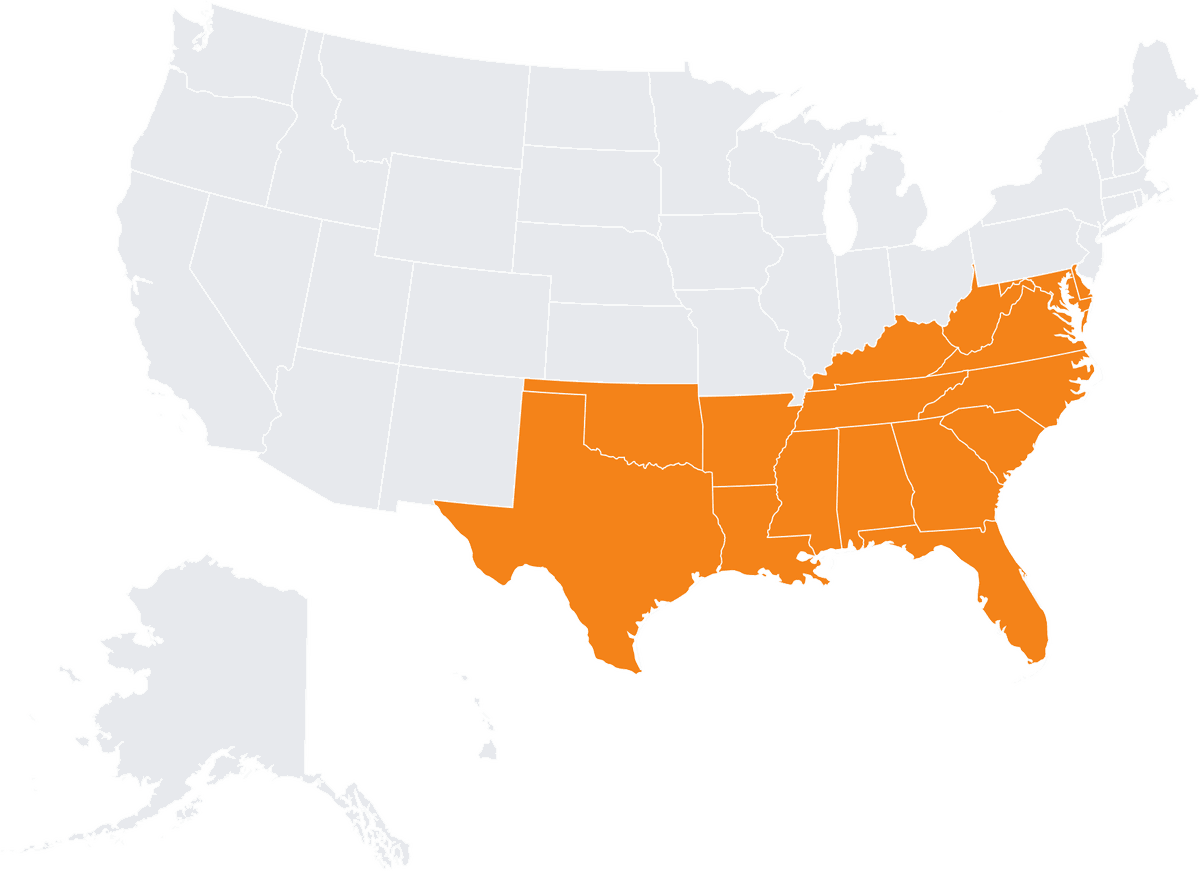
Alabama
Arkansas
Delaware
Florida
Georgia
Kentucky
Louisiana
Maryland
Mississippi
North Carolina
Oklahoma
South Carolina
Tennessee
Virginia
West Virginia
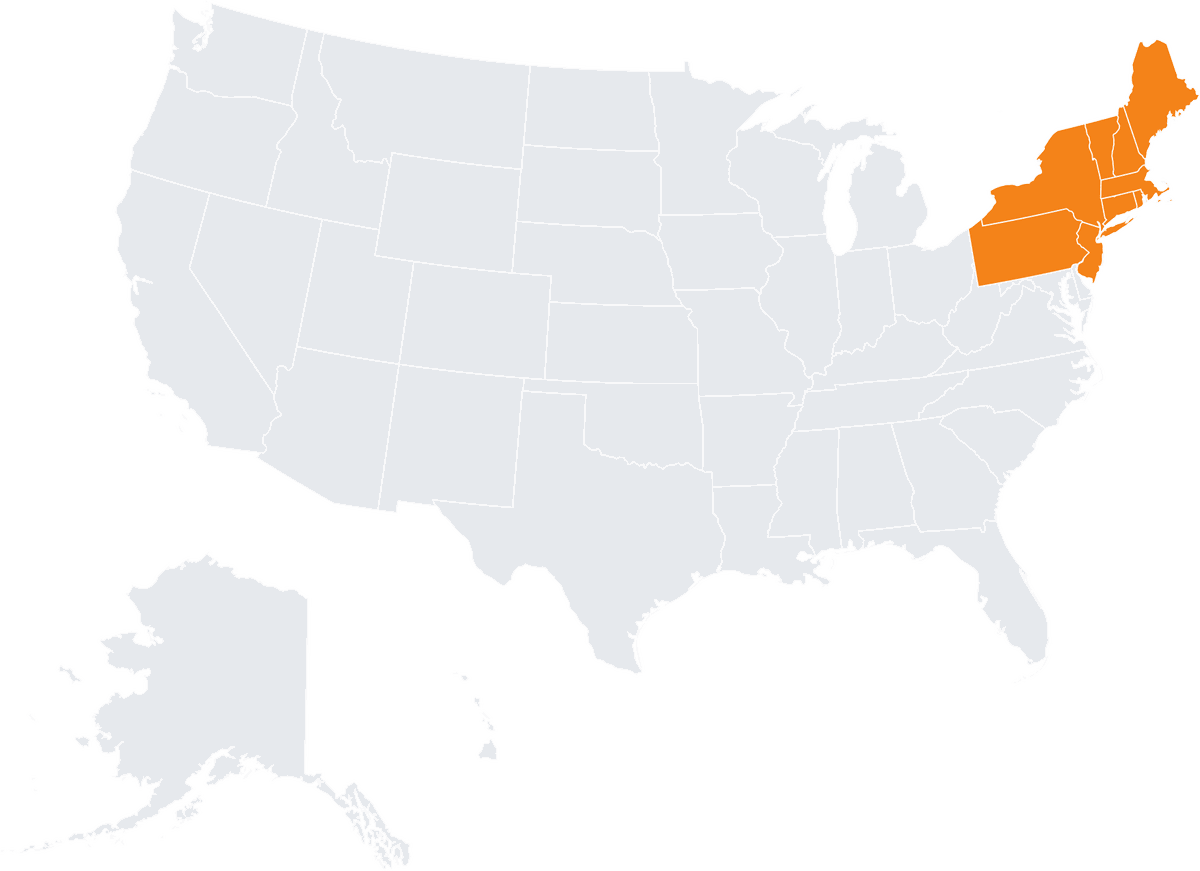
Connecticut
Maine
Massachusetts
New Hampshire
New Jersey
New York
Pennsylvania
Rhode Island
Vermont
Boston
As-built topography BIM supports site-to-building coordination, landscape planning, grading review, and construction logistics. Site teams can work from dense scan data across the site, not only from a limited set of spot elevations. Each use is described below:
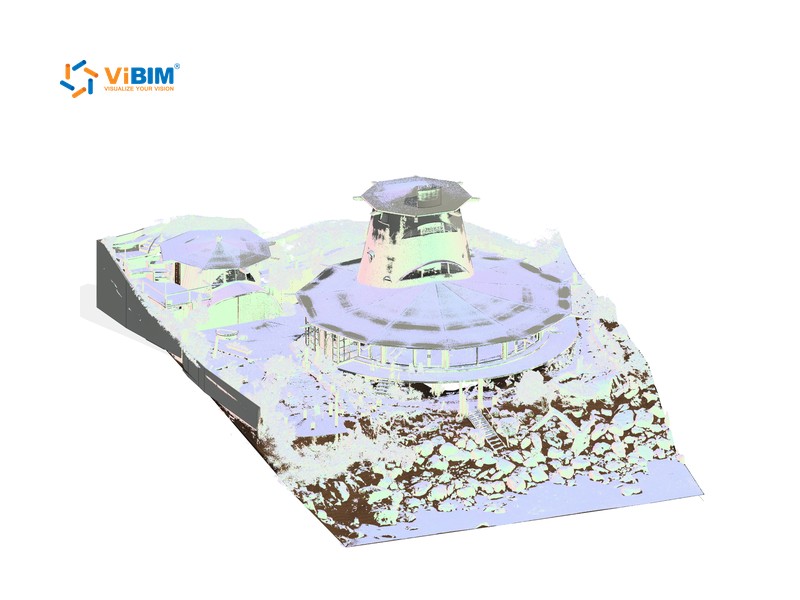
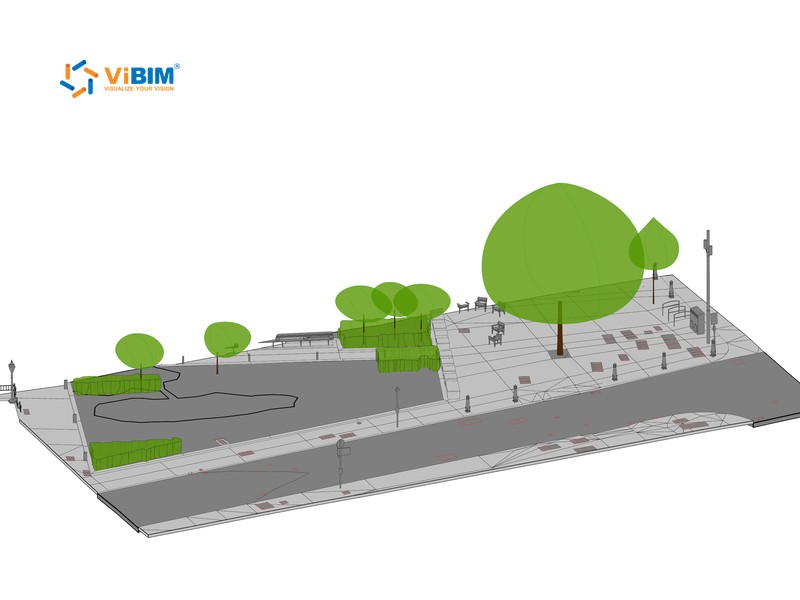
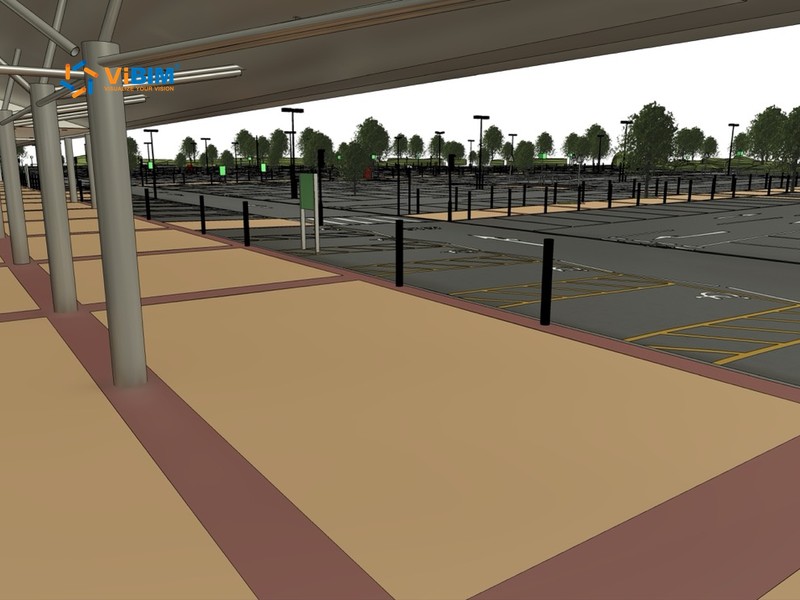
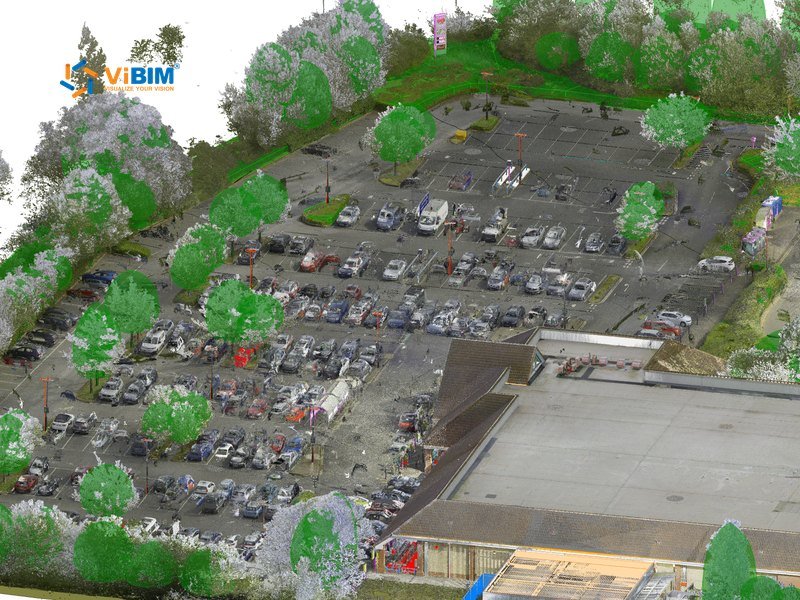
Combining the topography model with your building BIM shows where finished floor levels do not match the adjacent ground. Civil engineers can also check visible site utilities and landscape elements in scope before conflicts turn into rework on site.
Landscape design, pavement layouts, and circulation zones can be planned against existing elevations. Cut and fill quantities come from comparing a proposed surface with the modeled existing ground.
Ramps, walkways, and parking areas are modeled with precision from their measured slopes and elevations. Designers use these values to check the site against accessibility requirements, such as the Americans with Disabilities Act (ADA). The design team remains responsible for compliance, and the local building department grants approval.
The accurate topographic model supports construction sequencing and site logistics. After handover, teams can use it as a reliable as-built record for site maintenance, renovation, or expansion.

The Topography BIM Modeling Review Checklist lists the surfaces, levels, and boundaries your reviewers can check before signing off on a site model.
Topography BIM from point clouds FAQs cover what the service includes, how hidden ground is handled, whether large sites are possible, and which Revit terrain type you receive.
In ViBIM’s 3D modeling services, topography is the exterior area around a building, accurately modeled from point cloud data. The area includes sidewalks, internal roads, driveways, courtyards, and landscaped zones, which are local site components connected to the building rather than large-scale infrastructure. ViBIM uses the appropriate Revit elements to support design coordination, elevation planning, and construction integration.
ViBIM marks ground that vehicles, vegetation, or site storage hide from the scan. We model those areas from your site plans or extra survey points. Without either, we leave the area out or flag it rather than guess its shape.
Yes. On a 43,000 m² (about 463,000 sq ft) UK site, ViBIM divided the parking lots and surrounding area into smaller sections. Each section was modeled separately and then joined into one continuous surface.
The terrain type depends on your Revit version. Toposolid is available in Revit 2024 and later; earlier versions use Toposurface.

START WITH A FREE TRIAL
Share your point cloud and project scope. We return a free trial model on your own data, plus a fixed quote, before you commit to anything.

Free trial model on your sample data
Scope, timeline and quote in 12–24 hours
NDA on request · secure file transfer