
Autodesk Revit and Graphisoft Archicad are powerful platforms offering robust features for designing, documenting, and managing building projects. But which one is the better fit for your specific needs?
Choosing between Revit and Archicad depends on the project’s scope and the team’s objectives. Revit is suitable for projects that require extensive engineering, complex multi-disciplinary coordination, and large-scale commercial applications. Archicad, on the other hand, is highly suitable for projects that prioritize architectural design, documentation fluidity, and small to medium scales, where creative form and precision are central.
In this article, we compare these two software—Revit vs Archicad—through five criteria: user interface and usability, design and modeling capabilities, collaboration and teamwork tools, performance and speed, and pricing and licensing. This comparison helps architects identify which software best fits their BIM workflows and project demands.
Choosing between Revit and Archicad depends on the project’s scope and the team’s objectives

Overview Of Revit And Archicad
Each program serves different project needs and workflows, and we aim to clarify what they are before comparing their capabilities in detail.
What is Revit?
Revit is a Building Information Modeling software first released in 2000 and later acquired by by Autodesk that supports the full design and documentation process of a building project. It is known for its powerful parametric modeling capabilities that allow users to create a complete virtual representation of a structure, from the overall form to the smallest component. Every element in the model, including walls, windows, HVAC systems, and piping, contains detailed data such as dimensions, materials, and performance specifications. Revit is widely recognized for its precision and support for multidisciplinary coordination, making the Revit software a preferred choice for large, complex building projects.
Revit uses a centralized model where all design elements are connected within a single environment. Every change made is automatically reflected across all views and documentation, ensuring consistency, reducing coordination errors, and aligning with global standards such as ISO 19650 certification. This ability to model and manage multiple disciplines within one platform makes Revit a powerful tool for architects, engineers, and contractors working together on the same project.
As part of the larger Autodesk ecosystem, it also integrates seamlessly with software like AutoCAD, Navisworks, and Autodesk Construction Cloud to support end-to-end project collaboration. Revit was considered revolutionary in the BIM industry for transforming digital design and coordination. (Source: Autodesk)
What is Archicad?
Archicad is a Building Information Modeling software officially released in 1987 by Graphisoft for architects and designers working across the architecture, engineering, and construction industries. Known for its innovative approach and powerful set of built-in tools, Archicad provides an intuitive interface that combines 2D drafting and 3D modeling in a single platform. It allows architects and designers to create, visualize, and document their projects seamlessly without switching between different programs, making it especially popular among design-focused professionals. (Source: Graphisoft)
To see how these solutions compare against other powerful tools in the industry and make an informed decision, review our complete guide to the best BIM software.
What is the main difference between Revit and Archicad?
The main difference between Revit and ArchiCAD is that Revit is built around a robust, data-centric, parametric modeling core favored by large engineering and construction projects, while ArchiCAD is more design-oriented, with an intuitive interface that is often preferred by architects, especially in smaller firms and for conceptual work. Both are evaluated through five main criteria: user interface and usability, design and modeling capabilities, collaboration and teamwork tools, performance and speed, and pricing and licensing.
| Criteria | Revit | ArchiCAD |
| User Interface and Usability | Comprehensive, structured; potentially steeper learning curve initially | Intuitive, user-friendly; often considered easier for architects to learn. |
| Design and Modeling Capabilities | Highly advanced and integrated, allowing for complex, data-driven models. | Excels in architectural conceptual design; flexible freeform modeling. |
| Collaboration and Teamwork Tools | Strong support for large-scale collaborations, especially within the Autodesk ecosystem | Excellent for smaller teams, and supports open BIM standards for broader interoperability. |
| Performance and Speed | Can be resource-intensive; requires optimization for very large model. | Generally perceived as faster, efficient file handling for large models. |
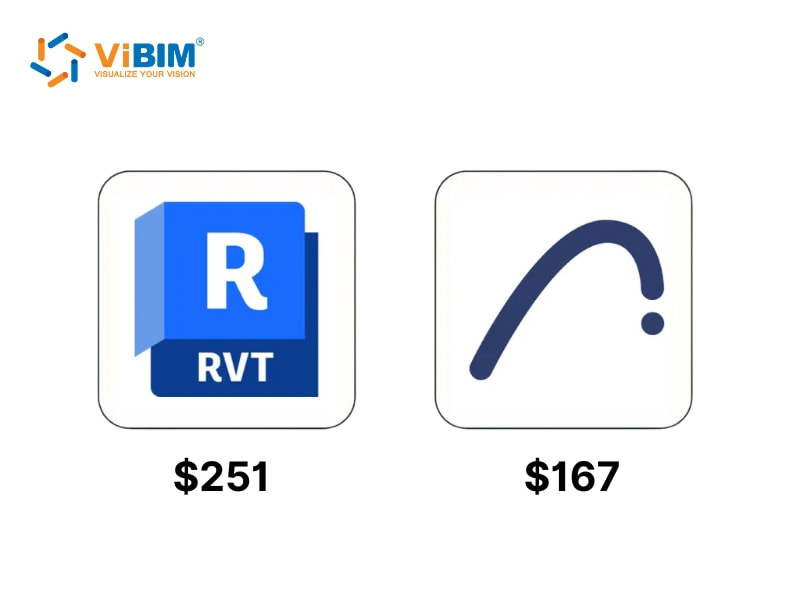
| Pricing and Licensing | Subscription-only (~$251/month, billed annually); continuous updates but no ownership. | Subscription and perpetual licenses (~$237 + tax/month); perpetual option ends by 2026. |
Each difference highlights how both programs serve unique project needs, and continue reading to explore how these aspects impact real BIM workflows.
Understanding how BIM for architects shapes design practice helps clarify why each platform serves different professional needs.
User interface and usability
Revit focuses on precision, structure, and control, making it suitable for technical users who need detailed coordination but less ideal for freeform design. Archicad, on the other hand, emphasizes visual flow and creative flexibility, providing a smoother experience for design-oriented professionals.
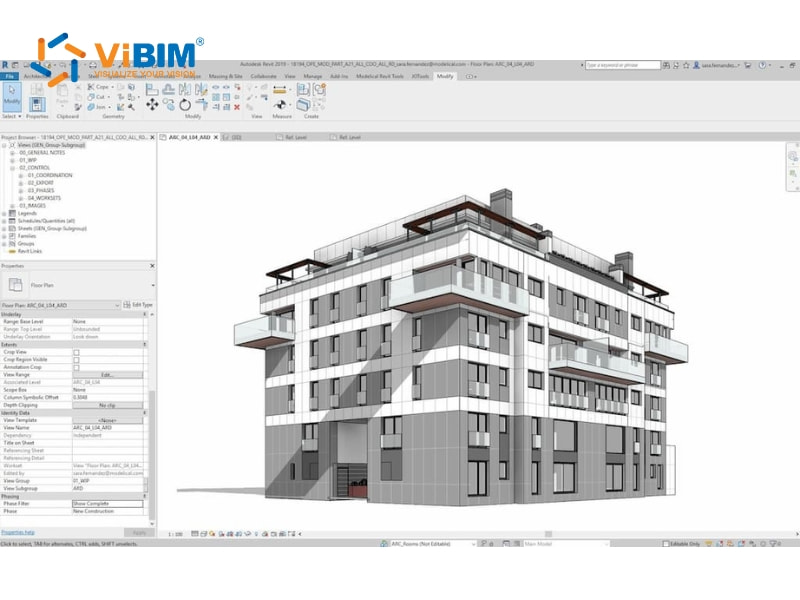
In Revit, users often experience a highly structured workspace with tools organized for technical accuracy:
- Uses a structured, ribbon-based layout that supports deep customization for different disciplines.
- Often described as “spreadsheet-like” and requires multiple clicks for basic operations.
- Offers strong control for advanced modeling but has a steep learning curve for new users.
- Forces users to adapt to its strict workflow, which can limit flexibility during early design stages.
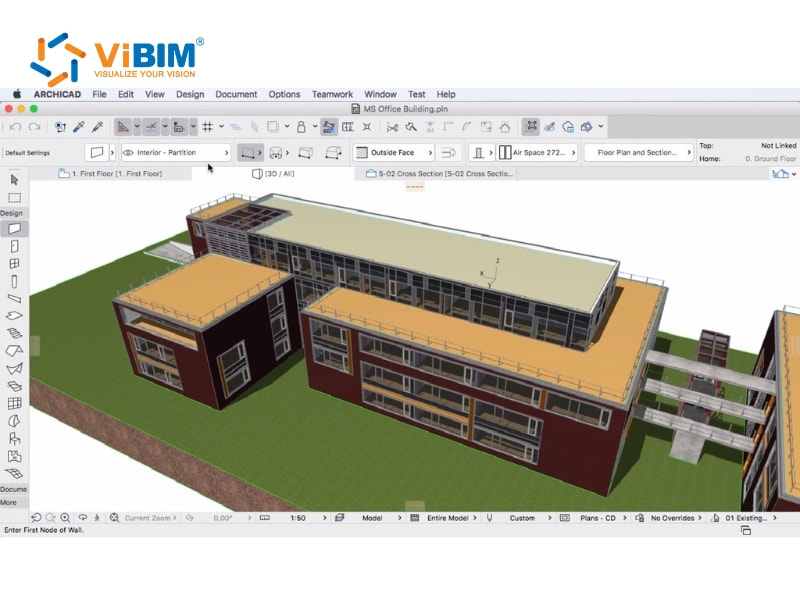
By contrast, Archicad provides a lighter, more intuitive workspace that supports creative design processes:
- Features a clean, visually driven interface that aligns with design-thinking processes.
- Most actions can be completed in fewer steps, keeping the creative flow uninterrupted.
- Known for being easy to learn and enjoyable to use, which helps teams work faster.
- Users often describe the experience as “dancing” rather than “wrestling” compared to Revit.
Design and modeling capabilities
Revit emphasizes technical precision and structured modeling, making it ideal for large-scale projects that require coordination across multiple disciplines. Archicad, in contrast, emphasizes design freedom and creative flexibility, giving architects greater intuitive control over form and aesthetics.
In Revit, the modeling process is built around precision, data, and coordination:
- Integrates freeform 3D BIM modeling directly within the platform for unified workflows.
- Supports parametric modeling and customizable materials that create data-rich BIM models.
- Excels at handling complex geometry and detailed Revit family creation for specific project components.
- Performs best in multidisciplinary projects where accuracy and model hierarchy are priorities.
On the other hand, Archicad approaches modeling with a stronger focus on creativity and adaptability:
- Offers Morph, Shell, and native parametric tools for complex forms, with optional integration to Rhinoceros and Grasshopper for advanced algorithmic design workflows
- Expands visualization through Cinerender and improves parametric control through Grasshopper.
- Provides a more adaptable modeling environment but depends on external plugins for extended capability.
Collaboration and teamwork tools
Revit is well-suited for large, team-oriented environments where multiple disciplines and departments collaborate on the same project. Its ecosystem supports big teams and companies that require a centralized model control and strict coordination workflows. In contrast, Archicad works best for smaller teams or design-focused firms. While it provides solid collaboration features, it is not as strong as Revit when managing large-scale, multi-team projects.
Revit creates a consistent collaboration environment by directly linking with other Autodesk tools, such as AutoCAD and 3ds Max. This connection keeps the workflow unified among architects, engineers, and consultants, reducing file conversion errors and maintaining accuracy during coordination. The shared Autodesk ecosystem promotes data consistency, smoother model management, and efficient teamwork through linked file structures and shared parameters that align model updates across disciplines.
ArchiCAD focuses on collaboration through its long-standing Teamwork client-server system, first introduced in 2009. This platform allows multiple users to edit the same project simultaneously and share changes instantly. However, IFC-based data exchange between ArchiCAD and Revit has historically been challenging for MEP and structural coordination, though improvements continue. Graphisoft offers the free IFC Model Exchange Add-in for Revit to streamline compatibility and reduce manual rework. Even so, ArchiCAD’s built-in teamwork tools remain among the strongest for design-focused BIM coordination.

Performance and speed
Revit utilizes a “live view” system that instantly synchronizes all drawings and views whenever a modification is made. This automatic updating eliminates the need for manual regeneration, speeding up both drafting and modeling. Performance tests have shown that Revit users can complete a standard residential model in nearly half the time it takes ArchiCAD users, mainly due to its parametric links and continuous updates that keep every element connected.
ArchiCAD functions differently by requiring view regenerations during certain operations, which can slow down workflows on complex or large projects. However, its performance improves through smart drafting tools and shortcut-based operations that reward experienced users. The Marquee and Trace tools give precise, visual control during design edits, making modeling smoother for those familiar with the system. Skilled users often find ArchiCAD’s manual control more responsive once they become familiar with its rhythm. In practice, however, actual speed largely depends on the user’s experience and the project’s complexity.
Pricing and licensing
Revit operates entirely under Autodesk’s subscription system, which costs around $251 per month when paid annually. The package covers automatic updates, customer support, and integration across Autodesk products, which helps maintain smooth interoperability between design and construction teams. However, the recurring subscription fees can accumulate over the years, making it a heavier expense for smaller companies or freelancers who prefer long-term ownership.
ArchiCAD offers both subscription and perpetual licenses, enabling more flexible investment planning. The ArchiCAD Collaboration 3-year plan costs approximately $176 per month, plus tax, and maintains predictable pricing for ongoing projects. The perpetual license, which once allowed permanent ownership and lower lifetime costs, will end by 2026 as Graphisoft moves entirely to subscriptions. For now, ArchiCAD remains the slightly more affordable choice, with flexible purchasing options that suit firms of different sizes. (Source: Autodesk & Graphisoft)
ArchiCAD vs Revit: Which is better for your goals?
The better software depends on project complexity, collaboration needs, system performance, hardware capability, budget range, and learning time. The next sections will examine these factors closely and explain when Revit is a better fit and when ArchiCAD is the more practical option.
Factors to consider before choosing
As mentioned, there are five key factors that influence how we decide between Revit and Archicad:
- Project scale and complexity: Revit manages large, multi-disciplinary projects more effectively because its parametric system links every model element across views. Archicad suits smaller or medium-sized architectural projects that prioritize simplicity and visual design over extensive coordination.
- Team collaboration needs: Revit integrates with Autodesk BIM 360, which supports real-time teamwork across locations and disciplines. Archicad’s Teamwork platform works well for small teams, though it may require additional coordination for very large or diverse project groups.
- Performance and hardware: Revit relies on high-performance computers to efficiently process large datasets and complex geometry. Archicad runs smoothly on less powerful systems, giving smaller firms an advantage by reducing hardware costs and keeping workflows responsive.
- Budget & licensing model: Revit offers subscription-only plans that can cost up to $335 per month and add up to a sizable long-term cost. Archicad provides more flexible options, including a perpetual license that starts near $5,000 and helps firms control spending over time.
- Learning curve: Revit’s extensive feature set can lengthen the learning period, especially for beginners or small design teams. Archicad features a more intuitive layout and tool organization, allowing faster adaptation for teams with varied skill levels and project experience.
When to choose Revit?
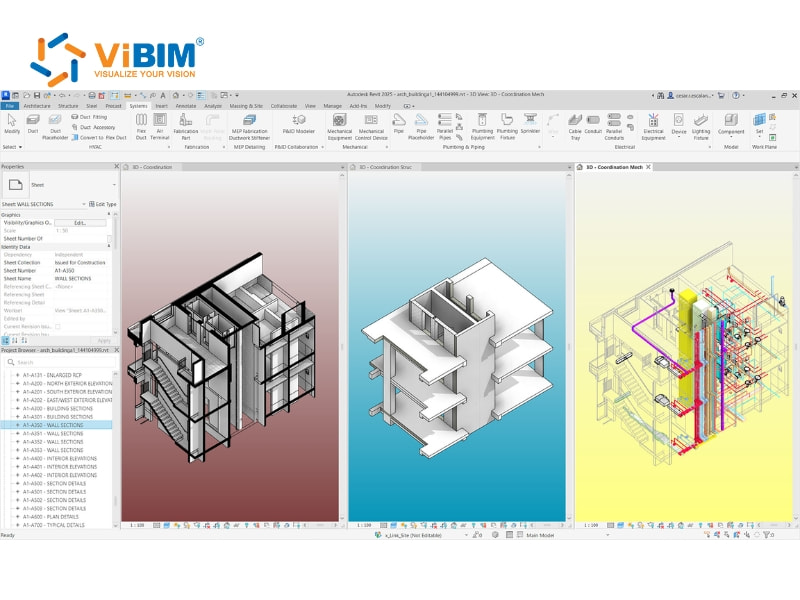
Choose Revit if your work involves large, complex, and multidisciplinary projects that demand precision, coordination, and technical depth. It is the preferred choice for:
- Large firms require seamless collaboration between architectural, structural, and MEP teams.
- Projects that rely on detailed MEP and structural modeling for accurate coordination.
- Companies have already invested in the Autodesk ecosystem for consistent workflows.
- Workflows that integrate with tools like Navisworks for clash detection or Dynamo for computational design.
- Teams primarily run on Windows.
When to Choose ArchiCAD?
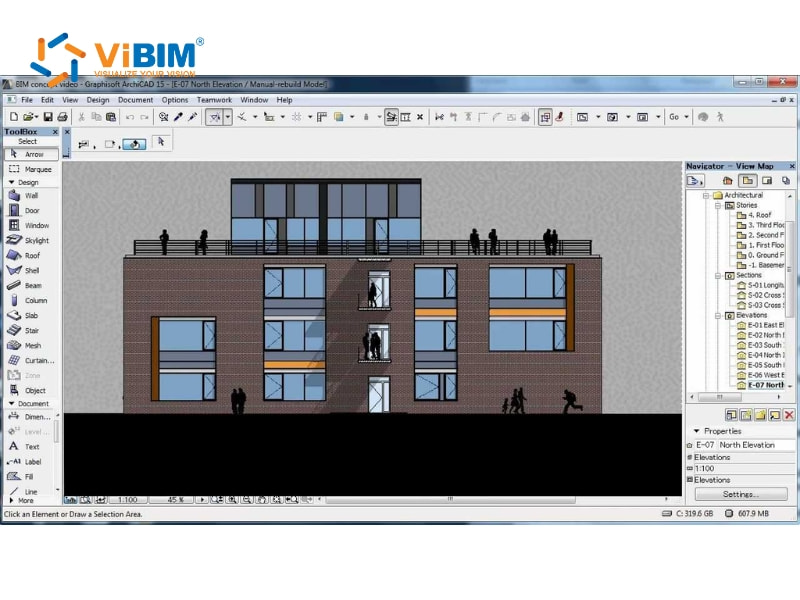
Choose ArchiCAD if your work focuses on design creativity, intuitive modeling, and efficient documentation. It is the better fit for:
- Architecture-focused firms that value design flexibility and a user-friendly interface.
- Small to mid-sized teams prioritizing creativity over complex engineering coordination.
- Practices emphasizing conceptual design, visualization, and smooth design workflows.
- Teams working on macOS or in mixed operating system environments.
- Users who prefer a cost-effective solution with the option of a perpetual license.
Frequently asked questions about Revit and ArchiCAD
Can Revit open Archicad files?
Revit cannot open Archicad files directly. The primary method for exchanging model data between the two platforms is through Industry Foundation Classes (IFC), an open file format designed for interoperability in the AEC industry. Both Revit and Archicad can import and export IFC files, allowing geometry and some data to be transferred, though limitations in data translation can exist.
Can I use Revit and ArchiCAD together in one project?
Revit and Archicad can be used together in a single project by exchanging data through open BIM standards, especially with IFC files. We can improve this process using tools like the IFC Model Exchange with the Archicad Add-In, which enables better linking, importing, and overall coordination between the platforms.
Is ArchiCAD vs Revit better for small architecture firms?
ArchiCAD is usually better for small architecture firms because of its simpler interface, lower hardware requirements, and a smoother learning curve. It fits studios focused on creative design, while Revit serves better in large-scale, engineering-heavy projects that require extensive coordination across multiple disciplines and firms.
This article explored the key differences between Revit vs Archicad, from cost and performance to collaboration and design flexibility. Each section highlighted where Revit excels in engineering and multidisciplinary coordination, while ArchiCAD stands out for design fluidity and ease of use. The comparisons and FAQs provided clear direction for professionals determining which platform best aligns with their workflow.
At ViBIM, we specialize in BIM Modeling services derived from Point Cloud data, using Revit as the primary authoring tool within the Autodesk platform. As a professional Revit BIM modeling service provider, we specialize in commercial point cloud modeling services to help clients achieve accurate digital representations of existing structures for building surveys and design projects.
Contact ViBIM today to discuss your Revit modeling requirements and receive a complimentary quote.
Vietnam BIM Consultancy and Technology Application Company Limited (ViBIM)
- Address: 10th floor, CIT Building, No 6, Alley 15, Duy Tan street, Cau Giay ward, Hanoi, Vietnam
- Phone: +84 944 798 298
- Email: info@vibim.com.vn











