
A BIM file is a digital model that stores both 3D geometry and data related to a construction project. It supports Building Information Modeling by combining design details, material information, and performance data in a single location.
Before diving deeper, it is necessary to understand why we must distinguish between BIM files and CAD files in the first place. For decades, the construction industry depended on CAD to produce 2D drawings or simple 3D models. CAD allowed teams to describe shapes, dimensions and spatial layouts, but everything remained at the drawing level. As projects expanded in scale and complexity, involving multiple disciplines and long-term information exchange, CAD quickly revealed its limitations: frequent inconsistencies between drawings, coordination challenges, and a lack of embedded data for construction, handover and operation.
That shift in project demands is what paved the way for BIM to become the new industry standard. In today’s environment shaped by digital construction mandates, ISO 19650, openBIM requirements and the need for accurate operational data, understanding the difference between BIM files and CAD files is essential. It ensures that:
- Owners know exactly what type of documents or deliverables they are receiving.
- Design and construction teams can choose the appropriate workflow and modeling method.
- Scan to BIM units like ViBIM define clear scopes and handover standards.
- Project teams make the right decision when selecting file types such as RVT, IFC, DWG or NWD.
This article from ViBIM explains what a BIM file is, what it contains, and the main BIM file formats. We also compare BIM and CAD files to illustrate how data-driven models facilitate collaboration and improve project outcomes. Continue reading to learn how these files operate and why they have become the cornerstone of modern construction workflows.
What is a BIM file?
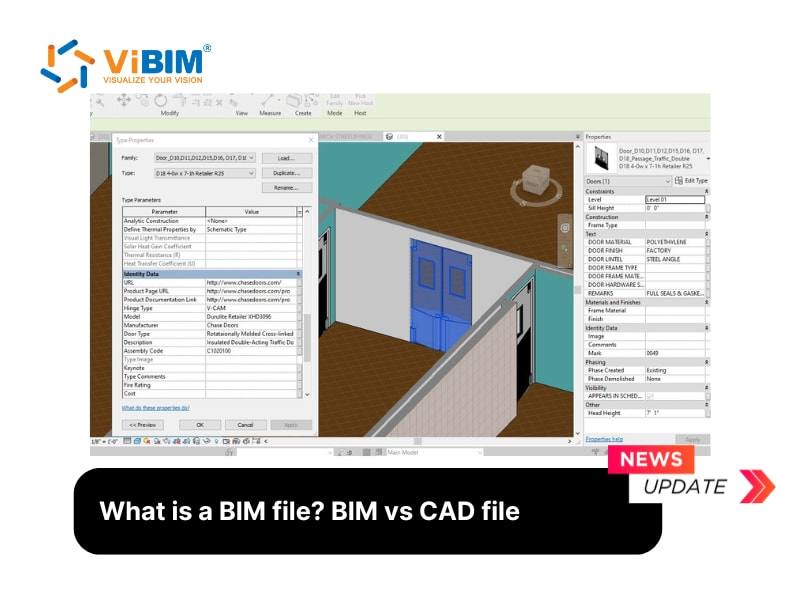
A BIM file is a digital file that stores a 3D model and all related data for a construction project within a Building Information Modeling system. The file combines geometry, materials, and parameters that describe each building element in detail. These files are used by architects, engineers, and contractors throughout the project’s lifecycle, from design and construction to operation, for collaboration, visualization, and analysis.
What is inside a BIM file?
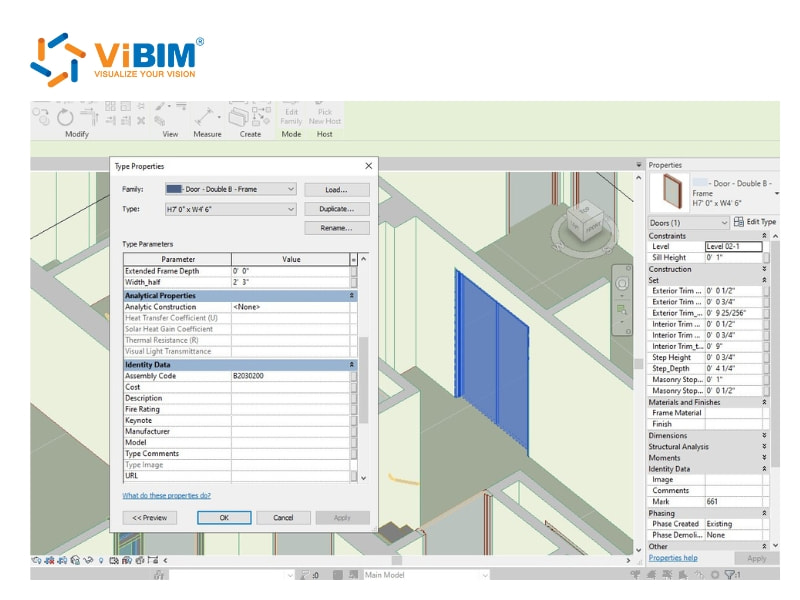
A BIM file contains three types of data that together create a complete digital model of a construction project. Each type supports collaboration, precision, and lifecycle management, which will be explained below.
- Geometric data: Geometric data represents detailed 3D models that show the exact shape, dimensions, and spatial relationships of all building elements. It covers architectural, structural, and MEP components, helping teams visualize and coordinate designs more accurately.
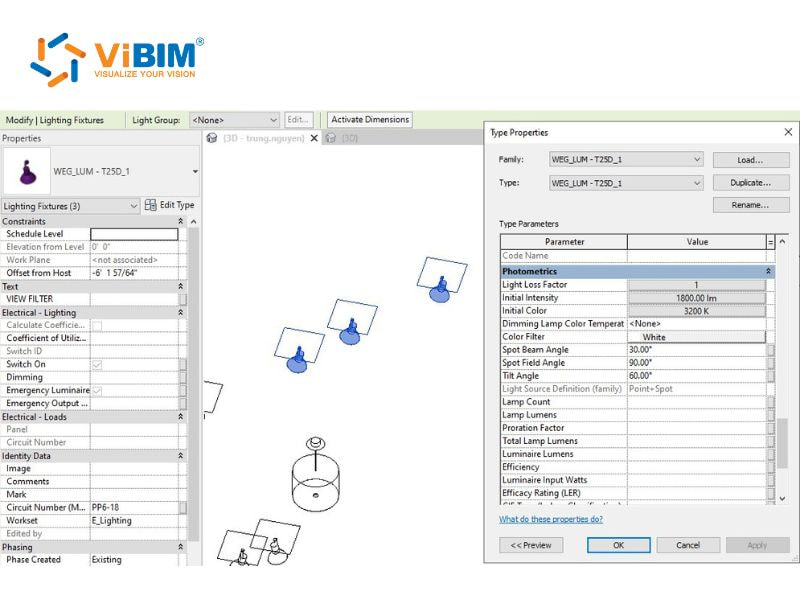
- Non-geometric data: Non-geometric data includes materials, cost estimates, energy use, schedules, and maintenance information that define how each building component performs. This information bridges the gap between design intent and real-world construction and facility management needs.
- Documentation data: Documentation data covers client requirements, design specifications, and operation manuals that guide every stage of the project. These documents develop and update as the project progresses, often strictly adhering to information management standards like iso 19650.
What are the BIM file formats?
A BIM file is divided into two main types of formats based on their ownership and interoperability.
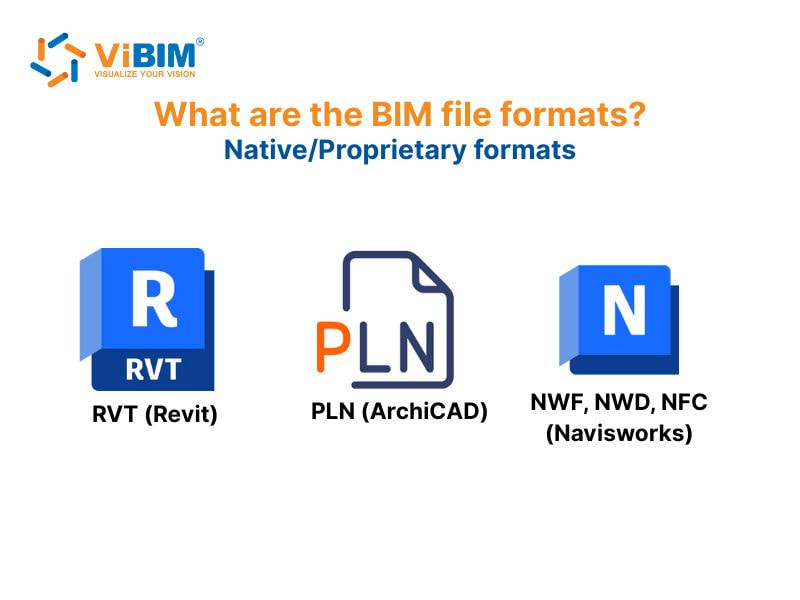
- Proprietary BIM file formats: RVT (Revit), PLN (ArchiCAD), DGN (MicroStation), NWD (Navisworks)
- Non-proprietary file formats: IFC (Industry Foundation Classes), COBie (Construction Operations Building Information Exchange), DWG, gbXML (Green Building XML), BCF (BIM Collaboration Format)
Each format carries a unique function and compatibility range, which will be explained in detail in the following section.
Native or proprietary BIM file formats
Proprietary BIM file formats are those that belong to specific software platforms. Each format is built to take full advantage of its software’s functions, offering smooth operation within its own ecosystem. However, these files are often limited when shared across different programs because their design restricts full compatibility. This limitation can create challenges for teams using a mix of BIM tools in a single project.
To understand how these formats work in practice, let’s look at four of the most common proprietary BIM file types used across major BIM software applications.
RVT (Revit)
The RVT file format is a specialized type used only by Autodesk Revit for BIM modeling and documentation. It supports detailed 3D modeling, allowing users to design buildings, create floor plans, define walls and structures, and analyze performance within the same environment. Revit files capture the complexity of architectural, structural, and MEP systems, enabling professionals to coordinate work and share updates effectively. In large-scale projects, .rvt files help integrate layers such as electrical, plumbing, and structural elements seamlessly, reducing conflicts. These files can also be exported to open formats, such as IFC, for broader use.
Besides RVT, there are other formats in Revit, such as RFA and RTE, each with its own role in the design process.
- RFA – Revit Family Files: RFA files store reusable model components, containing predefined building elements such as doors, windows, and furniture that can be inserted into any Revit project.
- RTE – Revit Template Files: RTE files define project templates, saving configuration settings, parameters, and styles that help teams start new Revit projects more efficiently.
PLN (ArchiCAD)
The PLN format is Graphisoft’s proprietary file type for ArchiCAD software, primarily used by architects to create 3D building models. It holds detailed information about structures, interiors, and surrounding landscapes while also managing data related to the building’s entire lifecycle. The .pln file stores the complete model, including geometry, properties, and project information, which evolve as the design develops.
Additionally, Archicad utilizes the .pla format as an archive that packages the project with libraries and external references for easy sharing. These files can also be exported to open standards, such as IFC and BCF, supporting collaboration across various BIM tools.
NWF, NWD, NFC (Navisworks)
Navisworks supports three primary file formats: NWF, NWD, and NWC.
An NWF file functions as a project index, storing links to source models (such as DGN or DWG) along with added materials, viewpoints, and redlines. Because it updates automatically when the original CAD files change, NWF is the recommended format during ongoing coordination.
An NWD file, which requires a Navisworks license to create, stores all project data plus full model geometry. More compact than source CAD files, NWD is ideal for publishing a secure, shareable version of the project. Others can review it using Navisworks Freedom without needing the source drawings.
Meanwhile, NWC files serve as cached geometry created by Navisworks exporters. Although not meant for general use, they help speed up model loading and act as intermediaries when converting models into NWF or NWD formats.
Non-proprietary file formats
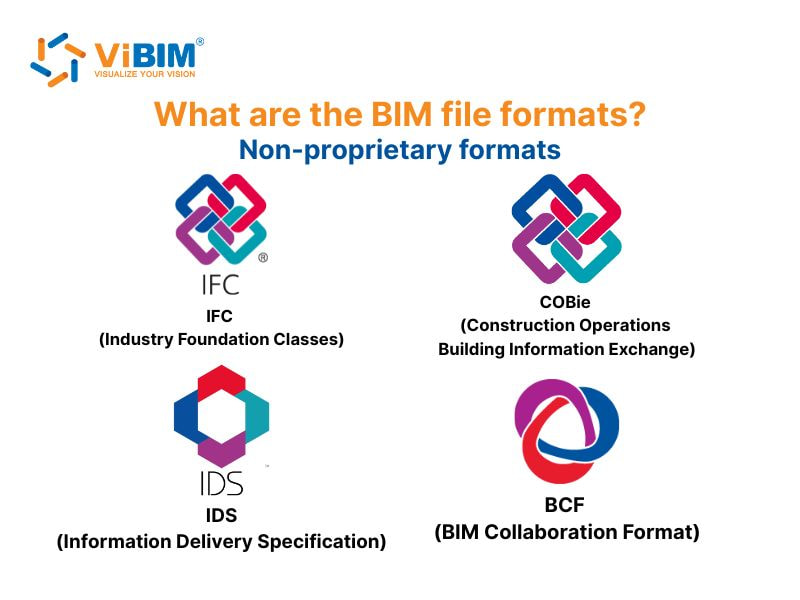
Non-proprietary BIM file formats, known as openBIM standards, are built to support open collaboration between different software platforms. These formats, such as IFC, BCF, IDS, and COBie, enable all participants to access, share, and interpret the same project information, regardless of the software they use. OpenBIM promotes transparency and interoperability, enabling teams to work together efficiently while maintaining data integrity throughout a building’s entire lifecycle. By connecting different disciplines, these standards reduce data loss, minimize miscommunication, and support better project outcomes.
To understand how openBIM formats function in practical workflows, the following sections highlight the key non-proprietary file types widely adopted in BIM projects.
Industry Foundation Classes (IFC)
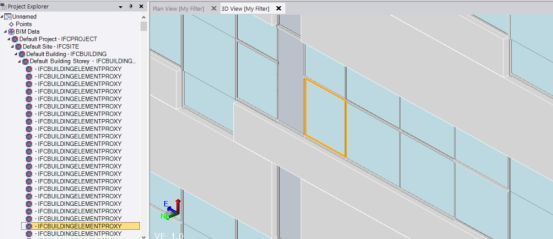
Industry Foundation Classes, or IFC, is the most widely used open format for BIM data exchange. It is a vendor-neutral standard developed by buildingSMART to describe building elements, spatial structures, and relationships in detail. IFC files enable seamless sharing of building information across multiple software platforms, including Revit, Archicad, Navisworks, and Allplan.
This capability enables architects, engineers, and contractors to collaborate more effectively while maintaining accuracy and consistency. By using IFC, professionals can merge different discipline models, compare data, and reduce design errors, leading to more coordinated and efficient projects.
BIM Collaboration Format (BCF)
The BIM Collaboration Format, or BCF, is an open communication standard that supports issue tracking and project coordination in BIM workflows. Instead of exchanging full models, BCF files store comments, issue descriptions, and model viewpoints, allowing team members to discuss and resolve specific design problems.
These files separate communication from geometry, allowing issues to be managed without modifying the actual model. For instance, in large construction projects, BCF allows architects, engineers, and contractors to exchange feedback, document revisions, and monitor issue resolution, ensuring smoother collaboration and fewer design conflicts.
Information Delivery Specification (IDS)
The Information Delivery Specification (IDS) is a structured format that defines the data to be included in BIM exchanges. Based on the IFC framework, IDS specifies object properties, classifications, materials, and values required for each stage of a project.
This standard provides project participants with a clear understanding of what information must be delivered and how it should be organized. By setting data requirements from the start, IDS helps create high-quality BIM models and aligns expectations among all stakeholders, supporting consistent information flow and stronger project control throughout the lifecycle.
Construction Operation Building Information Exchange (COBie)
Construction Operation Building Information Exchange (COBie) is a non-proprietary format used to share structured data related to facility management. Instead of 3D geometry, it focuses on assets, equipment, and maintenance information produced during design and construction. Implementing COBie in bim workflows ensures files transfer critical resource data to owners and facility managers, making building operation and maintenance more organized and efficient.
Comparing the BIM file with the CAD file
A CAD file is a digital document produced through computer-aided design software that contains accurate 2D or 3D representations of physical objects. It records details such as geometry, dimensions, and materials to support design, visualization, and production in fields like architecture and engineering.
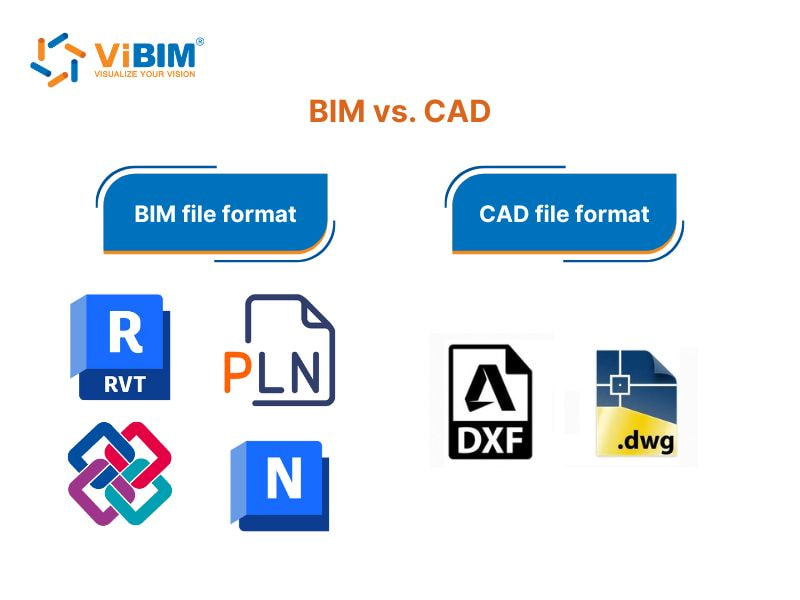
BIM files are information-rich, intelligent models designed to support the entire project lifecycle, while CAD files focus mainly on precise 2D and 3D geometry. Unlike CAD, which uses lines and polylines for drawings, BIM provides a shared interdisciplinary digital model containing detailed data on materials, systems, and building maintenance. The table below compares them through thirteen key features that define their functions in modern construction and design workflows.
| Comparison Criteria | BIM | CAD |
| Nature | Object-based modeling: elements are intelligent objects (e.g., “Wall”, “Door”, “Window”) that carry both geometric and non-geometric data. | Line- or curve-based drafting: uses lines, arcs, or shapes to represent components without built-in intelligence. |
| Dimensionality & Modeling | Extends beyond 3D to 4D (time), 5D (cost), and more, supporting lifecycle management and sustainability. | Primarily 2D drafting with limited 3D capabilities, focused on geometric accuracy. |
| Geometric Data | Includes detailed dimensions: length, height, thickness, area, volume, and relationships between components. | Stores basic geometry such as start/end points and lengths, without inter-object awareness. |
| Non-Geometric Data (Information) | Rich metadata, including materials, properties, identification, cost, and maintenance data. | Minimal data—mainly layer information, color, and line type. |
| Relationships (Parametric Links) | Fully parametric: objects are interrelated. Editing one element (e.g., a wall) automatically updates dependent elements (e.g., a window, a door). | No parametric links. Modifying or deleting one line has no effect on others. |
| Data Consistency | Maintains a single source of truth: updates in 3D automatically sync with 2D drawings, schedules, and quantities. | Requires manual updates across multiple files; changes in one view do not reflect in others. |
| Collaboration & Workflow | Provides a shared environment where multiple disciplines can coordinate in real-time, reducing clashes and miscommunication. | Typically used as a standalone tool with limited cross-disciplinary collaboration. |
| Efficiency & Updates | Automatically synchronizes all project components; changes reflect instantly across the entire model. | Manual updates increase the risk of inconsistencies and rework. |
| Cost Estimation | Integrates dynamic cost data directly into the model (5D BIM) for accurate budgeting. | Relies on manual quantity takeoffs and static cost calculations. |
| Sustainability Analysis | Supports energy modeling, environmental performance, and lifecycle analysis for sustainable design. | Limited or no integrated sustainability tools. |
| Learning Curve | Requires moderate training due to data complexity and integrated workflows. | Easier for basic drafting, but advanced 3D modeling is more complex and less automated. |
| Common Use Cases | Architecture, engineering, and construction (AEC) — ideal for full project lifecycle management. | Manufacturing, product design, and early-stage architectural drafting. |
| File Types | RVT, IFC, COBie, BCF, NWD | DWG, DXF |
For a broader perspective on how the transition from traditional drafting to intelligent modeling transforms project delivery, explore our comprehensive guide on BIM vs CAD.
What File Formats Does ViBIM Support for Scan to BIM?
ViBIM primarily supports Autodesk Recap formats (RCP/RCS) for input point cloud data and delivers final models in Revit (.RVT), IFC, and AutoCAD (.DWG) formats. As a specialized provider of Scan to BIM services leveraging the Autodesk platform, we prioritize these formats to ensure high precision and seamless integration with standard industry workflows.
Input Formats: Handling Point Cloud Data
To initiate a project, we require point cloud data captured from laser scanners. While we can work with various point cloud file formats like E57, we prefer Autodesk Recap formats (RCP/RCS). Using pre-processed, indexed RCP/RCS files allows us to maintain the highest quality and integrity of the original scan data while streamlining the modeling process inside Revit.
Output Formats: Project Deliverables
ViBIM delivers models that align with the proprietary and non-proprietary standards discussed earlier in this article. Our standard deliverables include:
- Revit Native File (.RVT): As our primary authoring tool is Autodesk Revit, this is the core deliverable containing full parametric data, 3D geometry, and family information.
- Industry Foundation Classes (.IFC): To support openBIM workflows, we export models to IFC format (specifying the schema version as required), ensuring the model is accessible across different software platforms.
- AutoCAD (.DWG): For clients requiring traditional documentation, we provide DWG files, which are often used for 2D sheet exports and layout plans.
For those looking to implement BIM in their projects, ViBIM offers expert Revit modeling outsourcing services utilizing point cloud data. Specializing in using Revit and the Autodesk platform, ViBIM supports building surveyors and engineering projects in the existing and as-built phases. Contact ViBIM today to discuss your requirements and receive a complimentary quote.
Vietnam BIM Consultancy and Technology Application Company Limited (ViBIM)
- Address: 10th floor, CIT Building, No 6, Alley 15, Duy Tan street, Cau Giay ward, Hanoi, Vietnam
- Phone: +84 944 798 298
- Email: info@vibim.com.vn











