
BIM for architects is a model-based design process that replaces disconnected 2D drafting with intelligent 3D objects. Each element — wall, window, curtain wall, roof — carries geometric data, material properties, and performance specifications as embedded information. Architects who adopt this process make data-backed design decisions from concept through construction documentation, with fewer coordination errors across disciplines.
This article covers what architects need to know about BIM — starting with its definition, core components, and key differences from traditional CAD drafting. It then examines seven measurable benefits architects gain from BIM adoption, from higher design precision and early-stage energy analysis to automated clash detection and long-term facility management value. The following sections walk through how architects apply BIM across four project phases, from conceptual massing at LOD 100 to project handover at LOD 500. The final sections address software selection, common adoption challenges, practical implementation steps, and how outsourcing 3D BIM modeling services supports firms during the transition.

What Is BIM for Architects?
BIM for architects is a model-based design process where architects create intelligent 3D building models instead of flat line drawings. Each element — wall, window, curtain wall, roof — carries geometric dimensions, material specifications, thermal properties, and fire ratings as embedded data. This parametric modeling approach means the object knows what it represents. A wall-hosted window, for example, cuts its opening automatically when placed and updates its schedule entry without manual input.
Architectural BIM differs from structural and MEP disciplines in its design priorities. Where structural BIM focuses on load paths, member sizing, and connection details, and MEP BIM addresses system routing and equipment placement, architectural BIM centers on spatial planning, massing, daylighting, material expression, and aesthetic intent. All plans, sections, elevations, and schedules derive from one central model — architects no longer maintain separate drawing files for each view. This single source of truth gives architects the ability to make data-backed design decisions, coordinate with engineers in real time, and produce documentation that stays current through every revision. Building information modeling at its foundation shifts the architect’s role from drafting views to managing a data-rich building information modeling environment.
Core Components of an Architectural BIM Model
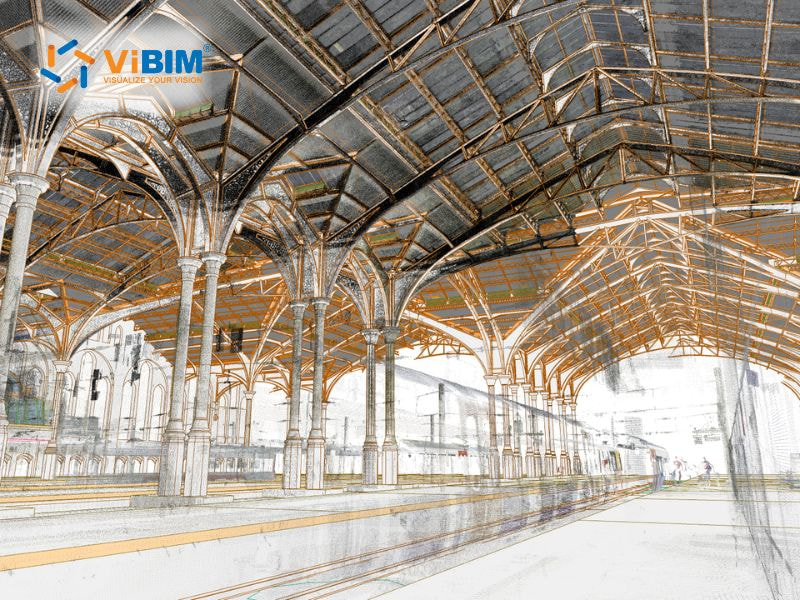
A BIM Model in architecture is a data-rich 3D digital representation of a building. Its core components can be grouped into several key categories:
- Structural Elements form the building’s skeleton: walls (both exterior envelope and interior partitions), floors/slabs, roofs, columns, beams, and foundations. Each carries embedded data like material properties, fire ratings, and load-bearing capacity.
- Openings and Access include doors, windows, curtain walls, skylights, and any penetrations through structural elements. These objects store data on thermal performance (U-values), acoustic ratings, fire resistance, and hardware specifications.
- Vertical Circulation covers stairs, ramps, elevators, and escalators, modeled with proper clearances, code-compliant dimensions, and accessibility parameters.
- Spaces and Zones are non-physical but critical — room objects define usable areas, carry occupancy data, finish schedules, and are used for area calculations, energy analysis, and wayfinding.
- Building Services (MEP Placeholders) — while detailed MEP is its own discipline, the architectural model typically reserves space for HVAC zones, plumbing risers, electrical rooms, and service shafts to ensure coordination.
- Site and Context includes the terrain/topography, building pads, site boundaries, parking, landscaping, and neighboring structures for contextual analysis like solar studies or zoning compliance.
- Annotations and Documentation are the 2D layer derived from the 3D model: dimensions, tags, keynotes, detail callouts, section markers, and sheet layouts that produce construction documents.
- Shared Parameters and Data tie everything together. Every component carries properties such as material specifications, cost data, phasing/sequencing information, Uniformat or OmniClass classifications, and LOD (Level of Development) designations that define how refined each element is at a given project stage.
Architectural BIM vs. Traditional CAD Drafting
The core difference is straightforward. CAD produces static line drawings without embedded data. BIM produces parametric objects where every element carries properties that architects can query, schedule, and analyze. A line in AutoCAD represents a wall’s edge. A wall in Revit represents an assembly with material layers, thermal resistance values, fire ratings, and a direct link to every drawing sheet where it appears.
| Aspect | Traditional CAD | Architectural BIM |
| Model Intelligence | Lines, arcs, hatches — no embedded properties | Parametric objects with material, thermal, and acoustic data |
| View Coordination | Separate files; manual updates per sheet | Single model; plans, sections, and elevations update automatically |
| Error Detection | Reactive — found during overlay or construction | Proactive — automated clash detection during design phase |
| Output Scope | 2D drawings for construction | 3D model + energy analysis, quantity schedules, and 4D sequencing |
| Collaboration | File-based exchange; version conflicts | Centralized CDE; real-time multi-discipline access |
These differences give architects measurable advantages across every stage of the design process.
Top 7 Benefits of BIM for Architects
Architects gain seven measurable advantages when they shift from 2D drafting to BIM-based modeling. Each benefit below addresses a specific constraint in the architectural workflow, from early design accuracy to long-term building operations.
1. Higher Design Precision Through 3D Visualization
Static 2D elevations flatten depth. Architects working in plan and section views must mentally reconstruct spatial relationships — a process that misses proportion conflicts until construction reveals them.
BIM gives architects high-fidelity 3D representations where spatial volumes, material assemblies, and light behavior are visible simultaneously. An architect testing curtain wall mullion depths against floor-to-ceiling heights in a commercial lobby sees the spatial result immediately. The model exposes design conflicts before documentation begins, not after.
According to McGraw-Hill Construction’s SmartMarket Report (2012), 57% of architects rated reduced document errors and omissions as the top BIM benefit, up from 43% in 2009 [1]. The AIA Firm Survey Report 2016 reported that 92% of architecture firms using BIM cited design visualization as their primary use case [2]. 3D precision is both the entry point and the highest-rated outcome for architectural practices.
2. Early-Stage Energy and Daylighting Analysis
Traditional workflows treat energy analysis as a separate consulting task — performed after design freeze, when changes carry the highest cost. Architects hand off geometry to energy consultants, wait for results, then rework the design if targets are missed.
BIM runs energy simulations directly on the architectural model during schematic design. Architects test building orientation, shading devices, and glazing ratios against measurable targets: energy use intensity in kWh/m²/year (kBTU/ft²/year), daylight autonomy percentage, and solar heat gain coefficient (SHGC). Integration with tools like Autodesk Insight connects the Revit model to cloud-based analysis. ASHRAE 90.1 compliance and LEED daylight credits get addressed during SD, when iteration is still affordable.
Studies show that BIM-based energy analysis can help architects save approximately 25% on energy use in new buildings [3]. A BIM simulation case study published in Energy and Built Environment found that optimizing building orientation through Revit reduced energy use intensity from 333 to 241 kWh/m²/yr — a 28% reduction driven by architect-led decisions during early design [4].
3. Automated Clash Detection Across Architectural and MEP Systems
In traditional coordination, architects discover conflicts between architectural elements and MEP systems reactively — through drawing overlays or, worse, during construction. Each field-discovered conflict triggers RFIs, delays, and compromises to the original design intent.
BIM checks for conflicts across architectural, structural, and MEP models automatically. Architects preserve ceiling heights, partition layouts, and material finishes because conflicts get resolved on-screen — not through last-minute field adjustments. Clash detection in BIM shifts error resolution from the job site back to the design studio, where architects still control the outcome.
The McGraw-Hill Construction SmartMarket Report (2012) found that 45% of architects rated reduced rework as a top BIM benefit — up from 38% in 2009 [1]. Industry reports indicate that projects using coordinated BIM resolve 80 to 90% of major conflicts before construction begins [5].
4. Coordinated Multi-Discipline Collaboration
File-based exchanges create version conflicts. When architects email Revit files to structural and MEP consultants, each discipline works on a snapshot of the design — not the current iteration. Communication defaults to reactive RFI chains, and architectural intent drifts as engineering teams respond to outdated geometry.
BIM connects all disciplines through a Common Data Environment (CDE). Architects, structural engineers, and MEP consultants access the same federated model at the same time. Cloud platforms such as BIM 360 and Autodesk Construction Cloud (ACC) replace email-based coordination with real-time model sharing. The architect’s spatial sequences, ceiling designs, and material palettes stay consistent because every consultant references one coordinated model.
A McGraw-Hill Construction (2008) survey, cited in Azhar (2011), found that 82% of BIM users reported a positive impact on company productivity — a result linked to improved coordination and information sharing across disciplines [6].
5. Faster Documentation Through Parametric Updates
In CAD-based workflows, a single design change — wall thickness, window type, door location — requires manual updates across 30+ drawing sheets. Each revision cycle consumes hours of drafting labor that adds no design value. Errors compound when sheets are missed.
BIM propagates one change across all associated plans, sections, elevations, and schedules automatically. Floor plans, reflected ceiling plans, building sections, and finish schedules are extracted from the model, not redrawn. Every sheet reflects the current model state. Architects redirect hours from drawing corrections toward design exploration and client coordination.
A survey by Becerik-Gerber and Rice found that 58% of respondents reported a 50% reduction in overall project duration when using BIM [7] — a result driven in part by the elimination of repetitive drafting during documentation.
6. Accurate Quantity Takeoffs for Budget Control
Manual quantity counting is slow and error-prone. Architects estimate material areas from 2D drawings, recount after each revision, and still face budget surprises when cost consultants produce conflicting numbers. Late-stage value engineering strips key design features after budgets have already been committed.
BIM extracts material quantities — square feet (sq m) of flooring, linear feet (linear m) of partitions, window unit counts — directly from parametric objects. Schedules update as the design evolves. Swap a floor finish from terrazzo to polished concrete, and the model reflects the quantity shift across every affected room instantly. Quantity takeoff in BIM keeps cost conversations inside the design process, not after it.
The same Becerik-Gerber and Rice survey reported that 55% of BIM users experienced reduced project costs, with half of those respondents claiming a 50% cost reduction [7].
7. As-Built Models for Long-Term Facility Management
Traditional project handover ends with a set of drawings. Within months, those documents fall out of sync with actual building conditions as modifications occur during construction and occupancy. Building owners lose access to accurate spatial and equipment data.
Architects who deliver an as-built BIM model give building owners a data asset — finishes, equipment specifications, maintenance data — verified against field conditions at LOD 500. A facility manager locates a mechanical valve behind a partition wall by opening the model, without sending a technician to investigate. For existing buildings that lack digital documentation, converting laser scan data into a facility-ready BIM model through Scan to BIM for FM gives owners the spatial accuracy they need for maintenance planning, space management, and future renovation scoping. For hospitals, campuses, and commercial towers, this positions the architect as a lifecycle partner, not just a design-phase consultant.
Becerik-Gerber and Rice (2010) found that 41% of BIM users reported an overall increase in project profitability — a return that compounds when the model extends into operations and maintenance [7]. The McGraw-Hill SmartMarket Report (2012) noted that creating and managing facility management-enabling models for owners after construction represents one of the most important new service revenue streams for AEC firms [1].
How Architects Apply BIM Across Project Phases
BIM supports the architectural workflow from the first feasibility sketch to final project handover. Each phase below uses the model for a distinct set of tasks, with data fidelity increasing as the design progresses.
Phase 1 — Conceptual Design and Feasibility
Conceptual design establishes the building program, massing strategy, and site response. Architects create approximate macro models in BIM linked to cost databases — testing whether a program fits within budget and site constraints before committing to detailed design. At LOD 100, massing studies define building volume. Site orientation analysis evaluates solar access and prevailing wind patterns. Area calculations confirm whether the client’s spatial program fits the available footprint. The key decision at this stage: can this project be built for this budget on this site?
Phase 2 — Schematic Design and Design Development
Schematic design and design development refine spatial relationships, material selections, and building system integrations. The BIM model advances to LOD 200–300. Architects verify design intent — room adjacencies, ceiling heights, facade proportions — against measurable criteria rather than assumptions. Energy analysis tools connect to the model during SD, when sustainability metrics still influence design direction at minimal cost.
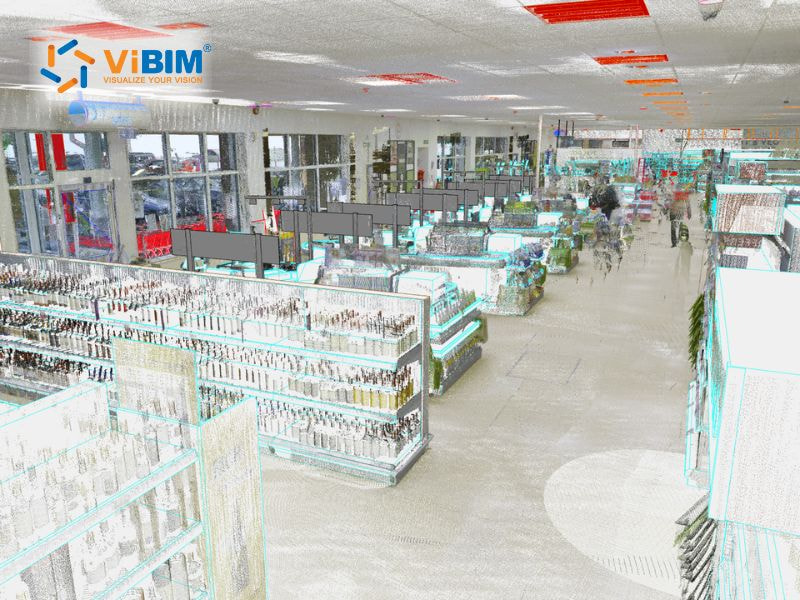
For renovation projects, this phase begins with accurate as-built data from point cloud scans. Converting scan data into a coordinated Revit model through an architectural Scan to BIM service gives architects the precision to fit new design elements within existing structural constraints. Without accurate existing-condition geometry, architects risk designing elements that conflict with concealed conditions — a problem that multiplies during construction.
Phase 3 — Construction Documentation
Construction documentation transforms the coordinated 3D model into construction deliverables. Plans, sections, and details are extracted as live views from the central model database — not drawn independently. Tags and annotations pull data from model elements: material grades, fire ratings, door hardware groups. Change the model, and every associated sheet updates. Door schedules, window schedules, and finish schedules generate automatically from parametric objects. At LOD 300–350, the documentation set reflects the coordinated design state across all disciplines.
Phase 4 — Construction Administration and Project Handover
During construction administration, architects monitor construction conformance to design intent. BIM supports this phase through 4D sequencing — construction phasing visualization that links model elements to the project schedule. RFI tracking against the model replaces manual cross-referencing of drawing sets. Site coordination uses mobile BIM viewers that give field teams access to current model data.
At handover, architects deliver the as-built model at LOD 500 to the owner or facility manager. The model becomes an operational data asset for maintenance scheduling, space management, and future renovation planning — extending the architect’s contribution beyond the construction phase.
With BIM applications spanning from conceptual massing to facility handover, selecting the right software platform and preparing the firm for adoption become the next critical steps. The following sections cover tool selection, common challenges, and practical implementation strategies for architectural practices.
Best BIM Software for Architects
For architects, the choice of BIM software defines their creative capability and workflow efficiency. It is not just about modeling, it is about how the tool supports the design process from initial massing to detailed construction documentation. Here are the leading platforms tailored for architectural practice:
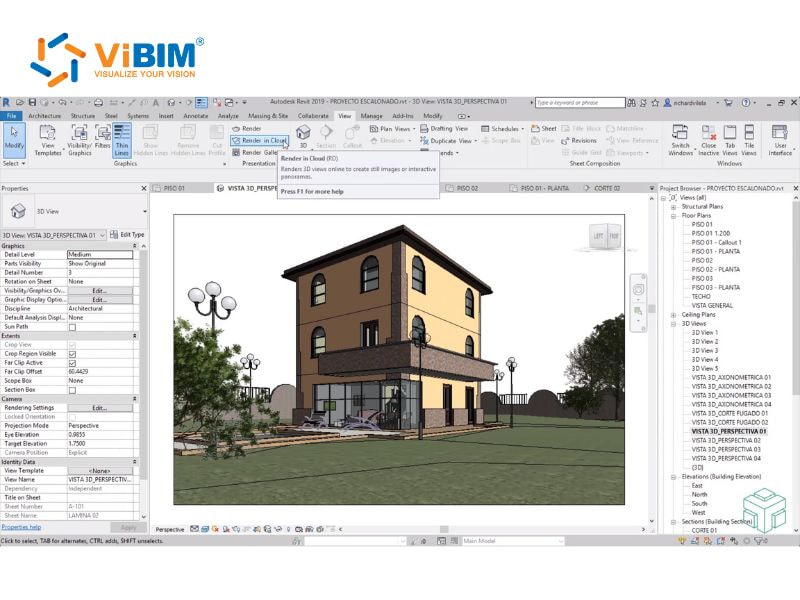
- Autodesk Revit: Revit is widely regarded as the premier BIM authoring tool for architects due to its powerful parametric engine. It allows for the creation of intelligent building components that maintain functional relationships such as windows that remain hosted within walls regardless of design revisions. For architectural practices, Revit’s primary strength lies in its “single model” environment, where plans, sections, and schedules update in real-time, ensuring absolute coordination across the entire drawing set.
- Graphisoft ArchiCAD: Archicad is often favored for its intuitive user interface and focus on the creative architectural process. It offers robust “Teamwork” capabilities that allow multiple architects to collaborate on the same model simultaneously without performance lag. With its advanced “GML” (Geometric Description Language) for custom objects and built-in CineRender engine, Archicad excels in producing high-quality architectural visualizations and complex organic forms directly within the BIM environment.
- Bentley AECOsim: For architects involved in massive infrastructure or highly complex commercial projects, Bentley AECOsim provides a scalable platform capable of handling immense datasets. It utilizes a federated model approach, which is ideal for large architectural teams requiring high-speed performance and extensive drawing production capabilities. Its integration with specialized engineering tools makes it a preferred choice for complex, multidisciplinary architectural ventures.
- Vectorworks: Vectorworks stands out for its superior graphical flexibility, combining traditional 2D drafting precision with advanced 3D modeling. It is particularly effective for architects who prioritize aesthetic presentation and landscape integration. Its 64-bit architecture and strong IFC support make it a versatile choice for firms that require a high degree of artistic freedom alongside rigorous BIM data management.
While these platforms offer specialized tools for design and documentation, selecting the right technology depends on specific project requirements and firm-wide workflows. For a more comprehensive technical comparison of the leading industry tools, explore this detailed guide on building information modeling software.
Challenges of BIM Adoption for Architects
While BIM offers advantages, architects still face five challenges that impact its efficient application in real projects. These challenges include both technical and on-site coordination issues.
Steep Learning Curve and Skill Gaps
For many architects, mastering BIM platforms like Revit or Archicad involves a significant learning curve that goes beyond basic drafting. Architectural staff must transition from thinking in terms of lines and layers to managing complex parametric relationships and data-rich objects. This shift often requires extensive training and a temporary reduction in billable hours as the team adapts to new modeling standards and internal protocols.
High Initial Investment and Infrastructure Costs
Implementing a robust BIM workflow requires substantial upfront capital. Beyond the high cost of software licensing, architectural firms must often invest in high-performance hardware—specifically advanced CPUs and dedicated graphics cards—to handle large, data-heavy models. For small to medium-sized practices, these initial costs, combined with the need for ongoing technical support and BIM managers, can represent a significant financial barrier.
Shifts in Design Fee Structures and Workloads
BIM fundamentally alters the traditional architectural work curve, pushing more effort and decision-making into the earlier stages (Schematic Design and Design Development). This “front-loading” of the design process often conflicts with traditional fee structures, where the bulk of the payment is tied to later documentation phases. Architects must often renegotiate contracts to reflect the increased value and effort provided during the initial modeling stages.
Interoperability and Legal Liabilities
Architects frequently face challenges when exchanging models with consultants using different software versions or platforms. Data loss during IFC (Industry Foundation Classes) transfers can compromise design integrity. Furthermore, architects must navigate new legal territories regarding model ownership and professional liability, specifically concerning who is responsible for errors found in a shared, multidisciplinary central model.
Managing Level of Development (LOD) Expectations
A common challenge for architects is defining the appropriate level of detail revit for a project. There is often a disconnect between the architect’s need for design flexibility and the contractor’s demand for highly detailed construction data. Over-modeling early in the process can lead to wasted effort, while under-modeling can result in coordination gaps, requiring architects to meticulously manage data output at every project milestone.
How Architectural Firms Implement BIM
Moving from CAD drafting to BIM-based practice is not a software installation — it is a workflow transformation. Firms that treat BIM adoption as a technology purchase without process change repeat the same coordination problems in a more expensive tool. The firms that succeed follow three steps: standardize first, train for collaboration second, and test on a controlled project before scaling.
- Define BIM Standards and Execution Plan (BEP). Establish file naming conventions, coordinate systems, and LOD requirements per phase. Adopt ISO 19650 for information management across stakeholders. The BEP becomes the project’s rulebook — every team member references it before modeling begins.
- Invest in Training Beyond Software Skills. Training should cover collaborative workflows — modeling for analysis, managing CDE protocols, interpreting clash detection results, and producing coordinated multi-discipline documentation. Software proficiency without process understanding produces models that look correct but fail during coordination.
- Start With a Pilot Project. Select a project with moderate complexity. Test interoperability between modeling and analysis tools, refine template settings, and document lessons learned before firm-wide rollout. The pilot surfaces workflow gaps — naming conflicts, LOD mismatches, CDE access issues — that are easier to fix on one project than across the entire practice.
For firms that need additional modeling capacity during the transition, outsourcing specific BIM tasks can bridge the gap between adoption and full in-house capability.
Outsourcing 3D BIM Modeling Services at ViBIM for Architects
ViBIM is a specialized Scan to BIM and Revit BIM modeling service provider for architectural practices. The firm receives point cloud data from 3D laser scans and produces precise BIM models.
Architectural Scan to BIM. ViBIM converts point cloud data into LOD 200–300 Revit models for renovation, retrofit, and heritage preservation projects. This process — known as Scan to BIM technology — transforms raw laser scan data into structured, model-ready geometry that architects can design against. Architects receive a coordinated model with accurate existing-condition geometry — walls, floors, ceilings, openings, and structural elements positioned against the scan data.
As-Built Documentation. ViBIM produces coordinated drawing sets — floor plans, reflected ceiling plans, building sections, and elevations — extracted from the architectural BIM model. Each drawing is a live view of the model, not a manually drafted sheet.
BIM Coordination Support. Model cleanup, clash detection, and multi-discipline coordination free senior architects to focus on design and client relationships. ViBIM’s team of 30+ professionals — all with architecture or civil engineering backgrounds — delivers with 99% on-time record and sub-1-hour response time.
Contact ViBIM to discuss your architectural modeling project and receive a complimentary quote.
Vietnam BIM Consultancy and Technology Application Company Limited (ViBIM)
- Headquarter: 10th floor, CIT Building, No 6, Alley 15, Duy Tan street, Cau Giay ward, Hanoi, Vietnam
- Phone: +84 944 798 298
- Email: info@vibim.com.vn
FAQs
Is BIM good for architects?
Yes. BIM allows architects to visualize designs earlier, reduce errors through automatic coordination, and produce accurate documentation more efficiently than traditional methods. It enables architects to focus on design quality and decision-making rather than manual drafting tasks.
What Is the Difference Between BIM and CAD in Architecture?
CAD produces static 2D line drawings without embedded data. BIM produces intelligent parametric models where every element carries material, thermal, and scheduling properties. The comparison table earlier in this article outlines five key differences across model intelligence, view coordination, error detection, output scope, and collaboration.
What BIM Software Do Most Architects Use?
Three platforms lead the market. Revit is the industry standard for multidisciplinary coordination. ArchiCAD offers a design-focused interface with real-time co-authoring. Vectorworks provides graphical flexibility suited to smaller firms and site-sensitive projects. The software table above compares strengths, collaboration features, and native formats.
Is BIM Mandatory for Architects?
Not universally mandatory, but increasingly required. The UK mandates BIM Level 2 for public sector projects. The US General Services Administration (GSA) requires BIM for federal buildings. Private-sector clients increasingly demand BIM deliverables for asset management and facility operations. The direction is clear — BIM competency is becoming a baseline expectation, not a competitive advantage.
What LOD Do Architects Typically Model To?
Architects typically model from LOD 100 (conceptual massing) through LOD 300 (construction documentation). LOD 350 serves coordination with structural and MEP disciplines — adding connection points and interface geometry. LOD 400+ covers fabrication detail handled by contractors and fabricators, not architects. The BIMForum LOD Specification defines requirements for each level. For more detail, see BIM level of development.
References
- [1] McGraw-Hill Construction, The Business Value of BIM in North America: Multi-Year Trend Analysis and User Ratings (2007–2012), SmartMarket Report, 2012. https://damassets.autodesk.net/content/dam/autodesk/www/solutions/building-information-modeling/bim-value/mhc-business-value-of-bim-in-north-america.pdf
- [2] American Institute of Architects, AIA Firm Survey Report 2016. (Cited via CE Center — BIM as an Investment, BNP Media.) https://continuingeducation.bnpmedia.com/courses/vectorworks-inc/building-information-modeling-bim-as-an-investment/
- [3] Acero Estudio, “Energy and Environment Analysis Using BIM Technology,” 2024. https://aceroestudio.com/en/energy-and-environment-analysis-using-bim-technology/
- [4] Olanrewaju, O.A. et al., “Building Information Modeling – Simulation and Analysis of a University Edifice,” Energy and Built Environment, ScienceDirect, 2024. https://www.sciencedirect.com/science/article/pii/S2949736124000770
- [5] MarsBIM, “How BIM Clash Detection Saves Trade Contractors from Costly Rework,” 2025. https://www.marsbim.com/how-bim-clash-detection-saves-trade-contractors-from-costly-rework/
- [6] Azhar, S., “Building Information Modeling (BIM): Trends, Benefits, Risks, and Challenges for the AEC Industry,” ASCE Journal of Leadership and Management in Engineering, Vol. 11, No. 3, pp. 241–252, 2011. (Original data: McGraw-Hill Construction survey, 2008.) https://ascelibrary.org/doi/10.1061/(ASCE)LM.1943-5630.0000127
- [7] Becerik-Gerber, B. and Rice, S., “The Perceived Value of Building Information Modeling in the U.S. Building Industry,” Journal of Information Technology in Construction (ITcon), Vol. 15, pp. 185–201, 2010.











