Designers often find they cannot click on point cloud files inside the viewport because the Selection Control are currently disabled. This setting causes the software to ignore your cursor input, making the model appear frozen.
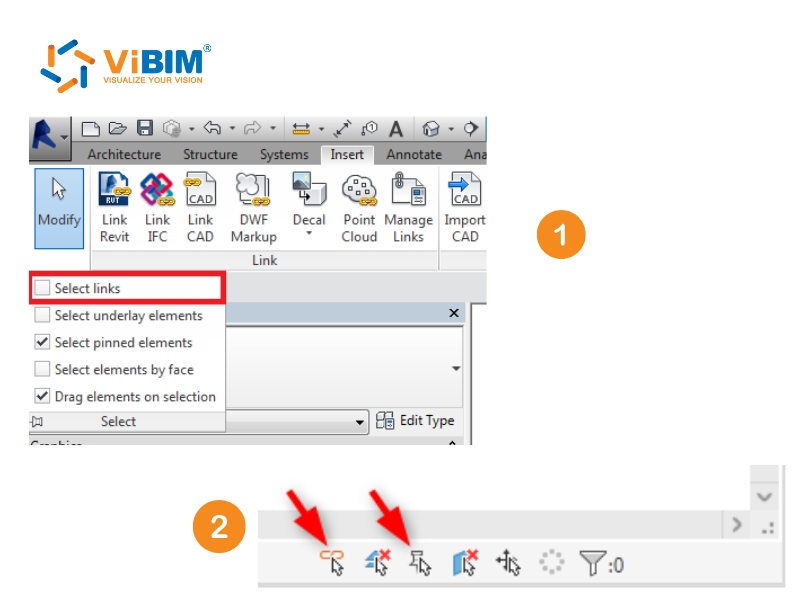
You can resolve this by enabling the ‘Select Links’ toggle found in the Modify tab or the Status Bar. Revit uses this restriction to stop users from accidentally shifting the coordinates of referenced data.
To help you understand why Revit cannot select point cloud files, prevent frustration, and keep your project aligned, this guide explains the specific steps you need to manage these settings effectively.
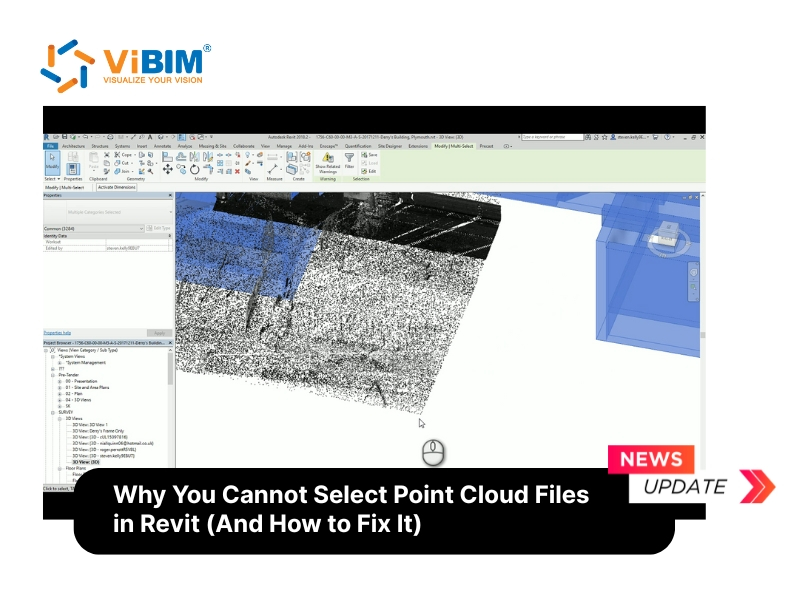
What cause this problem?
Designers often worry when the point cloud files (RCP/RCS) seem frozen in the viewport because clicking yields no response. This behavior rarely indicates corruption but signals that Revit applies Selection Control filters to block interaction with linked references. It is important to verify you are using compatible point cloud file formats before assuming the issue lies within the selection settings.
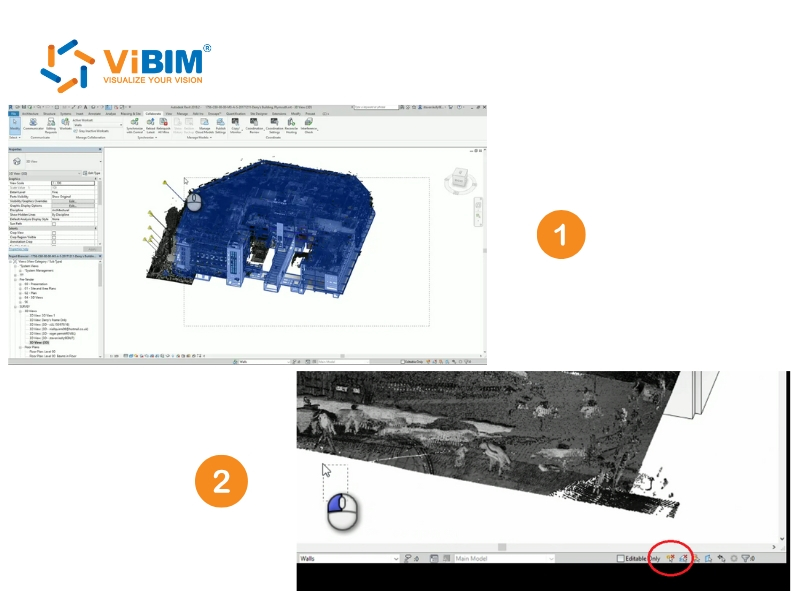
How to solve Revit cannot select point cloud?
Restoring access to your scan data requires adjusting specific permissions in the main toolbar. You can follow this simple sequence to regain control over the background elements quickly.
- Open the Modify tab on the main Ribbon to access the settings.
- Locate the Select drop-down menu on the far left side of the panel.
- Activate “Select links” and “Select pinned elements” to fix the issue.
You can access these toggles more quickly via the Status Bar at the bottom right. The icon resembling a chain link lets you modify these filters instantly.
This guide clarified why specific filters might lock your screen and showed you the correct toggles to regain control. Understanding these settings resolves the issue where revit cannot select point cloud data so your team maintains momentum on the project.
Restoring full control over your background elements is essential to leveraging the specific advantages of Revit software for accurate modeling and seamless team collaboration.
ViBIM provides specialized BIM Modeling services from Point Cloud data, leveraging Revit and the Autodesk platform as our primary tools. Building surveyors and engineers partner with us as a trusted Scan to BIM service provider to handle complex existing conditions and as-built phases for their design projects.
You can contact ViBIM for professional Revit modeling outsourcing services today to discuss specific requirements and receive a complimentary quote.
Vietnam BIM Consultancy and Technology Application Company Limited (ViBIM)
- Headquarters: 10th floor, CIT Building, No 6, Alley 15, Duy Tan street, Cau Giay ward, Hanoi, Vietnam
- Phone: +84 944 798 298
- Email: info@vibim.com.vn