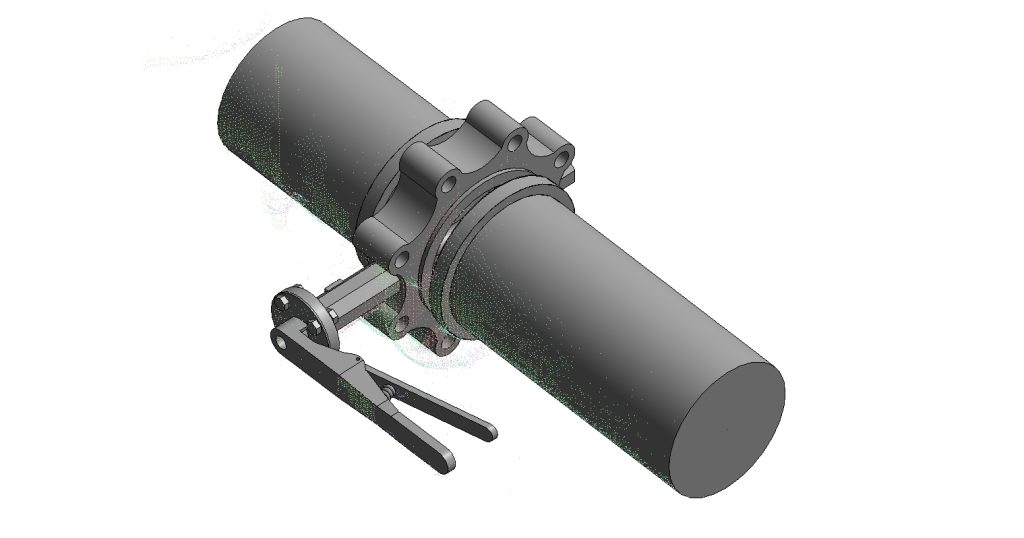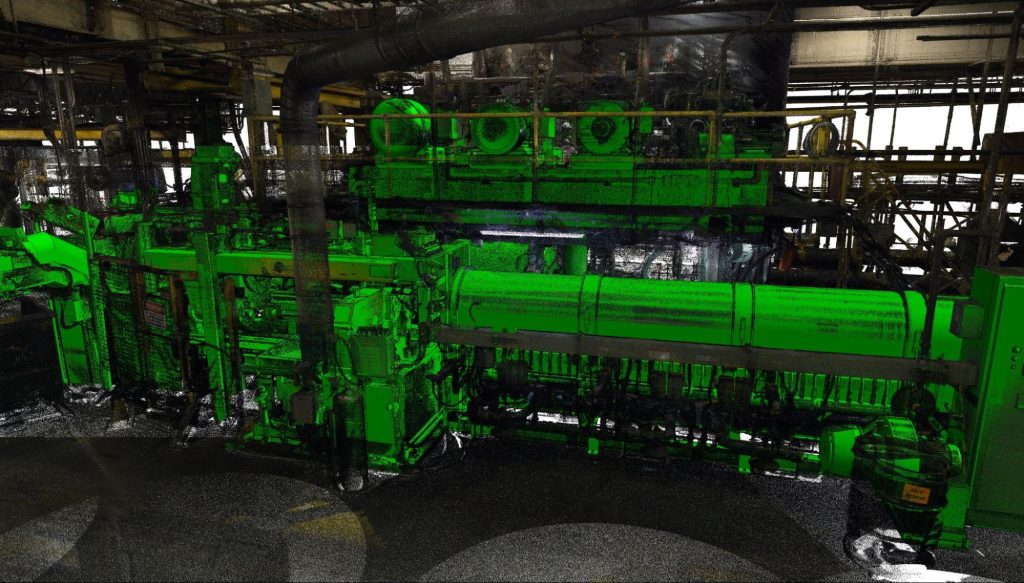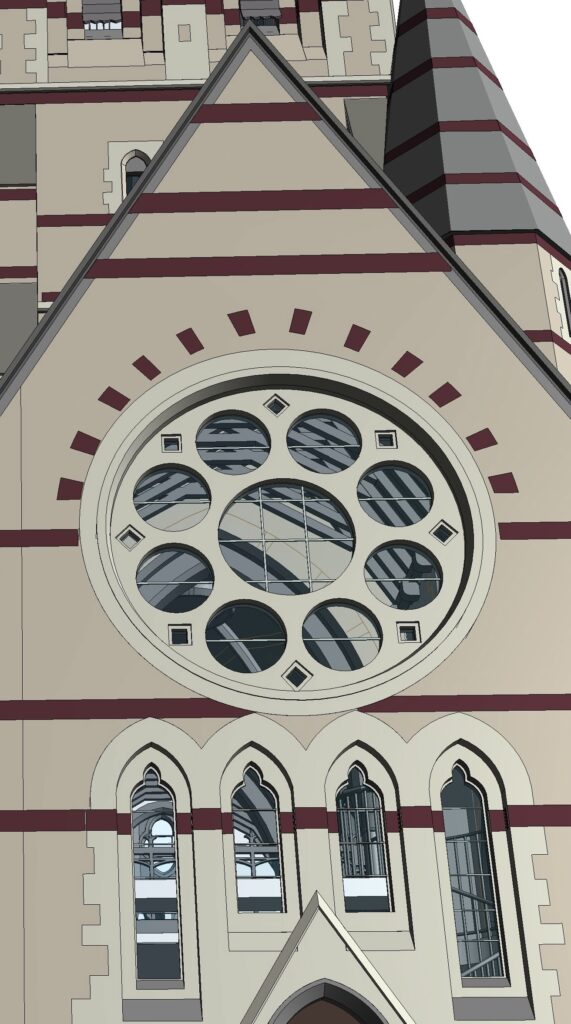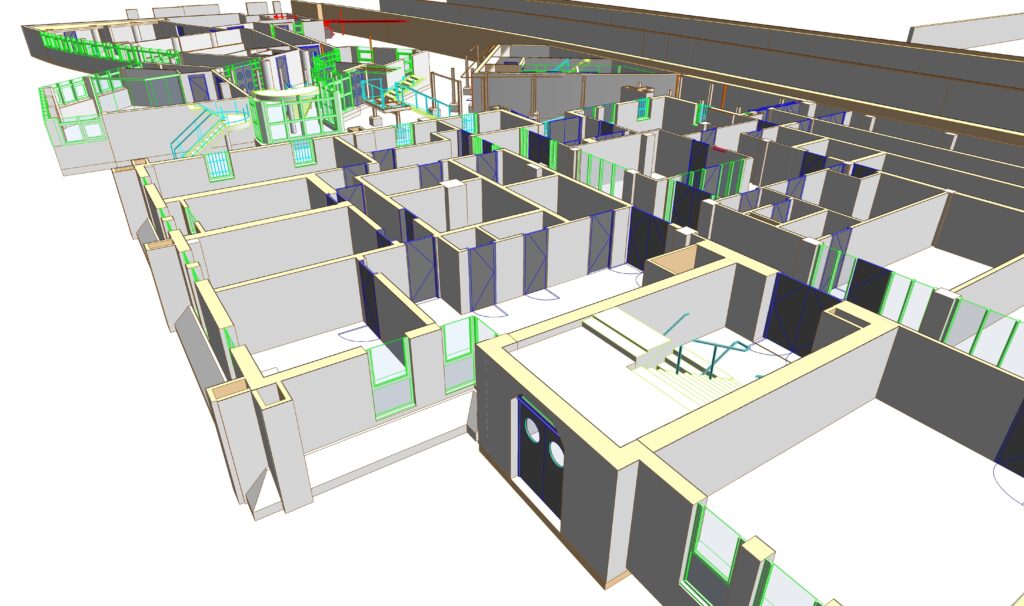


Revit family creation services deliver precise, project-specific Revit families from point cloud data, with accurate geometry, correct categories, and the LOD and LOI your project requires. Survey firms and AEC teams outsource Revit family creation to ViBIM for existing buildings where standard libraries fall short. ViBIM develops custom loadable Revit families for doors, windows, structural members, and complex MEP components such as pumps, electrical panels, lighting fixtures, and mechanical equipment.
ViBIM’s modelers meticulously build each family from detailed measurements extracted directly from your scan data, then add parameters like dimensions, material codes, type names, and manufacturer data. Reviewers check that each family accurately represents as-built conditions within defined tolerances to the scan, then test it in your Revit version before delivery. Your team can then use the families for design development, renovation planning, schedules, and coordination. Each family is optimized for performance and parametric flexibility.
As Seen On
 Coruzant Technologies
— ViBIM scan to BIM case study, modeling ultra-dense MEP systems for a US factory.
Coruzant Technologies
— ViBIM scan to BIM case study, modeling ultra-dense MEP systems for a US factory.
 The Architect's Diary
— ViBIM cited for point cloud to BIM expertise in federated BIM coordination.
The Architect's Diary
— ViBIM cited for point cloud to BIM expertise in federated BIM coordination.
 BizzBuzz
— ViBIM cited for scan to BIM precision on renovation and retrofit projects.
BizzBuzz
— ViBIM cited for scan to BIM precision on renovation and retrofit projects.
 TechBullion
— ViBIM experts break down LOD 300 vs LOD 350 for scan to BIM models.
TechBullion
— ViBIM experts break down LOD 300 vs LOD 350 for scan to BIM models.
 Urban Splatter
— ViBIM featured as a scan to BIM company across architecture, structure and MEP.
Urban Splatter
— ViBIM featured as a scan to BIM company across architecture, structure and MEP.
 Today News
— ViBIM named a Revit outsourcing partner for electrical BIM modeling from point cloud data.
Today News
— ViBIM named a Revit outsourcing partner for electrical BIM modeling from point cloud data.
Revit family creation services from ViBIM give survey and AEC firms reliable Revit models, on-time delivery, and clear communication from quote to handover.
Custom Revit families built from point cloud data are defined by their geometry, LOD, parameter data, category, and parametric controls. ViBIM builds each family for the components your standard library does not cover. The five scope items are described below:
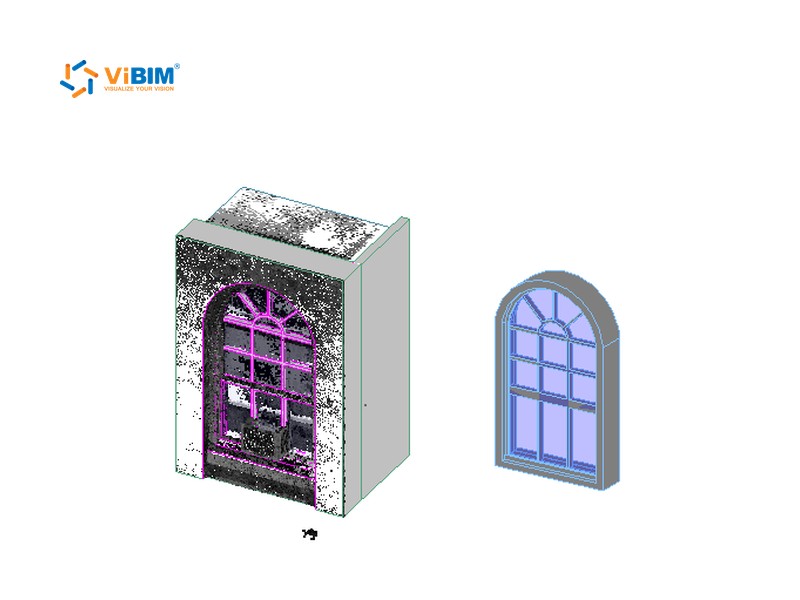
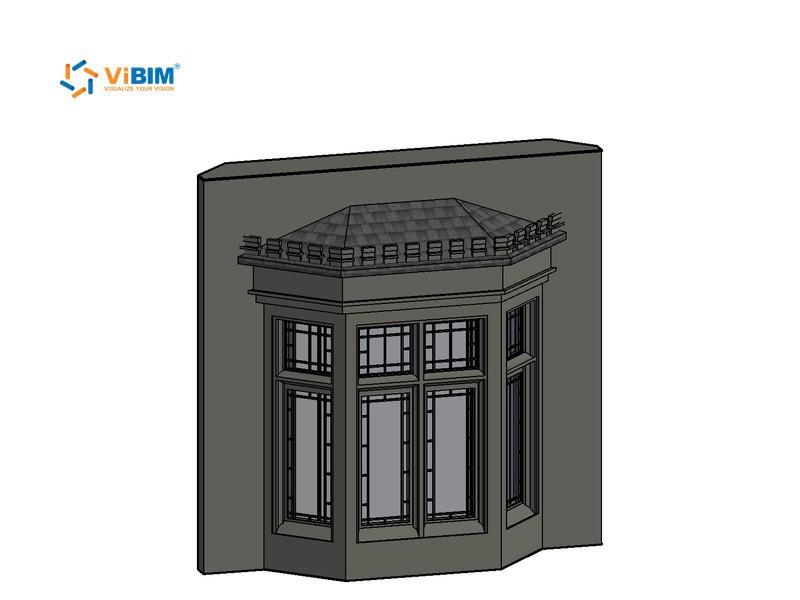
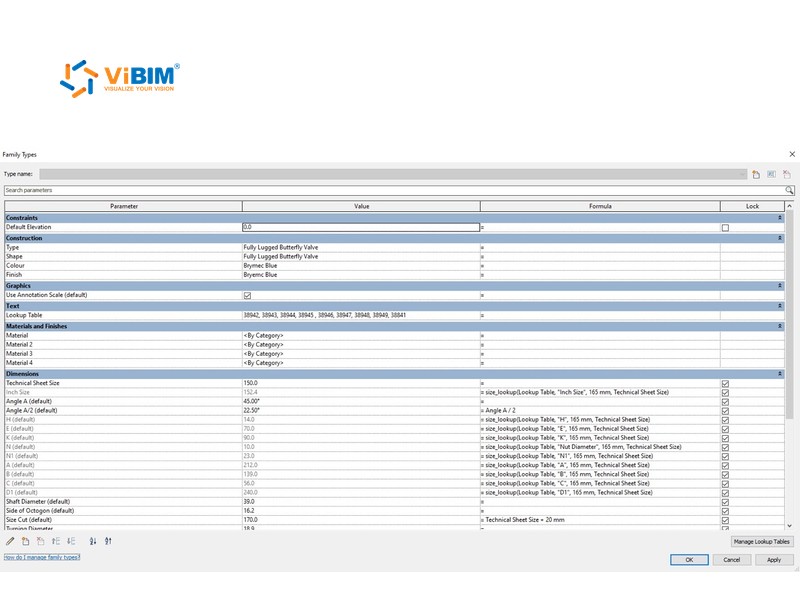
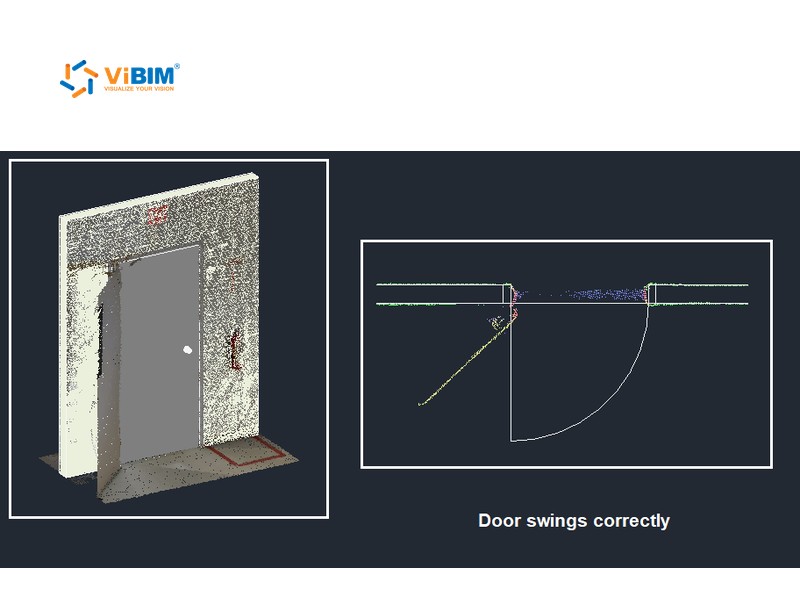
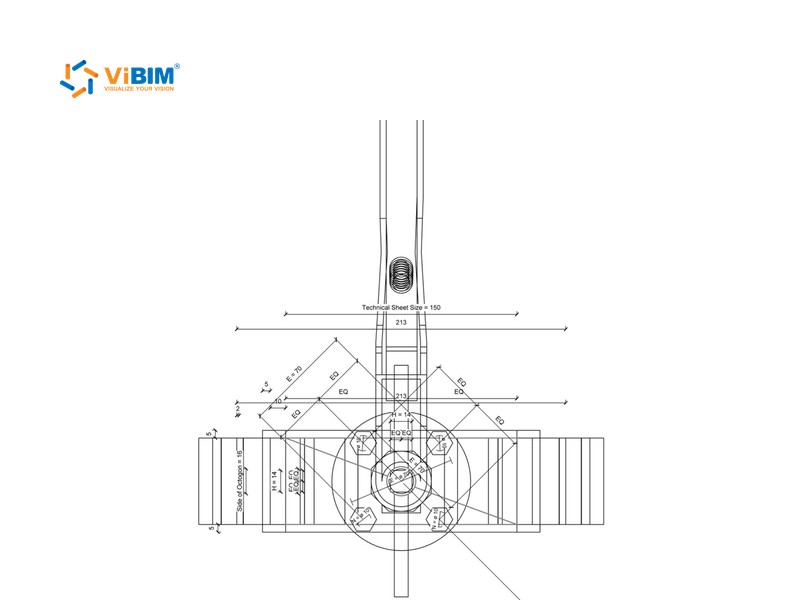
We create accurate 3D Revit families (representing elements such as doors, windows, unique architectural features, MEP equipment, and structural components) directly from precise scan data. Every family complies with client-specific BIM standards, industry best practices, naming conventions, and shared parameter configurations.
We develop family geometry to meet project-defined Level of Development (LOD) requirements, typically ranging from LOD 100 to LOD 500, ensuring appropriate detail for visualization and analysis. LOD 500 applies when your contract calls for field-verified components.
We embed key data (such as dimensions, materials, manufacturer information, model numbers, and operational parameters) into families, fulfilling the specified Level of Information. For large-scale projects with extensive parameters and numerous families, ViBIM provides solutions to automate this data embedding.
We assign appropriate Revit categories (e.g., Doors, Windows, Mechanical Equipment) and define correct hosting behaviors for proper integration and functionality within the model.
We build flexible, parametric Revit families with adjustable parameters and constraints, allowing for easy modification, adaptability, and reusability across projects. Size and material values are type or instance parameters, as your team prefers. Complex components such as valves are built as nested families, with secondary parts hidden at Coarse and Medium detail.
Revit family creation deliverables are loadable .rfa family files and, when your scope includes it, the Scan to BIM model with the families placed. ViBIM names and organizes every file to your standards. Each deliverable is described below:
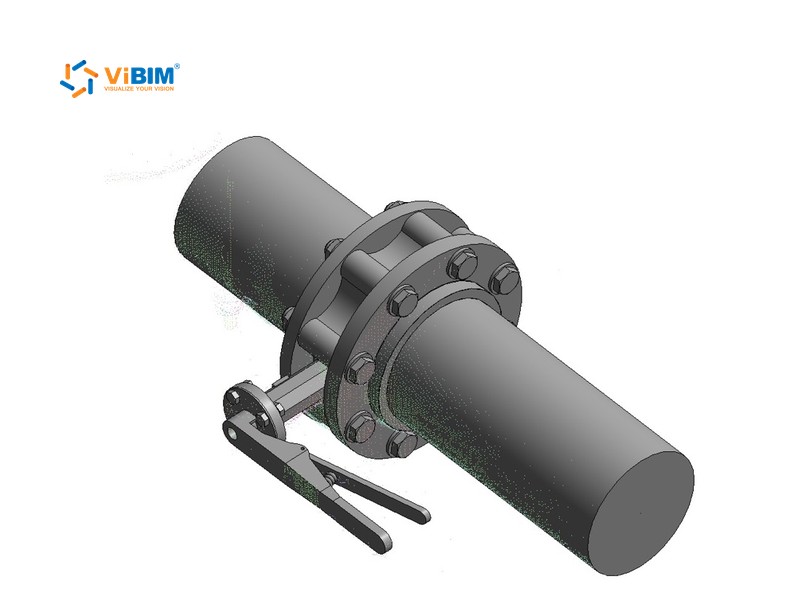
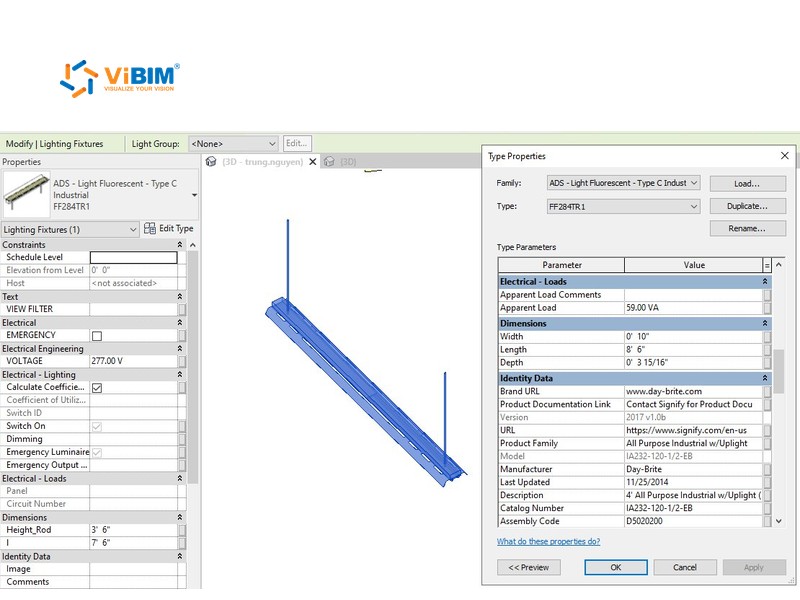

The Revit family creation process starts by deciding how each component is modeled and hosted, and ends with a load test and a QA/QC review. For .rfa-only orders, the load test uses a test project instead of the Scan to BIM model. The six steps are explained below:
We review the provided point cloud data to identify specific elements that require custom Revit family creation. Typical candidates are components that standard libraries don’t cover, such as specialized doors, windows, furniture, fixtures, and unique MEP equipment.
ViBIM determines the optimal modeling strategy by assessing the component’s type, complexity, and intended Revit behavior (e.g., hosted, standalone, parametric). For unique non-hosted items, we may model them in place using point cloud data and then convert them into loadable families. For components requiring specific hosting or parameters, like doors or windows, we use precise scan measurements to build the family directly in the Revit Family Editor, ensuring accurate functionality and data integrity.
Using the appropriate Revit family templates, we model geometry cleanly, define reference planes, set up parametric dimensions, and add required instance/type parameters such as size, material, and product data.
Each family is assigned to the correct Revit category (e.g., Doors, Windows, Mechanical Equipment, Electrical Fixtures). We also define its hosting requirements (e.g., wall-based, face-based, work plane-based) and configure any associated behaviors like opening cuts. MEP families get connectors set to the correct system type, flow direction, and flow configuration, so they join your piping and duct systems.
Once completed, the families are tested and then loaded back into the Scan to BIM model. Placement is aligned precisely with the point cloud using original reference points.
Final checks are conducted for geometry tolerance, parameter naming, category assignment, and compliance with client-specific requirements. Families are updated if needed and documented for handover.
In Revit family creation, accuracy and quality control start from the LOD, LOI, and tolerance you set and end with geometry and behavior checks. ViBIM’s reviewers sign off a family only after it passes both. Each control is described below:
We conduct thorough quality assurance and control processes, including meticulous geometric tolerance verification against the original point cloud data, to ensure the reliability and accuracy of each family. You choose a tolerance of 50 mm, 30 mm, or 15 mm (about 2, 1.2, or 0.6 in), or a custom value from your spec. Parts the scan cannot see come from product data sheets or drawings, and internal parts are modeled only when your LOD requires them.
Two independent reviewers flex each family by changing its parameters and confirm the geometry updates without breaking. The reviewers also check parameter names, type and instance settings, category, hosting, and MEP connectors. Reviewers then confirm each family carries only the detail your LOD needs, which keeps file size small.
At ViBIM, our in-house quality assurance team closely monitors each phase of the family creation process, following the standards listed below, with your project’s own standards applied first:
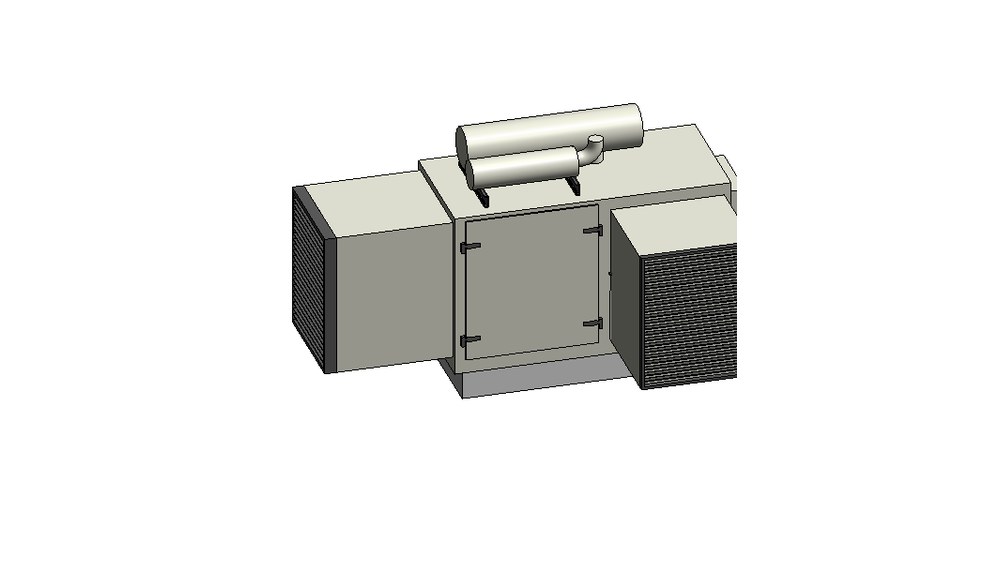
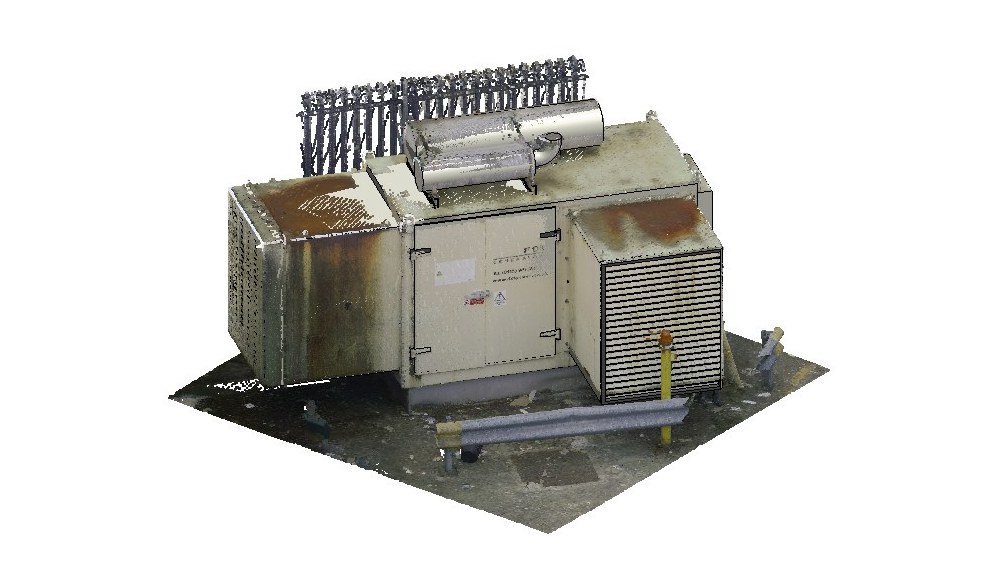
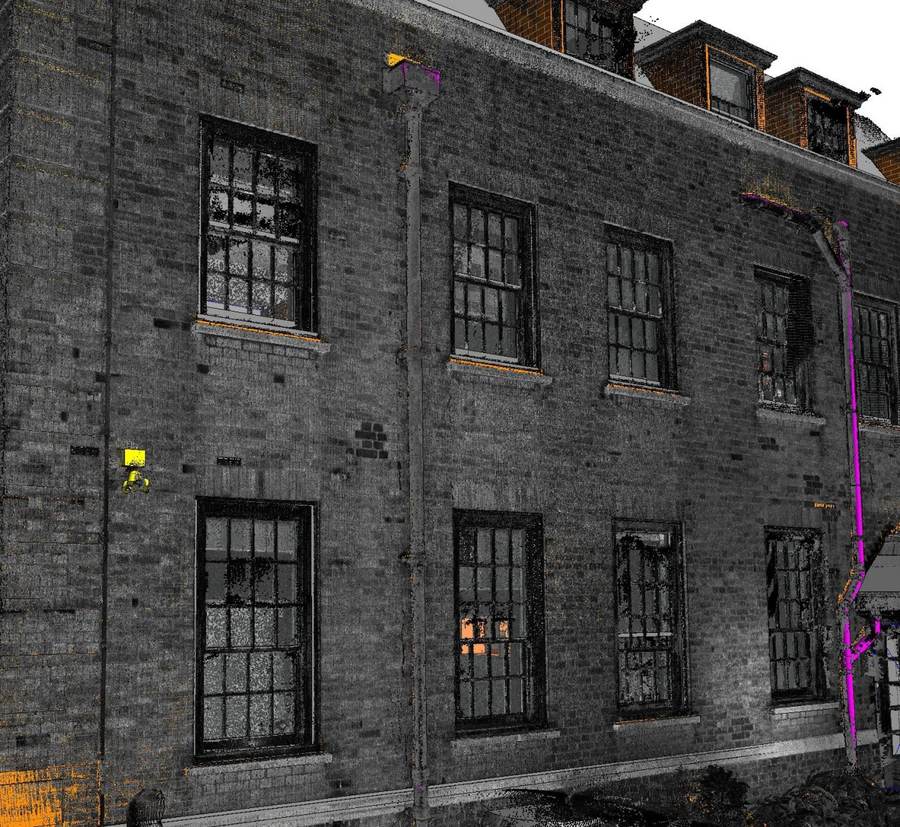
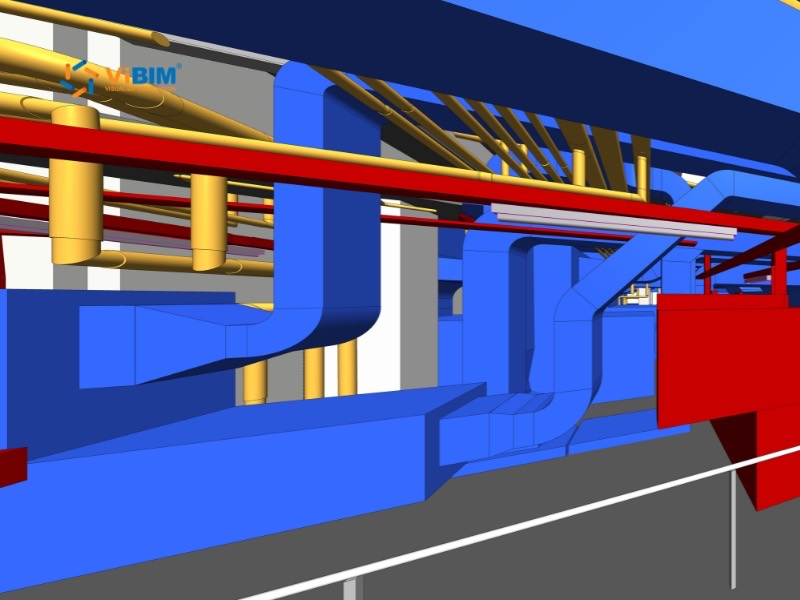
ViBIM’s featured Revit family creation projects show custom components built from scans, from MEP equipment to decorative architectural details. Every project shown is one of the company’s 1,000+ BIM projects since 2014.
The advantages of choosing ViBIM’s Revit 3D BIM modeling services for Revit family projects are listed below:
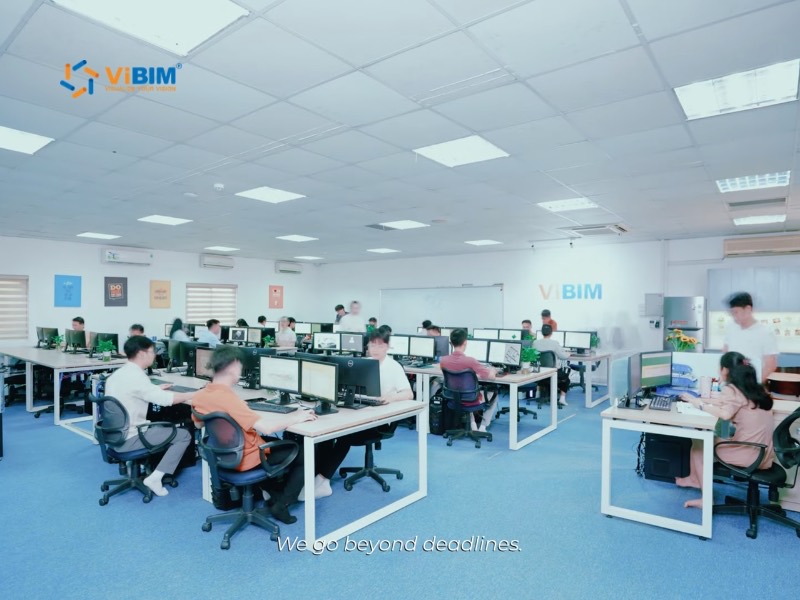




Your ViBIM project manager fixes the delivery date at scope sign-off and can deliver a long family list in stages. ViBIM completes 99% of its projects exactly as scheduled.

ViBIM utilizes a proprietary internal tool to automatically convert Revit in-place elements into loadable families. This capability lets ViBIM manage large-volume conversions with remarkable speed and precision. Batch conversion is one reason ViBIM’s turnaround runs up to 30% faster than the industry average.

ViBIM excels in transforming point cloud data into precise, intelligent, and as-built Revit families, capturing real-world conditions with high fidelity. We meticulously check every stage, from scan measurements to the final load test.

ViBIM answers emails about your family list promptly, whether they arrive during business hours, in the evening, or on weekends. After your review, ViBIM updates the families where needed and documents them for handover.

Automation, AI, and streamlined workflows keep improving ViBIM’s family work, including the tools that automate parameter entry on large family sets.

Pham Thanh is the founder and CEO of ViBIM, which he grew from three employees into a 30-strong BIM outsourcing team. Contributed to Vietnam’s first national BIM Guidelines (Ministry of Construction, 2017). MBA, Solvay Brussels School of Economics and Management (2012); Bachelor of Architecture, ABAC University (2008); BIM Management Certificate, BCA Academy, Singapore (2014).

Do Van Yen is ViBIM’s Architectural Team Leader and one of its first three specialists, working with the founder since 2011. Has led architectural BIM modeling since 2014 and helped build the company’s Scan to BIM services and standards from the start. Civil Engineering, University of Transport and Communications.

Nguyen Tien Trung is ViBIM’s Structural Team Leader and manages the company’s BIM standardization system, leading structural modeling on its largest, most complex projects. Construction Engineering, Hanoi University of Civil Engineering (2019).

Truong Van Huong is ViBIM’s MEP Team Leader, leading mechanical, electrical and plumbing BIM modeling and coordination. Brings years of hands-on MEP design and implementation experience to large, complex project delivery. Bachelor’s in Electrical Engineering, specializing in Electrical Systems (2018).

Truong Quoc Trung is ViBIM’s Project Manager and one of its first-generation modelers, with the company since 2018. Runs its medium to large-scale BIM projects end to end and mentors new modelers. Practical Engineer’s degree in Civil Engineering, Construction Technical College No. 1 (2017).
A Revit family creation quote starts from four items your team sends. ViBIM quotes every request to outsource Revit family creation within 12–24 hours, with a price and schedule. The items are listed below:
If you also need the full model, ViBIM can quote it with the families through its scan to BIM services, using the same point cloud. ViBIM signs an NDA on request before you share product data or scans.

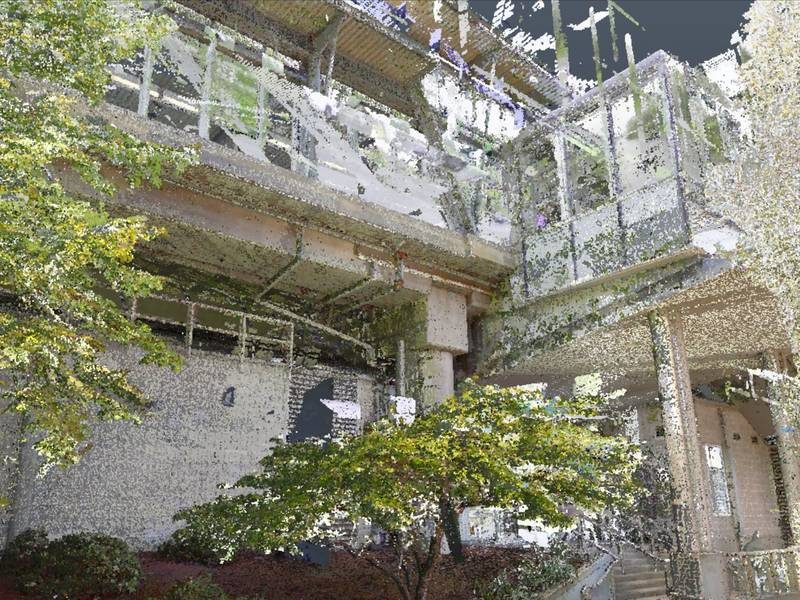
Ready to Start Your Revit Family Creation Project?
Send your component list with the scan, and we’ll return the scope for each family, plus the price and delivery date.

For Revit family creation across the USA and worldwide, the unit system follows your project. ViBIM builds families for US projects on imperial templates in feet and inches, and families for UK and Australian projects on metric templates. The markets ViBIM serves are shown below:

United States

United Kingdom

Canada

Australia

European Union
The US states and cities we serve are shown below:
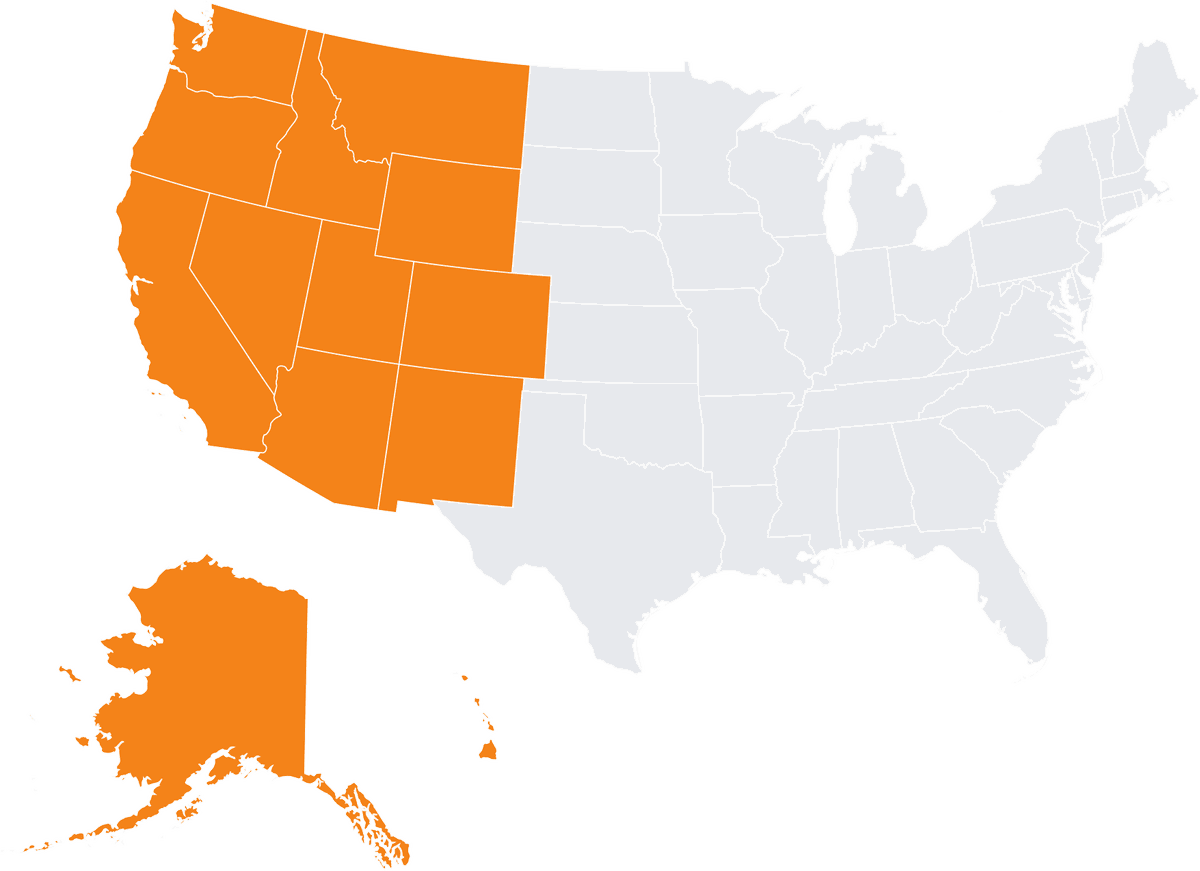
Alaska
Arizona
California
Colorado
Hawaii
Idaho
Montana
Nevada
New Mexico
Oregon
Utah
Washington
Wyoming
Irvine
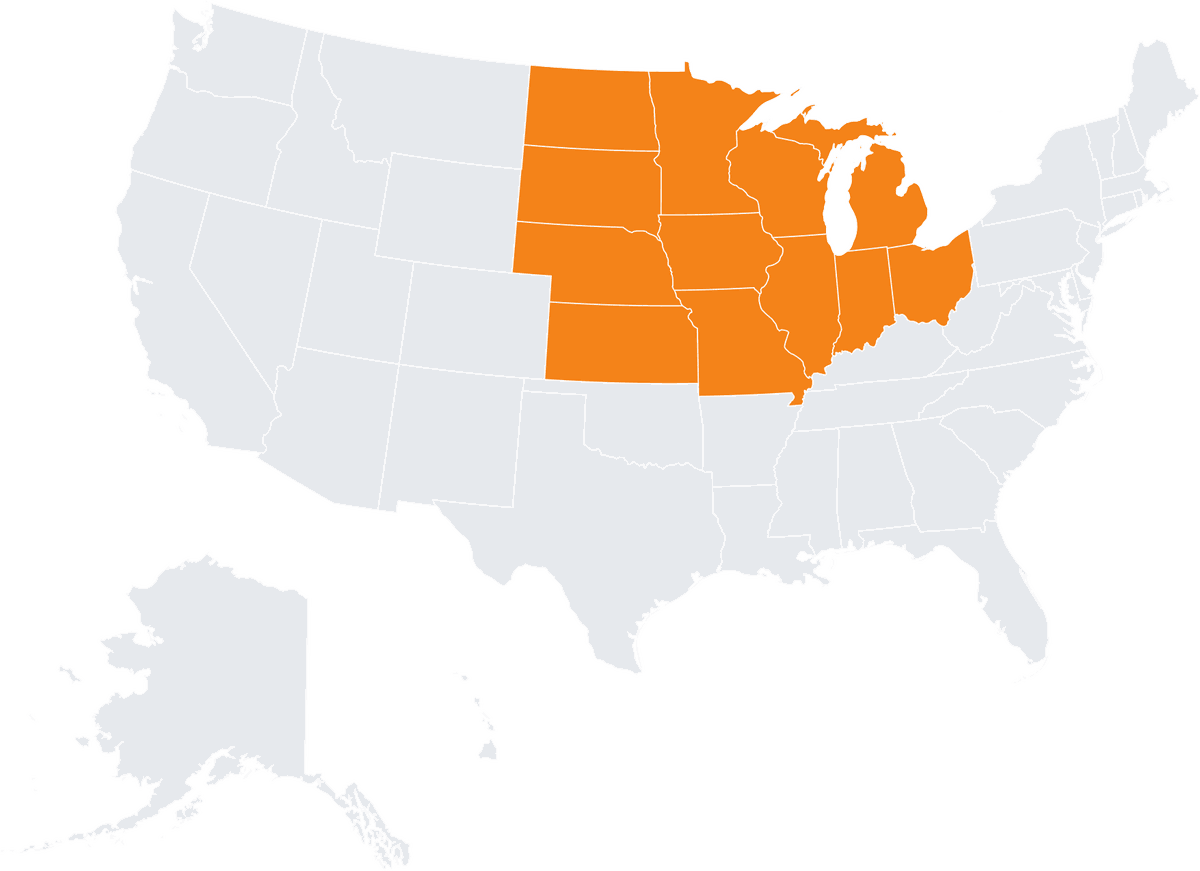
Illinois
Indiana
Iowa
Kansas
Michigan
Minnesota
Missouri
Nebraska
North Dakota
Ohio
South Dakota
Wisconsin
Chicago
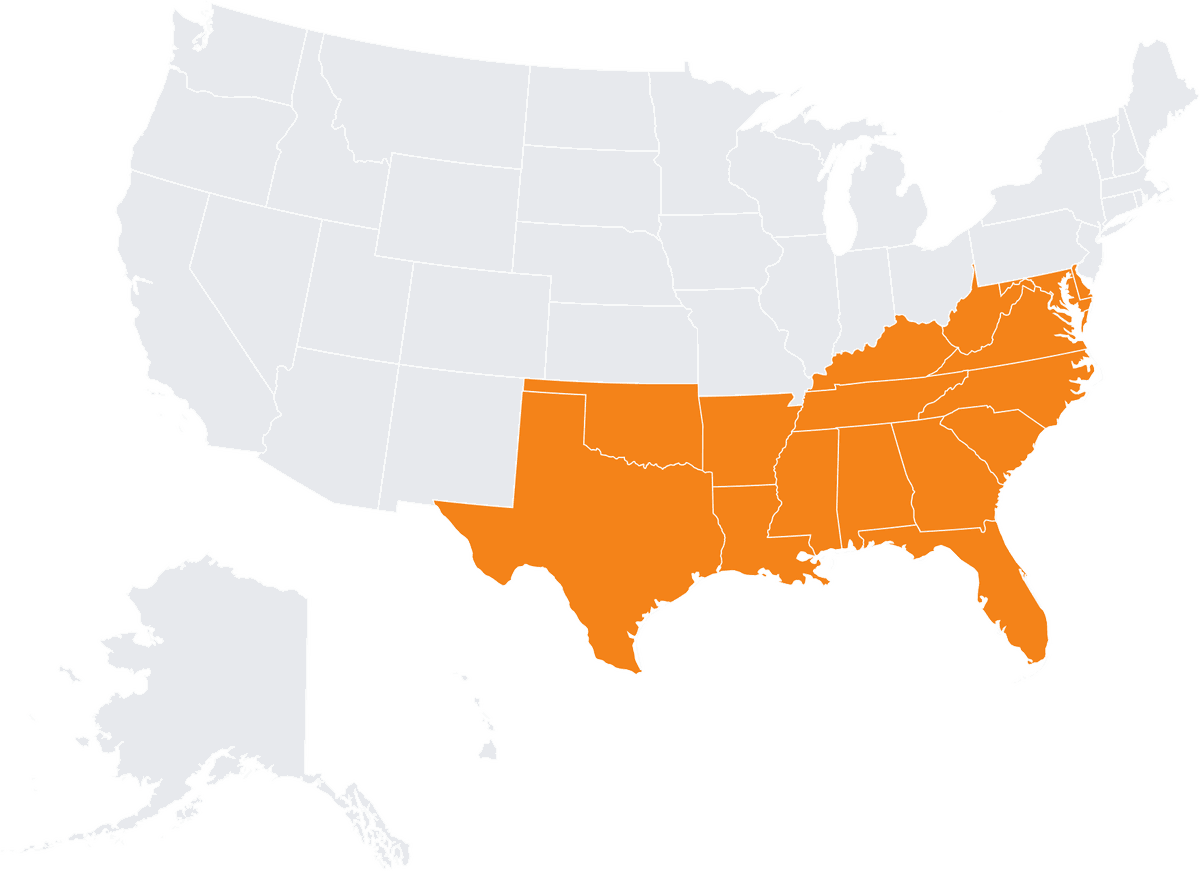
Alabama
Arkansas
Delaware
Florida
Georgia
Kentucky
Louisiana
Maryland
Mississippi
North Carolina
Oklahoma
South Carolina
Tennessee
Virginia
West Virginia
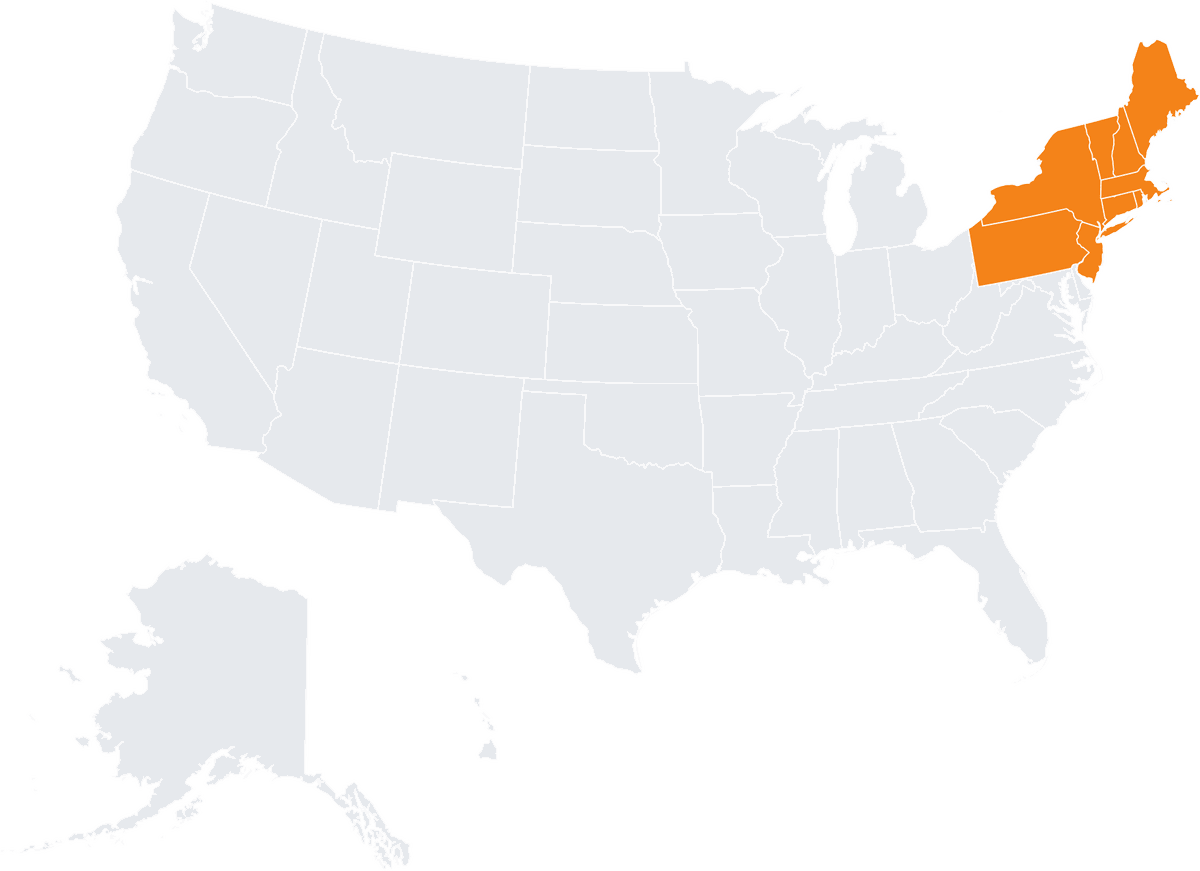
Connecticut
Maine
Massachusetts
New Hampshire
New Jersey
New York
Pennsylvania
Rhode Island
Vermont
Boston
Custom Revit families support scan to BIM projects with components built directly from point cloud data, ensuring precise geometry that reflects actual on-site conditions. Engineers, contractors, and facility teams get components that schedule correctly, coordinate cleanly, and can be reused. Each use is described below:
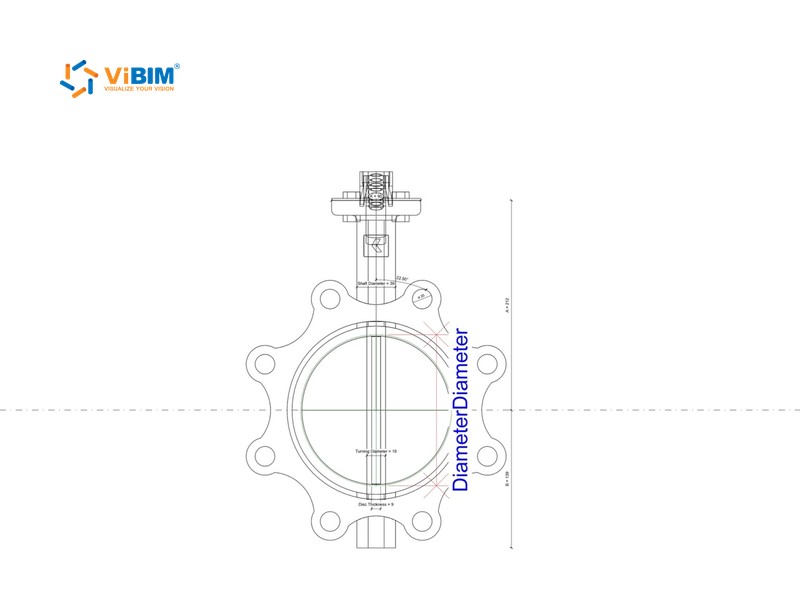
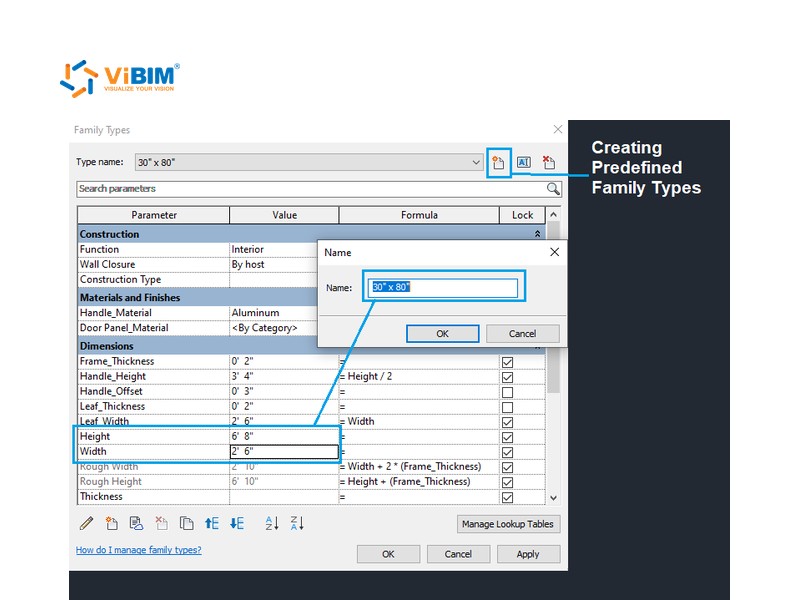
Embedded parameters enable efficient generation of drawings, legends, and quantity takeoffs. Schedules then pull the dimensions, materials, classifications, and product metadata each family carries at your project’s LOI.
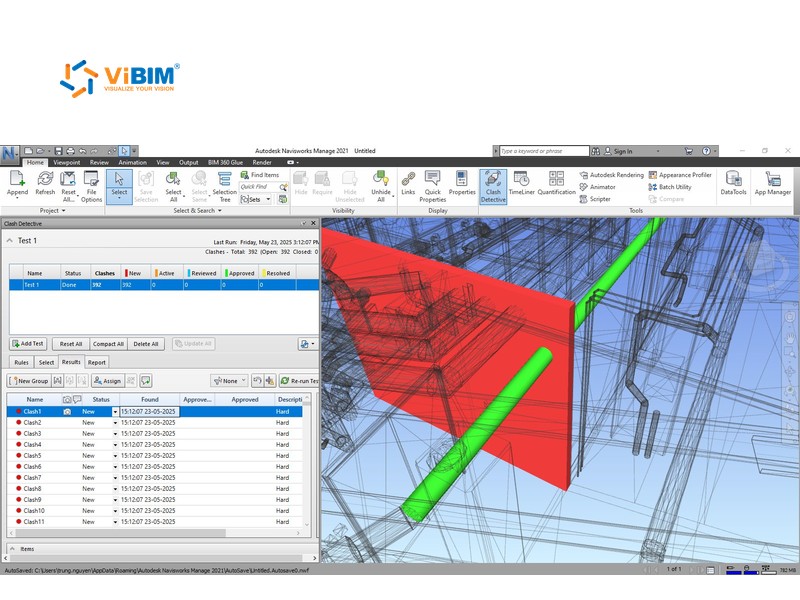
Correct categorization allows families to behave properly in views, schedules, filters, and clash detection tools, ensuring smoother BIM coordination across multiple disciplines. Fewer detailing and coordination errors mean less rework in later project stages.
Families built to one standard keep your models consistent and save time when you reuse or adapt them on later projects.
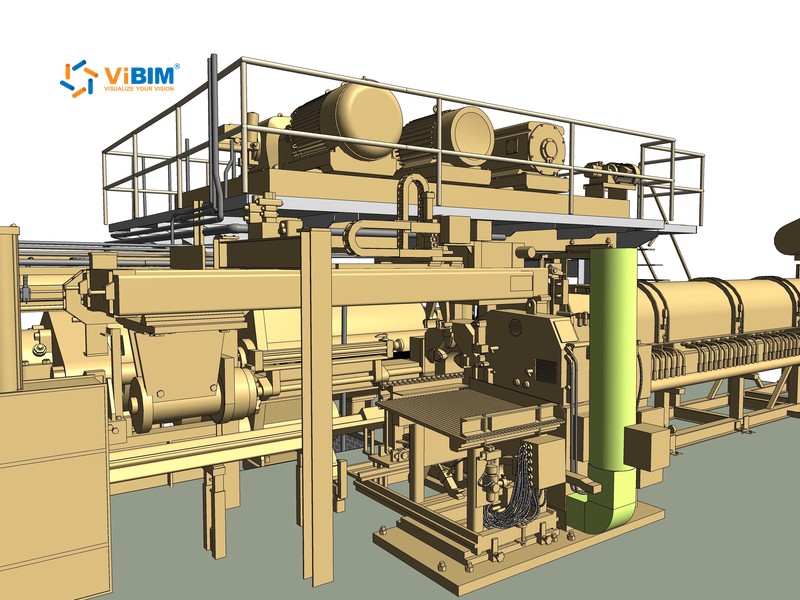
Well-constructed, lightweight families improve software performance and facilitate smoother collaboration. On a US aluminum extrusion plant, modeling the whole press line as one family would have made the files large and slow. ViBIM’s modelers split it into smaller families, such as the pulling motor, the conveyor, and the stamping machine.
Revit family creation from point clouds FAQs cover what the service is, which kinds of families ViBIM builds, when to outsource, and the inputs, versions, and reuse questions buyers ask.
Revit family creation is the process of building 2D or 3D digital components that represent physical building elements within Autodesk Revit software. These families can range from simple objects like doors and windows to complex equipment like HVAC units or specialized furniture. Each family contains graphical information (geometry) and non-graphical data (parameters like material, cost, manufacturer).
Revit has three kinds of families. System families, such as walls and floors, are built into the project, loadable families are separate .rfa files, and in-place families are modeled inside one project. ViBIM builds loadable families and converts suitable in-place elements into them.
Outsource it when your scanned components are not in any library, when the family list is long, or when your team lacks time before a deadline.
No. A family can be built from photos, drawings, or product data sheets, which also fill in parts the scan doesn’t show. The scan still sets the size and position of components in existing buildings.
Yes, for most components. Families that need specific hosting, such as doors and windows, are rebuilt in the Family Editor instead of converted.
Each family opens in the Revit version you name. Revit files open in newer releases but not in older ones, so ViBIM builds each family in your team’s version.
Yes. The parametric families work on any project that shares your standards. New host types or parameters may need a small update, which ViBIM quotes before starting.

START WITH A FREE TRIAL
Share your point cloud and project scope. We return a free trial model on your own data, plus a fixed quote, before you commit to anything.

Free trial model on your sample data
Scope, timeline and quote in 12–24 hours
NDA on request · secure file transfer