
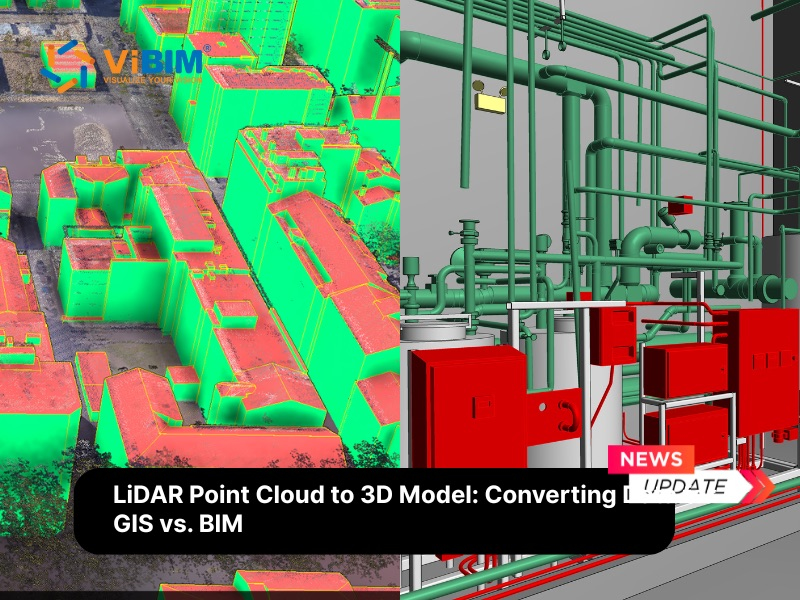
A LiDAR point cloud is a massive dataset consisting of millions of data points positioned in a 3D coordinate system, capturing the precise external surface of an object or terrain. Each specific point includes X, Y, and Z coordinates, along with attributes such as RGB color values or return intensity, to create a dense dataset. To make this data actionable for urban planning or building renovation, it must be converted into a structured 3D model. Many professionals mistake the automated generation of simple geometric blocks for city-scale mapping (3D GIS Model) with the meticulous modeling of detailed building components required for construction and renovation (3D BIM Model). Choosing the right approach depends on your end goal: spatial analysis across landscapes, or construction-ready documentation for a single facility.
This article provides a comprehensive guide to converting LiDAR point clouds into 3D models. We will start by defining the types of LiDAR acquisition and the various 3D models they generate. Then, we will break down the specific workflows for converting point clouds into both 3D GIS and 3D BIM models, highlighting the key software, methodologies, and challenges associated with each approach to help you choose the right strategy for your project.
What is a LiDAR point cloud?
A LiDAR point cloud is a collection of data points in a 3D coordinate system (X, Y, Z), often representing the external surface of an object or terrain. These points are generated by a LiDAR sensor, which emits pulsed laser light and measures the time it takes for the reflection to return to the sensor.
These datasets are incredibly dense and can contain billions of points. Beyond just spatial coordinates, each point often contains additional metadata such as:
- Intensity: The strength of the return signal, which helps distinguish materials (e.g., asphalt vs. grass).
- Return Number: Critical for penetrating vegetation to find the ground.
- RGB Values: Color information overlaid from a camera.
The result is a precise, “pointillist” digital replica of the surveyed environment. This raw data is versatile, serving as the foundation for applications ranging from topographic mapping and urban planning to infrastructure inspection and autonomous navigation. However, because the data consists of discrete points rather than solid shapes, it cannot be directly used for calculations like volume or energy analysis without further processing into a structured model.
Different Types of LiDAR Data Acquisition
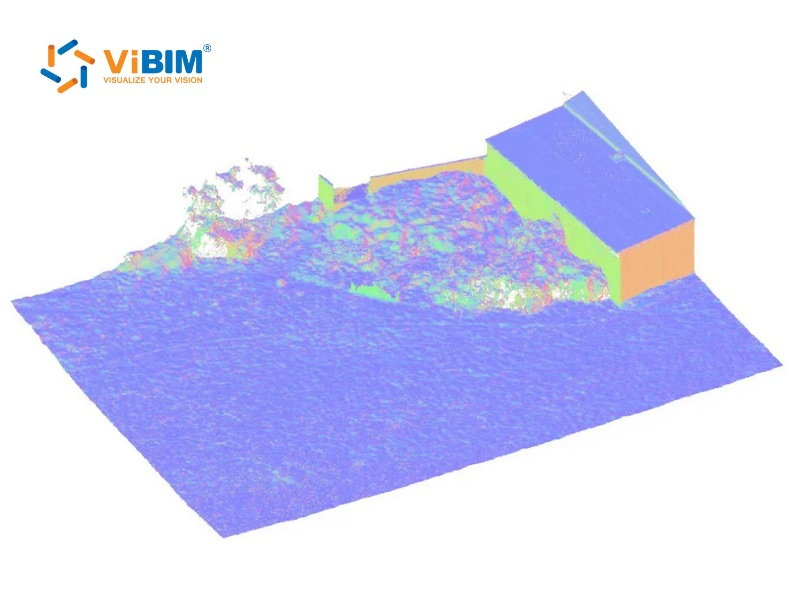
The method of capturing LiDAR point cloud data heavily influences the type of 3D model you can generate. These different types are used for different applications:
- Airborne LiDAR (ALS): Mounted on planes or helicopters. This is ideal for large-scale GIS applications, creating Digital Terrain Models (DTM) and 3D city models over vast areas where millimeter precision is less critical than broad coverage.
- UAV/Drone LiDAR: Mounted on Unmanned Aerial Vehicles. This method bridges the gap between high-altitude ALS and ground-based scanning. It offers higher point density than manned aircraft and is perfect for capturing building rooftops, construction site progress, and hard-to-reach terrains that are inaccessible to ground crews.
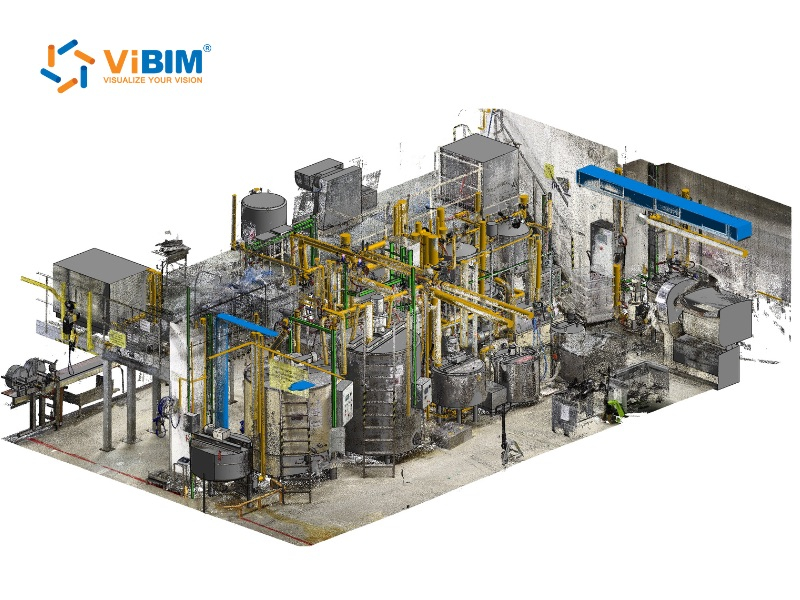
- Terrestrial Laser Scanning (TLS): Tripod-mounted scanners used for static, high-precision recording. As the most widely adopted method of 3D laser scanning for building documentation, TLS is the industry standard for Scan-to-BIM projects where millimeter accuracy is required for detailed building interiors, MEP systems, and structural analysis.
- Mobile Laser Scanning (MLS): Mounted on vehicles or backpacks. This allows for rapid data collection along corridors, making it the go-to choice for mapping road networks, railways, and street-level infrastructure for both GIS and civil engineering.
Types of 3D Models Generated from LiDAR
LiDAR generates diverse 3D models including Digital Elevation Models (DEMs), Digital Terrain Models (DTMs), Digital Surface Models (DSM), 3D Mesh Models, 3D Object-Based Models (GIS/BIM). These models are used for topographical analysis, urban planning, infrastructure modeling, and 3D visualization.
Key types of 3D models generated from LiDAR data include:
- Digital Elevation Models (DEM): These represent the bare-earth surface (removing trees and buildings) typically stored as a raster grid of elevation points. They are fundamental for general topographical analysis.
- Digital Terrain Models (DTM): Often used interchangeably with DEMs but technically more specific, DTMs are vector-based representations that include breaklines (ridges, rivers) to model the natural terrain structure with higher fidelity for civil engineering.
- Digital Surface Models (DSM): Unlike DTMs, these models retain the “first return” data from the LiDAR pulse, representing the highest surface of all features (vegetation, rooftops, power lines). They are widely applied in telecommunications for line-of-sight analysis and urban canopy monitoring.
- 3D Mesh Models: A continuous surface “skin” created by connecting adjacent LiDAR points with triangular polygons. While visually realistic for virtual tours and gaming environments, they typically lack individual object data.
- 3D Object-Based Models (GIS/BIM): The most advanced output where clusters of points are interpreted as distinct semantic entities (e.g., a specific wall or window). This format is the standard for Building Information Modeling and Smart City management, allowing for data-rich facility operations.
Why Use LiDAR Point Clouds for 3D Building Models?
Using LiDAR point clouds for 3D modeling represents a significant leap forward compared to traditional surveying methods, which often rely on manual measurements, total stations, and 2D sketches. While traditional approaches are time-consuming and prone to human error, a LiDAR point cloud provides a complete, immutable dataset of the site’s condition.
Here is why utilizing LiDAR point clouds is superior for creating 3D building models:
- Precision As-Built Verification: LiDAR captures the exact physical reality of a structure with high fidelity. Depending on the equipment used (e.g., survey-grade tripod scanners vs. handheld devices), accuracy typically ranges from millimeters to centimeters. It reveals deformations like sagging beams or inclined walls that idealized 2D drawings often miss, ensuring the model reflects true as-built conditions for renovation projects.
- Comprehensive Data Capture: A single scan documents the entire field of view, including every conduit and window frame. This creates a permanent virtual site accessible anytime, effectively eliminating the need for costly return visits to measure missed items.
- Modeling Complex Geometries: Point clouds trace organic shapes and intricate details perfectly. This capability allows modelers to generate accurate geometry for historical buildings or complex designs that defy standard straight lines and manual measurement tools.
- Enhanced Safety: Scanners capture data from a safe distance using terrestrial or drone-based technology. This allows for the precise modeling of hazardous or inaccessible areas without putting surveying personnel at risk.
Understanding the lidar vs photogrammetry trade-offs helps determine which method suits your project scope.
Key Differences: 3D GIS Model vs. 3D BIM Model
3D GIS models focus on geospatial analysis across large landscapes, integrating location data for mapping and environmental planning. In contrast, 3D BIM models emphasize detailed building intelligence for design, construction, and lifecycle management.
The table below outlines the specific differences across key dimensions:
| Feature | 3D GIS Model | 3D BIM Model |
| Primary Focus | Geospatial relationships and urban context. | Physical composition, function, and construction details. |
| Scale | Macro: Cities, Neighborhoods, Landscapes. | Micro: Single Buildings, Interiors, Components. |
| Geometry | Simplified volumes (LOD 1 or 2). Focus on outer shells and topology. | High fidelity (LOD 300+). Focus on internal layers, assembly, and connections. |
| Data Attributes | Abstract Data: Zoning, population density, flood risk, ownership. | Tangible Data: Material specifications, cost, manufacturer info, thermal properties. |
| Lifecycle Use | Urban planning, environmental analysis, smart city management. | Architectural design, structural engineering, construction, facility maintenance. |
| Key Strengths | Efficient management of massive datasets across large geographic areas. | High precision, clash detection capability, and fabrication readiness. |
With the specific use cases and attributes of GIS and BIM models defined, it is time to look at the “how.” The conversion pipeline varies significantly between the two, with GIS favoring automation for scale and BIM prioritizing manual interpretation for precision. The following sections will dive into the practical steps for each approach, starting with the workflow for transforming LiDAR point clouds into 3D GIS models.
GIS Workflow: From LiDAR to Digital Terrain Models
The GIS workflow transforms raw LiDAR data into terrain surfaces, building footprints, and 3D city models. This process serves urban planners, flood analysts, and municipalities who need citywide visualization rather than construction-ready documentation. For projects that require both terrain modeling and BIM-ready deliverables, specialized Topography Scan to BIM Services bridge the gap between geographic analysis and construction documentation. ArcGIS Pro with the 3D Analyst extension provides the standard toolset for the GIS-focused workflow.
Step 1: Creating a LAS Dataset and Exploring the Point Cloud
The first step involves importing your raw .las or .laz files into a GIS environment. By creating a LAS Dataset, you can manage large volumes of LiDAR data without loading every single point into memory. At this stage, you visualize the data to ensure coverage and check point density.
Step 2: Classify the LAS Dataset
Raw LiDAR data is often unclassified. To extract buildings, you must distinguish between “ground,” “vegetation,” and “buildings.”
- Automated Classification: GIS software uses algorithms to analyze the geometry of points. It identifies the lowest points as “ground” and planar, elevated surfaces as “roofs.”
- Manual Cleanup: Users may need to manually correct classification errors, such as a dense tree canopy being mistaken for a roof.
Step 3: Extract Building Footprints
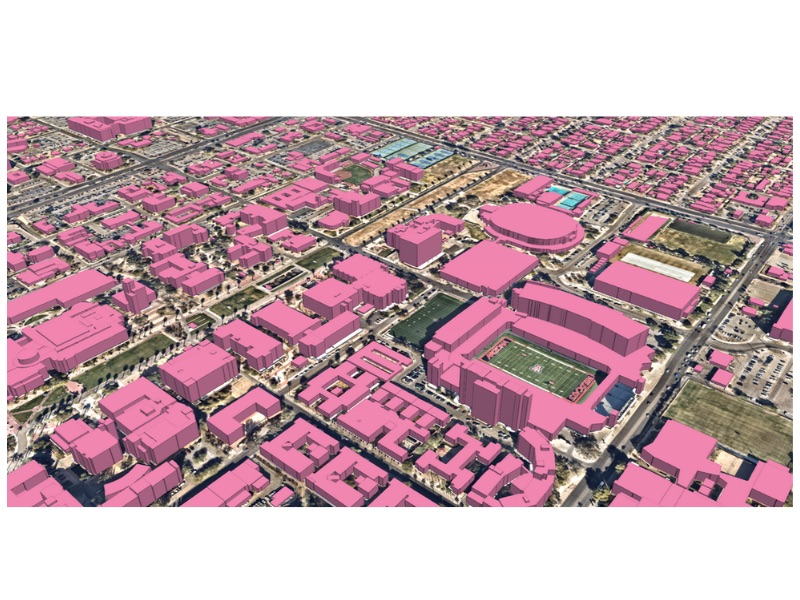
Once the points are classified, the software generates a Digital Surface Model (DSM) and a Digital Terrain Model (DTM). Subtracting the DTM from the DSM yields a Normalized DSM (nDSM), which highlights objects above ground. Using the nDSM and the points classified as “buildings,” the software traces the perimeter of structures to create 2D building footprints. This process can be refined using regularization tools to square off corners, ensuring the footprints look like constructed buildings rather than organic blobs.
Step 4: Extract Realistic 3D Buildings
The final step transforms 2D footprints into 3D volumes.
- Extrusion: The software calculates the average or maximum height of the LiDAR points within each footprint and extrudes the polygon upward.
- Roof Form Extraction: Advanced GIS tools can segment the roof points to determine the roof type (e.g., gable, hip, flat) and automatically generate a “Multipatch” feature. This results in a 3D city model that accurately reflects the skyline.
Learn the Technical Steps To see this workflow in action and practice with real datasets, you can follow the detailed tutorial on how to extract 3D buildings from LiDAR data.
BIM Workflow: Converting Lidar to 3D BIM Model
The Scan to BIM workflow is more manual and rigorous, aiming for architectural precision. It typically involves terrestrial laser scanning (TLS) data.
- Registration and Indexing: Before modeling, multiple scans taken from different positions must be stitched together (registered) into a single cohesive point cloud. Understanding the various point cloud file formats and their compatibility is critical at this stage, as the choice of format affects data fidelity and software performance. Software like Autodesk ReCap is commonly used to index this data and export it in a format compatible with BIM software (e.g., .rcp).
- Importing to BIM Software The indexed point cloud is linked directly into BIM software like Revit. It functions as a precise 3D reference trace, effectively acting as a “ghost” model that overlays the workspace to guide the modeling process.
- Modeling Geometry (Tracing): Unlike the automated extraction in GIS, BIM modeling involves intelligent interpretation.
- Walls: The modeler slices the point cloud horizontally to view the floor plan and traces wall centerlines, choosing wall types that match the thickness of the scan data.
- Floors and Ceilings: Level lines are set based on the point cloud elevation data.
- Components: Doors, windows, and columns are placed where the point cloud indicates openings or features.
- Deviation Analysis: To ensure accuracy, advanced workflows use plugins to visualize the deviation between the modeled geometry and the point cloud, ensuring the model stays within the required tolerance (e.g., +/- 10mm).
While this section outlines the fundamental phases, the technical execution—specifically handling data noise and complex families—requires a strategic approach. For a broader overview of all methods used to generate a 3d model from point cloud data, including mesh-based and parametric approaches, please read our detailed guide. For a comprehensive step-by-step tutorial specific to the BIM pipeline and expert best practices, please read our detailed guide on how to convert point cloud to BIM.
Key Software for Processing LiDAR Point Clouds
Selecting the right tool depends on your chosen approach (GIS vs. BIM):
For GIS:
- ArcGIS Pro: The industry standard for geospatial analysis, offering powerful “3D Analyst” and “Lidar classification” toolsets.
- QGIS: A free, open-source alternative that handles point clouds (via plugins like LAStools), though with a steeper learning curve for 3D extraction.
For BIM:
- Autodesk Revit: The dominant BIM authoring tool. It handles large point clouds relatively well but relies on manual modeling or plugins for automation.
- ArchiCAD: A strong competitor to Revit, offering robust point cloud import capabilities.
- Scan to BIM Plugins: Tools like CloudWorx, Pointsense, or Undet plug into BIM software to accelerate the feature extraction process.
While this overview highlights the industry leaders, selecting the right toolset requires a deeper comparison of features, compatibility, and cost. For a detailed breakdown of the top-rated solutions specifically for construction and renovation projects, check out our dedicated review of the best scan to BIM software.
Challenges in the Lidar to 3D Model Process
The LiDAR to 3D model process faces challenges from massive, noisy data, environmental interference (weather, reflectivity), occlusions, dynamic scenes, and the need for specialized software and significant computing power, making segmentation and texturing complex. Key hurdles include handling point cloud density, sensor noise, dynamic objects (people, cars), reflective surfaces (glass, water), data management, and color/texture integration, often requiring hybrid sensor approaches.
Key challenges in the LiDAR to 3D model process:
- Data Quality Problems: Noise, outliers, and incomplete scans from environmental factors (e.g., reflective surfaces, occlusions, vegetation) distort meshes, creating artifacts or gaps. Implementing proper 3D point cloud noise filtering techniques before modeling reduces these artifacts and prevents costly rework. Poor normals estimation leads to “bubbly” or inaccurate surfaces, especially in sparse areas. Registration errors when merging multiple scans compound inaccuracies.
- Computational Demands: Massive datasets (millions of points) overwhelm hardware, causing crashes in tools like MeshLab or CloudCompare during meshing (e.g., Poisson reconstruction). High density requires downsampling, risking detail loss; real-time processing remains elusive.
- Modeling and Usability Challenges: Raw points lack structure for intuitive editing in CAD/BIM, demanding labor-intensive cleanup (5x more than new models). Algorithms struggle with thin/complex geometries, varying densities, or out-of-distribution data, yielding pixilated or incoherent meshes.
- Workflow and Practical Hurdles: Integration with GIS/BIM layers demands coordinate alignment and format conversion; quality control gaps propagate errors to final models. Manual artist intervention often needed, inflating time/costs despite automation tools.
The complexity of Scan to BIM requires not only high-spec hardware but also a specialized workforce capable of navigating these technical hurdles efficiently. For many firms, scaling up an in-house team to handle this workload is cost-prohibitive. To maintain project timelines and quality without the overhead, many AEC companies turn to ViBIM. We provide expert revit modeling outsourcing services, helping you transform raw, complex scan data into precise, construction-ready models.

FAQs
Can Revit open Lidar files?
Revit cannot open raw .las or .txt coordinate files directly. You must first index the raw data using software like Autodesk ReCap to convert it into an .rcp (Reality Capture Project) or .rcs (Reality Capture Scan) file. Once converted, these files can be linked into Revit, allowing you to view and snap to the point cloud data.
How does integrating GIS coordinates improve LiDAR-to-3D model accuracy for city planning?
Integrating GIS coordinates (georeferencing) anchors the LiDAR point cloud to a specific location on the Earth’s surface using systems like UTM or State Plane. This improves accuracy by ensuring the 3D model aligns perfectly with other geospatial datasets, such as cadastral maps, underground utility networks, and flood zones. Without these coordinates, the 3D model is just a “floating” object; with them, it becomes a spatially accurate asset capable of supporting complex urban analyses like solar envelope calculations, line-of-sight studies, and infrastructure connectivity planning.











